Free AI Headshot Generator from One Selfie
Turn a selfie into a studio style headshot for LinkedIn or your resume. Upload a photo, paste a prompt and press Generate.
- Free tokens to start
- No app needed
- No watermark
'/%3E%3Cg filter='url(%23soft)'%3E%3Crect x='262' y='-20' width='170' height='250' rx='4' fill='%23fbf6ee'/%3E%3Crect x='-20' y='70' width='120' height='16' fill='%23a88262'/%3E%3Crect x='4' y='30' width='26' height='40' rx='3' fill='%236d8fa8'/%3E%3Crect x='38' y='40' width='22' height='30' rx='3' fill='%23c8745a'/%3E%3Ccircle cx='352' cy='300' r='58' fill='%237a9a5e'/%3E%3Ccircle cx='318' cy='352' r='40' fill='%235f8049'/%3E%3C/g%3E%3Cg transform='rotate(-4 200 250) translate(30 18) scale(1.08)'%3E%3Cellipse cx='200' cy='506' rx='200' ry='44' fill='%23000' opacity='0.14'/%3E%3Cpath d='M-12 520 L-12 446 C8 410 40 394 84 386 C122 378 150 362 162 330 L238 330 C250 362 278 378 316 386 C360 394 392 410 412 446 L412 520 Z' fill='%23d49a3a'/%3E%3Cpath d='M162 332 C168 368 232 368 238 332 Z' fill='%23a26a48'/%3E%3Cpath d='M160 332 C166 374 234 374 240 332' stroke='rgba(0,0,0,0.22)' stroke-width='6' fill='none'/%3E%3Cpath d='M-12 520 L-12 446 C8 410 40 394 84 386 C122 378 150 362 162 330 L238 330 C250 362 278 378 316 386 C360 394 392 410 412 446 L412 520 Z' fill='url(%23cloth)'/%3E%3Cpath d='M126 214 C116 142 158 100 204 100 C254 100 288 142 276 216 C282 280 288 330 304 392 C272 410 240 404 226 388 L226 300 L174 300 L174 388 C160 404 128 410 96 392 C112 330 118 280 126 214 Z' fill='%231c1613'/%3E%3Cpath d='M168 256 C172 292 170 316 160 340 L240 340 C230 316 228 292 232 256 Z' fill='%23c68a63'/%3E%3Cpath d='M166 274 C182 320 218 320 234 274 L234 256 L166 256 Z' fill='%23a26a48' opacity='0.8'/%3E%3Cellipse cx='132' cy='212' rx='10' ry='17' fill='%23c68a63'/%3E%3Cellipse cx='268' cy='212' rx='10' ry='17' fill='%23c68a63'/%3E%3Cpath d='M200 116 C244 116 269 151 269 201 C269 252 245 294 200 298 C155 294 131 252 131 201 C131 151 156 116 200 116 Z' fill='%23c68a63'/%3E%3Cpath d='M200 116 C244 116 269 151 269 201 C269 252 245 294 200 298 C155 294 131 252 131 201 C131 151 156 116 200 116 Z' fill='url(%23glow)'/%3E%3Cpath d='M150 250 C160 286 182 298 200 298 C218 298 240 286 250 250 C240 274 222 286 200 288 C178 286 160 274 150 250 Z' fill='%23a26a48' opacity='0.35'/%3E%3Cpath d='M128 226 C120 150 158 104 206 104 C256 104 286 150 272 232 C268 196 256 168 232 138 C214 176 176 196 140 214 C136 218 132 222 128 226 Z' fill='%231c1613'/%3E%3Cpath d='M128 226 C120 150 158 104 206 104 C256 104 286 150 272 232 C268 196 256 168 232 138 C214 176 176 196 140 214 C136 218 132 222 128 226 Z' fill='url(%23glow)' opacity='0.6'/%3E%3Cpath d='M-60 540 C-30 452 10 400 70 380 C104 370 134 384 134 414 C122 456 76 510 46 580 Z' fill='%23d7a24a'/%3E%3Cpath d='M-60 540 C-30 452 10 400 70 380 C104 370 134 384 134 414 C122 456 76 510 46 580 Z' fill='url(%23cloth)'/%3E%3Cpath d='M134 414 C122 456 76 510 46 580' stroke='rgba(0,0,0,0.18)' stroke-width='3' fill='none'/%3E%3C/g%3E%3Crect width='400' height='500' fill='url(%23warm)'/%3E%3C/g%3E%3C/svg%3E) Your selfie
Your selfieAI Edit
Make this a studio headshot. Grey backdrop, navy blazer, soft light. Keep my face the same.
How to make your AI headshot
Three steps, all online. It works on your phone too.
Step 1
Upload a selfie
A clear photo of just you, looking at the camera.
'/%3E%3Cellipse cx='200' cy='506' rx='200' ry='44' fill='%23000' opacity='0.14'/%3E%3Cpath d='M-12 520 L-12 446 C8 410 40 394 84 386 C122 378 150 362 162 330 L238 330 C250 362 278 378 316 386 C360 394 392 410 412 446 L412 520 Z' fill='%231f2a44'/%3E%3Cpath d='M164 332 L236 332 L200 470 Z' fill='%23f4f3f0'/%3E%3Cpath d='M164 328 L186 368 L200 346 Z' fill='%23f4f3f0'/%3E%3Cpath d='M236 328 L214 368 L200 346 Z' fill='%23f4f3f0'/%3E%3Cpath d='M164 328 L186 368 L200 346 Z' fill='rgba(0,0,0,0.22)' opacity='0.35'/%3E%3Cpath d='M236 328 L214 368 L200 346 Z' fill='rgba(0,0,0,0.22)' opacity='0.35'/%3E%3Cpath d='M138 378 L164 334 L200 470 L188 486 C176 444 156 408 138 378 Z' fill='rgba(0,0,0,0.22)'/%3E%3Cpath d='M262 378 L236 334 L200 470 L212 486 C224 444 244 408 262 378 Z' fill='rgba(0,0,0,0.22)'/%3E%3Ccircle cx='200' cy='484' r='5' fill='rgba(0,0,0,0.22)'/%3E%3Cpath d='M-12 520 L-12 446 C8 410 40 394 84 386 C122 378 150 362 162 330 L238 330 C250 362 278 378 316 386 C360 394 392 410 412 446 L412 520 Z' fill='url(%23cloth)'/%3E%3Cpath d='M126 214 C116 142 158 100 204 100 C254 100 288 142 276 216 C282 280 288 330 304 392 C272 410 240 404 226 388 L226 300 L174 300 L174 388 C160 404 128 410 96 392 C112 330 118 280 126 214 Z' fill='%231c1613'/%3E%3Cpath d='M168 256 C172 292 170 316 160 340 L240 340 C230 316 228 292 232 256 Z' fill='%23c68a63'/%3E%3Cpath d='M166 274 C182 320 218 320 234 274 L234 256 L166 256 Z' fill='%23a26a48' opacity='0.8'/%3E%3Cellipse cx='132' cy='212' rx='10' ry='17' fill='%23c68a63'/%3E%3Cellipse cx='268' cy='212' rx='10' ry='17' fill='%23c68a63'/%3E%3Cpath d='M200 116 C244 116 269 151 269 201 C269 252 245 294 200 298 C155 294 131 252 131 201 C131 151 156 116 200 116 Z' fill='%23c68a63'/%3E%3Cpath d='M200 116 C244 116 269 151 269 201 C269 252 245 294 200 298 C155 294 131 252 131 201 C131 151 156 116 200 116 Z' fill='url(%23glow)'/%3E%3Cpath d='M150 250 C160 286 182 298 200 298 C218 298 240 286 250 250 C240 274 222 286 200 288 C178 286 160 274 150 250 Z' fill='%23a26a48' opacity='0.35'/%3E%3Cpath d='M128 226 C120 150 158 104 206 104 C256 104 286 150 272 232 C268 196 256 168 232 138 C214 176 176 196 140 214 C136 218 132 222 128 226 Z' fill='%231c1613'/%3E%3Cpath d='M128 226 C120 150 158 104 206 104 C256 104 286 150 272 232 C268 196 256 168 232 138 C214 176 176 196 140 214 C136 218 132 222 128 226 Z' fill='url(%23glow)' opacity='0.6'/%3E%3C/g%3E%3C/svg%3E) Copy prompt
Copy promptStep 2
Copy a headshot prompt
Pick a look below and paste it into AI Edit.
- Qwen Image 27
- Seedream V59
- GPT Image 2 Edit20
Generate7Step 3
Press Generate
Pick a model. The button shows the price first, from 7 tokens.
Pick a headshot look
Copy a prompt and paste it into AI Edit. Change the colours or clothes in your own words.
Grey studio
Good for LinkedIn and resumes
See the promptHide the prompt
Turn my selfie into a professional studio headshot. Plain mid grey backdrop, soft even light from the front, head and shoulders framing, looking at the camera. Dress me in a navy blazer over a plain white shirt. Keep my face, skin tone, hair and expression exactly the same. Realistic photo, sharp focus on the eyes. No text, no logos.
'/%3E%3Cg filter='url(%23soft)'%3E%3Crect x='10' y='24' width='100' height='300' rx='6' fill='%23ffffff'/%3E%3Crect x='150' y='24' width='100' height='300' rx='6' fill='%23ffffff'/%3E%3Crect x='290' y='24' width='100' height='300' rx='6' fill='%23ffffff'/%3E%3Ccircle cx='36' cy='360' r='66' fill='%236f9b5a'/%3E%3Ccircle cx='84' cy='304' r='40' fill='%23577f46'/%3E%3Ccircle cx='372' cy='336' r='72' fill='%23618e4e'/%3E%3C/g%3E%3Cellipse cx='200' cy='506' rx='200' ry='44' fill='%23000' opacity='0.14'/%3E%3Cpath d='M-12 520 L-12 446 C8 410 40 394 84 386 C122 378 150 362 162 330 L238 330 C250 362 278 378 316 386 C360 394 392 410 412 446 L412 520 Z' fill='%233b4048'/%3E%3Cpath d='M164 332 L236 332 L200 470 Z' fill='%23d6e2f0'/%3E%3Cpath d='M164 328 L186 368 L200 346 Z' fill='%23d6e2f0'/%3E%3Cpath d='M236 328 L214 368 L200 346 Z' fill='%23d6e2f0'/%3E%3Cpath d='M164 328 L186 368 L200 346 Z' fill='rgba(0,0,0,0.22)' opacity='0.35'/%3E%3Cpath d='M236 328 L214 368 L200 346 Z' fill='rgba(0,0,0,0.22)' opacity='0.35'/%3E%3Cpath d='M138 378 L164 334 L200 470 L188 486 C176 444 156 408 138 378 Z' fill='rgba(0,0,0,0.22)'/%3E%3Cpath d='M262 378 L236 334 L200 470 L212 486 C224 444 244 408 262 378 Z' fill='rgba(0,0,0,0.22)'/%3E%3Ccircle cx='200' cy='484' r='5' fill='rgba(0,0,0,0.22)'/%3E%3Cpath d='M-12 520 L-12 446 C8 410 40 394 84 386 C122 378 150 362 162 330 L238 330 C250 362 278 378 316 386 C360 394 392 410 412 446 L412 520 Z' fill='url(%23cloth)'/%3E%3Cpath d='M168 256 C172 292 170 316 160 340 L240 340 C230 316 228 292 232 256 Z' fill='%23b5784f'/%3E%3Cpath d='M166 274 C182 320 218 320 234 274 L234 256 L166 256 Z' fill='%23925c39' opacity='0.8'/%3E%3Cellipse cx='132' cy='212' rx='10' ry='17' fill='%23b5784f'/%3E%3Cellipse cx='268' cy='212' rx='10' ry='17' fill='%23b5784f'/%3E%3Cpath d='M200 116 C244 116 269 151 269 201 C269 252 245 294 200 298 C155 294 131 252 131 201 C131 151 156 116 200 116 Z' fill='%23b5784f'/%3E%3Cpath d='M200 116 C244 116 269 151 269 201 C269 252 245 294 200 298 C155 294 131 252 131 201 C131 151 156 116 200 116 Z' fill='url(%23glow)'/%3E%3Cpath d='M150 250 C160 286 182 298 200 298 C218 298 240 286 250 250 C240 274 222 286 200 288 C178 286 160 274 150 250 Z' fill='%23925c39' opacity='0.35'/%3E%3Cpath d='M134 208 C124 150 150 106 188 98 C208 90 242 94 258 112 C278 132 280 168 268 208 C266 190 260 172 250 162 C240 152 228 150 218 154 C206 160 194 158 182 152 C168 150 154 158 146 170 C140 180 136 194 134 208 Z' fill='%231c1613'/%3E%3Cpath d='M134 208 C124 150 150 106 188 98 C208 90 242 94 258 112 C278 132 280 168 268 208 C266 190 260 172 250 162 C240 152 228 150 218 154 C206 160 194 158 182 152 C168 150 154 158 146 170 C140 180 136 194 134 208 Z' fill='url(%23glow)' opacity='0.6'/%3E%3C/g%3E%3C/svg%3E)
Bright office
Good for company websites
See the promptHide the prompt
Turn my selfie into a professional headshot in a bright modern office. Softly blurred windows and plants behind me, natural daylight on my face, head and shoulders framing. Dress me in smart business clothes. Keep my face, skin tone, hair and expression exactly the same. Realistic photo, shallow depth of field. No text, no logos.
'/%3E%3Cellipse cx='200' cy='506' rx='200' ry='44' fill='%23000' opacity='0.14'/%3E%3Cpath d='M-12 520 L-12 446 C8 410 40 394 84 386 C122 378 150 362 162 330 L238 330 C250 362 278 378 316 386 C360 394 392 410 412 446 L412 520 Z' fill='%236c6f75'/%3E%3Cpath d='M164 332 L236 332 L200 470 Z' fill='%23f4f3f0'/%3E%3Cpath d='M164 328 L186 368 L200 346 Z' fill='%23f4f3f0'/%3E%3Cpath d='M236 328 L214 368 L200 346 Z' fill='%23f4f3f0'/%3E%3Cpath d='M164 328 L186 368 L200 346 Z' fill='rgba(0,0,0,0.22)' opacity='0.35'/%3E%3Cpath d='M236 328 L214 368 L200 346 Z' fill='rgba(0,0,0,0.22)' opacity='0.35'/%3E%3Cpath d='M138 378 L164 334 L200 470 L188 486 C176 444 156 408 138 378 Z' fill='rgba(0,0,0,0.22)'/%3E%3Cpath d='M262 378 L236 334 L200 470 L212 486 C224 444 244 408 262 378 Z' fill='rgba(0,0,0,0.22)'/%3E%3Ccircle cx='200' cy='484' r='5' fill='rgba(0,0,0,0.22)'/%3E%3Cpath d='M-12 520 L-12 446 C8 410 40 394 84 386 C122 378 150 362 162 330 L238 330 C250 362 278 378 316 386 C360 394 392 410 412 446 L412 520 Z' fill='url(%23cloth)'/%3E%3Cpath d='M168 256 C172 292 170 316 160 340 L240 340 C230 316 228 292 232 256 Z' fill='%23e8bb99'/%3E%3Cpath d='M166 274 C182 320 218 320 234 274 L234 256 L166 256 Z' fill='%23c9946f' opacity='0.8'/%3E%3Cpath d='M204 58 C230 58 246 76 246 98 C246 120 230 134 204 134 C178 134 162 120 162 98 C162 76 178 58 204 58 Z' fill='%235e3820'/%3E%3Cellipse cx='132' cy='212' rx='10' ry='17' fill='%23e8bb99'/%3E%3Cellipse cx='268' cy='212' rx='10' ry='17' fill='%23e8bb99'/%3E%3Cpath d='M200 116 C244 116 269 151 269 201 C269 252 245 294 200 298 C155 294 131 252 131 201 C131 151 156 116 200 116 Z' fill='%23e8bb99'/%3E%3Cpath d='M200 116 C244 116 269 151 269 201 C269 252 245 294 200 298 C155 294 131 252 131 201 C131 151 156 116 200 116 Z' fill='url(%23glow)'/%3E%3Cpath d='M150 250 C160 286 182 298 200 298 C218 298 240 286 250 250 C240 274 222 286 200 288 C178 286 160 274 150 250 Z' fill='%23c9946f' opacity='0.35'/%3E%3Cpath d='M134 204 C126 146 160 110 204 110 C250 110 278 146 266 204 C262 182 254 168 242 158 C222 150 188 150 166 160 C152 170 140 186 134 204 Z' fill='%235e3820'/%3E%3Cpath d='M134 204 C126 146 160 110 204 110 C250 110 278 146 266 204 C262 182 254 168 242 158 C222 150 188 150 166 160 C152 170 140 186 134 204 Z' fill='url(%23glow)' opacity='0.6'/%3E%3C/g%3E%3C/svg%3E)
Blue backdrop
Good for corporate profiles
See the promptHide the prompt
Turn my selfie into a professional corporate headshot. Plain deep blue backdrop with a soft gradient, soft even studio light, head and shoulders framing, looking at the camera. Dress me in a light grey blazer over a plain white shirt. Keep my face, skin tone, hair and expression exactly the same. Realistic photo, sharp focus on the eyes. No text, no logos.
'/%3E%3Cg filter='url(%23soft)' fill='%23fff6cf'%3E%3Ccircle cx='58' cy='88' r='26' opacity='0.5'/%3E%3Ccircle cx='118' cy='168' r='16' opacity='0.4'/%3E%3Ccircle cx='334' cy='198' r='22' opacity='0.45'/%3E%3Ccircle cx='40' cy='252' r='18' opacity='0.35'/%3E%3Ccircle cx='362' cy='318' r='28' opacity='0.3'/%3E%3Ccircle cx='292' cy='78' r='14' opacity='0.5'/%3E%3C/g%3E%3Crect width='400' height='500' fill='url(%23sun)'/%3E%3Cellipse cx='200' cy='506' rx='200' ry='44' fill='%23000' opacity='0.14'/%3E%3Cpath d='M-12 520 L-12 446 C8 410 40 394 84 386 C122 378 150 362 162 330 L238 330 C250 362 278 378 316 386 C360 394 392 410 412 446 L412 520 Z' fill='%23b8653f'/%3E%3Cpath d='M162 332 C168 368 232 368 238 332 Z' fill='%236a412a'/%3E%3Cpath d='M160 332 C166 374 234 374 240 332' stroke='rgba(0,0,0,0.22)' stroke-width='6' fill='none'/%3E%3Cpath d='M-12 520 L-12 446 C8 410 40 394 84 386 C122 378 150 362 162 330 L238 330 C250 362 278 378 316 386 C360 394 392 410 412 446 L412 520 Z' fill='url(%23cloth)'/%3E%3Cpath d='M118 206 C96 186 104 148 128 140 C124 108 158 88 184 98 C200 76 238 80 250 102 C278 96 304 124 294 152 C318 170 312 208 290 218 C300 246 284 272 262 270 L138 270 C114 272 100 244 118 206 Z' fill='%231c1613'/%3E%3Cpath d='M168 256 C172 292 170 316 160 340 L240 340 C230 316 228 292 232 256 Z' fill='%238b5a3c'/%3E%3Cpath d='M166 274 C182 320 218 320 234 274 L234 256 L166 256 Z' fill='%236a412a' opacity='0.8'/%3E%3Cellipse cx='132' cy='212' rx='10' ry='17' fill='%238b5a3c'/%3E%3Cellipse cx='268' cy='212' rx='10' ry='17' fill='%238b5a3c'/%3E%3Cpath d='M200 116 C244 116 269 151 269 201 C269 252 245 294 200 298 C155 294 131 252 131 201 C131 151 156 116 200 116 Z' fill='%238b5a3c'/%3E%3Cpath d='M200 116 C244 116 269 151 269 201 C269 252 245 294 200 298 C155 294 131 252 131 201 C131 151 156 116 200 116 Z' fill='url(%23glow)'/%3E%3Cpath d='M150 250 C160 286 182 298 200 298 C218 298 240 286 250 250 C240 274 222 286 200 288 C178 286 160 274 150 250 Z' fill='%236a412a' opacity='0.35'/%3E%3Cpath d='M134 206 C126 178 132 150 150 136 C156 116 182 108 198 116 C214 104 242 110 250 128 C270 134 280 160 268 196 C262 176 250 166 238 162 C222 172 196 170 180 160 C164 170 150 184 134 206 Z' fill='%231c1613'/%3E%3Cpath d='M134 206 C126 178 132 150 150 136 C156 116 182 108 198 116 C214 104 242 110 250 128 C270 134 280 160 268 196 C262 176 250 166 238 162 C222 172 196 170 180 160 C164 170 150 184 134 206 Z' fill='url(%23glow)' opacity='0.6'/%3E%3Crect width='400' height='500' fill='url(%23warm)'/%3E%3C/g%3E%3C/svg%3E)
Outdoor light
Good for friendly bios
See the promptHide the prompt
Turn my selfie into an outdoor headshot in natural light. Softly blurred green trees behind me, warm late afternoon sun, head and shoulders framing. Keep my face, skin tone, hair, expression and clothes exactly the same. Realistic photo, shallow depth of field. No text, no logos.
'/%3E%3Cellipse cx='200' cy='506' rx='200' ry='44' fill='%23000' opacity='0.14'/%3E%3Cpath d='M-12 520 L-12 446 C8 410 40 394 84 386 C122 378 150 362 162 330 L238 330 C250 362 278 378 316 386 C360 394 392 410 412 446 L412 520 Z' fill='%234f6f9c'/%3E%3Cpath d='M172 332 L228 332 L200 390 Z' fill='%23a26a48'/%3E%3Cpath d='M162 324 L200 390 L186 396 L144 354 Z' fill='%235d7eab'/%3E%3Cpath d='M238 324 L200 390 L214 396 L256 354 Z' fill='%235d7eab'/%3E%3Cpath d='M200 390 L200 520' stroke='rgba(0,0,0,0.22)' stroke-width='2'/%3E%3Cpath d='M-12 520 L-12 446 C8 410 40 394 84 386 C122 378 150 362 162 330 L238 330 C250 362 278 378 316 386 C360 394 392 410 412 446 L412 520 Z' fill='url(%23cloth)'/%3E%3Cpath d='M168 256 C172 292 170 316 160 340 L240 340 C230 316 228 292 232 256 Z' fill='%23c68a63'/%3E%3Cpath d='M166 274 C182 320 218 320 234 274 L234 256 L166 256 Z' fill='%23a26a48' opacity='0.8'/%3E%3Cellipse cx='132' cy='212' rx='10' ry='17' fill='%23c68a63'/%3E%3Cellipse cx='268' cy='212' rx='10' ry='17' fill='%23c68a63'/%3E%3Cpath d='M200 116 C244 116 269 151 269 201 C269 252 245 294 200 298 C155 294 131 252 131 201 C131 151 156 116 200 116 Z' fill='%23c68a63'/%3E%3Cpath d='M200 116 C244 116 269 151 269 201 C269 252 245 294 200 298 C155 294 131 252 131 201 C131 151 156 116 200 116 Z' fill='url(%23glow)'/%3E%3Cpath d='M150 250 C160 286 182 298 200 298 C218 298 240 286 250 250 C240 274 222 286 200 288 C178 286 160 274 150 250 Z' fill='%23a26a48' opacity='0.35'/%3E%3Cpath d='M146 236 C150 282 176 304 200 304 C224 304 250 282 254 236 C246 262 228 274 200 276 C172 274 154 262 146 236 Z' fill='%233a2417' opacity='0.92'/%3E%3Cpath d='M134 208 C124 150 150 106 188 98 C208 90 242 94 258 112 C278 132 280 168 268 208 C266 190 260 172 250 162 C240 152 228 150 218 154 C206 160 194 158 182 152 C168 150 154 158 146 170 C140 180 136 194 134 208 Z' fill='%233a2417'/%3E%3Cpath d='M134 208 C124 150 150 106 188 98 C208 90 242 94 258 112 C278 132 280 168 268 208 C266 190 260 172 250 162 C240 152 228 150 218 154 C206 160 194 158 182 152 C168 150 154 158 146 170 C140 180 136 194 134 208 Z' fill='url(%23glow)' opacity='0.6'/%3E%3C/g%3E%3C/svg%3E)
Plain white
Good for team directories
See the promptHide the prompt
Replace the background of my selfie with a clean plain white studio backdrop and light my face evenly, like a professional headshot. Head and shoulders framing, looking at the camera. Keep my face, skin tone, hair, expression and clothes exactly the same. Realistic photo. No text, no logos.
'/%3E%3Cellipse cx='200' cy='506' rx='200' ry='44' fill='%23000' opacity='0.14'/%3E%3Cpath d='M-12 520 L-12 446 C8 410 40 394 84 386 C122 378 150 362 162 330 L238 330 C250 362 278 378 316 386 C360 394 392 410 412 446 L412 520 Z' fill='%23151515'/%3E%3Cpath d='M-12 520 L-12 446 C8 410 40 394 84 386 C122 378 150 362 162 330 L238 330 C250 362 278 378 316 386 C360 394 392 410 412 446 L412 520 Z' fill='url(%23cloth)'/%3E%3Cpath d='M-12 520 L-12 446 C8 410 40 394 84 386 C122 378 150 362 162 330 L238 330 C250 362 278 378 316 386 C360 394 392 410 412 446 L412 520 Z' fill='url(%23sideWide)'/%3E%3Cpath d='M126 214 C116 142 158 100 204 100 C254 100 288 142 276 216 C282 280 288 330 304 392 C272 410 240 404 226 388 L226 300 L174 300 L174 388 C160 404 128 410 96 392 C112 330 118 280 126 214 Z' fill='%233a2417'/%3E%3Cpath d='M168 256 C172 292 170 316 160 340 L240 340 C230 316 228 292 232 256 Z' fill='%23b5784f'/%3E%3Cpath d='M166 274 C182 320 218 320 234 274 L234 256 L166 256 Z' fill='%23925c39' opacity='0.8'/%3E%3Cpath d='M168 256 C172 292 170 316 160 340 L240 340 C230 316 228 292 232 256 Z' fill='url(%23side)'/%3E%3Cpath d='M168 294 C170 320 168 334 160 346 L240 346 C232 334 230 320 232 294 Z' fill='%23151515'/%3E%3Cpath d='M168 294 C184 304 216 304 232 294' stroke='rgba(255,255,255,0.12)' stroke-width='3' fill='none'/%3E%3Cellipse cx='132' cy='212' rx='10' ry='17' fill='%23b5784f'/%3E%3Cellipse cx='268' cy='212' rx='10' ry='17' fill='%23b5784f'/%3E%3Cpath d='M200 116 C244 116 269 151 269 201 C269 252 245 294 200 298 C155 294 131 252 131 201 C131 151 156 116 200 116 Z' fill='%23b5784f'/%3E%3Cpath d='M200 116 C244 116 269 151 269 201 C269 252 245 294 200 298 C155 294 131 252 131 201 C131 151 156 116 200 116 Z' fill='url(%23glow)'/%3E%3Cpath d='M150 250 C160 286 182 298 200 298 C218 298 240 286 250 250 C240 274 222 286 200 288 C178 286 160 274 150 250 Z' fill='%23925c39' opacity='0.35'/%3E%3Cpath d='M200 116 C244 116 269 151 269 201 C269 252 245 294 200 298 C155 294 131 252 131 201 C131 151 156 116 200 116 Z' fill='url(%23side)'/%3E%3Cellipse cx='268' cy='212' rx='10' ry='17' fill='url(%23side)'/%3E%3Cpath d='M128 226 C120 150 158 104 206 104 C256 104 286 150 272 232 C268 196 256 168 232 138 C214 176 176 196 140 214 C136 218 132 222 128 226 Z' fill='%233a2417'/%3E%3Cpath d='M128 226 C120 150 158 104 206 104 C256 104 286 150 272 232 C268 196 256 168 232 138 C214 176 176 196 140 214 C136 218 132 222 128 226 Z' fill='url(%23glow)' opacity='0.6'/%3E%3Cpath d='M128 226 C120 150 158 104 206 104 C256 104 286 150 272 232 C268 196 256 168 232 138 C214 176 176 196 140 214 C136 218 132 222 128 226 Z' fill='url(%23side)'/%3E%3C/g%3E%3C/svg%3E)
Dark studio
Good for speakers and artists
See the promptHide the prompt
Turn my selfie into a moody studio portrait. Deep charcoal backdrop, one soft light from the side with gentle shadow on the other side of my face, head and shoulders framing. Dress me in a plain black top. Keep my face, skin tone, hair and expression exactly the same. Realistic photo, sharp focus on the eyes. No text, no logos.
'%3E%3CradialGradient id='bg' cx='50%25' cy='40%25' r='75%25'%3E%3Cstop offset='0' stop-color='%23e2e2e2'/%3E%3Cstop offset='1' stop-color='%238c8c8c'/%3E%3C/radialGradient%3E%3Crect width='400' height='500' fill='url(%23bg)'/%3E%3Cellipse cx='200' cy='506' rx='200' ry='44' fill='%23000' opacity='0.14'/%3E%3Cpath d='M-12 520 L-12 446 C8 410 40 394 84 386 C122 378 150 362 162 330 L238 330 C250 362 278 378 316 386 C360 394 392 410 412 446 L412 520 Z' fill='%233a3a3a'/%3E%3Cpath d='M164 332 L236 332 L200 470 Z' fill='%23e6e6e6'/%3E%3Cpath d='M164 328 L186 368 L200 346 Z' fill='%23e6e6e6'/%3E%3Cpath d='M236 328 L214 368 L200 346 Z' fill='%23e6e6e6'/%3E%3Cpath d='M164 328 L186 368 L200 346 Z' fill='rgba(0,0,0,0.22)' opacity='0.35'/%3E%3Cpath d='M236 328 L214 368 L200 346 Z' fill='rgba(0,0,0,0.22)' opacity='0.35'/%3E%3Cpath d='M138 378 L164 334 L200 470 L188 486 C176 444 156 408 138 378 Z' fill='rgba(0,0,0,0.22)'/%3E%3Cpath d='M262 378 L236 334 L200 470 L212 486 C224 444 244 408 262 378 Z' fill='rgba(0,0,0,0.22)'/%3E%3Ccircle cx='200' cy='484' r='5' fill='rgba(0,0,0,0.22)'/%3E%3Cpath d='M-12 520 L-12 446 C8 410 40 394 84 386 C122 378 150 362 162 330 L238 330 C250 362 278 378 316 386 C360 394 392 410 412 446 L412 520 Z' fill='url(%23cloth)'/%3E%3Cpath d='M168 256 C172 292 170 316 160 340 L240 340 C230 316 228 292 232 256 Z' fill='%23e8bb99'/%3E%3Cpath d='M166 274 C182 320 218 320 234 274 L234 256 L166 256 Z' fill='%23c9946f' opacity='0.8'/%3E%3Cellipse cx='132' cy='212' rx='10' ry='17' fill='%23e8bb99'/%3E%3Cellipse cx='268' cy='212' rx='10' ry='17' fill='%23e8bb99'/%3E%3Cpath d='M200 116 C244 116 269 151 269 201 C269 252 245 294 200 298 C155 294 131 252 131 201 C131 151 156 116 200 116 Z' fill='%23e8bb99'/%3E%3Cpath d='M200 116 C244 116 269 151 269 201 C269 252 245 294 200 298 C155 294 131 252 131 201 C131 151 156 116 200 116 Z' fill='url(%23glow)'/%3E%3Cpath d='M150 250 C160 286 182 298 200 298 C218 298 240 286 250 250 C240 274 222 286 200 288 C178 286 160 274 150 250 Z' fill='%23c9946f' opacity='0.35'/%3E%3Cpath d='M134 208 C124 150 150 106 188 98 C208 90 242 94 258 112 C278 132 280 168 268 208 C266 190 260 172 250 162 C240 152 228 150 218 154 C206 160 194 158 182 152 C168 150 154 158 146 170 C140 180 136 194 134 208 Z' fill='%231c1613'/%3E%3Cpath d='M134 208 C124 150 150 106 188 98 C208 90 242 94 258 112 C278 132 280 168 268 208 C266 190 260 172 250 162 C240 152 228 150 218 154 C206 160 194 158 182 152 C168 150 154 158 146 170 C140 180 136 194 134 208 Z' fill='url(%23glow)' opacity='0.6'/%3E%3C/g%3E%3C/svg%3E)
Black and white
Good for author photos
See the promptHide the prompt
Turn my selfie into a black and white studio headshot. Plain light grey backdrop, soft light, fine film grain, head and shoulders framing. Keep my face, hair and expression exactly the same. Realistic photo. No text, no logos.
Try it on your selfie
Upload a selfie and paste any look
Start now
Want a portrait from words only, with no selfie? Read our GPT Image 2 portrait prompts.
Start with a good selfie
A better selfie gives a better headshot.
Good Too small Big, clear face
Look at the camera. Keep your face big in the photo.
'/%3E%3Cg filter='url(%23soft)'%3E%3Crect x='262' y='-20' width='170' height='250' rx='4' fill='%23fbf6ee'/%3E%3Crect x='-20' y='70' width='120' height='16' fill='%23a88262'/%3E%3Crect x='4' y='30' width='26' height='40' rx='3' fill='%236d8fa8'/%3E%3Crect x='38' y='40' width='22' height='30' rx='3' fill='%23c8745a'/%3E%3Ccircle cx='352' cy='300' r='58' fill='%237a9a5e'/%3E%3Ccircle cx='318' cy='352' r='40' fill='%235f8049'/%3E%3C/g%3E%3Cg transform='rotate(-4 200 250) translate(30 18) scale(1.08)'%3E%3Cellipse cx='200' cy='506' rx='200' ry='44' fill='%23000' opacity='0.14'/%3E%3Cpath d='M-12 520 L-12 446 C8 410 40 394 84 386 C122 378 150 362 162 330 L238 330 C250 362 278 378 316 386 C360 394 392 410 412 446 L412 520 Z' fill='%235b6d8a'/%3E%3Cpath d='M128 374 C128 336 162 314 200 314 C238 314 272 336 272 374 C248 356 152 356 128 374 Z' fill='%2349576e'/%3E%3Cpath d='M162 332 C168 368 232 368 238 332 Z' fill='%236a412a'/%3E%3Cpath d='M186 362 C185 392 184 416 182 440' stroke='%23e8e6e1' stroke-width='4' stroke-linecap='round' fill='none'/%3E%3Cpath d='M214 362 C215 392 216 416 218 440' stroke='%23e8e6e1' stroke-width='4' stroke-linecap='round' fill='none'/%3E%3Cpath d='M-12 520 L-12 446 C8 410 40 394 84 386 C122 378 150 362 162 330 L238 330 C250 362 278 378 316 386 C360 394 392 410 412 446 L412 520 Z' fill='url(%23cloth)'/%3E%3Cpath d='M118 206 C96 186 104 148 128 140 C124 108 158 88 184 98 C200 76 238 80 250 102 C278 96 304 124 294 152 C318 170 312 208 290 218 C300 246 284 272 262 270 L138 270 C114 272 100 244 118 206 Z' fill='%231c1613'/%3E%3Cpath d='M168 256 C172 292 170 316 160 340 L240 340 C230 316 228 292 232 256 Z' fill='%238b5a3c'/%3E%3Cpath d='M166 274 C182 320 218 320 234 274 L234 256 L166 256 Z' fill='%236a412a' opacity='0.8'/%3E%3Cellipse cx='132' cy='212' rx='10' ry='17' fill='%238b5a3c'/%3E%3Cellipse cx='268' cy='212' rx='10' ry='17' fill='%238b5a3c'/%3E%3Cpath d='M200 116 C244 116 269 151 269 201 C269 252 245 294 200 298 C155 294 131 252 131 201 C131 151 156 116 200 116 Z' fill='%238b5a3c'/%3E%3Cpath d='M200 116 C244 116 269 151 269 201 C269 252 245 294 200 298 C155 294 131 252 131 201 C131 151 156 116 200 116 Z' fill='url(%23glow)'/%3E%3Cpath d='M150 250 C160 286 182 298 200 298 C218 298 240 286 250 250 C240 274 222 286 200 288 C178 286 160 274 150 250 Z' fill='%236a412a' opacity='0.35'/%3E%3Cpath d='M134 206 C126 178 132 150 150 136 C156 116 182 108 198 116 C214 104 242 110 250 128 C270 134 280 160 268 196 C262 176 250 166 238 162 C222 172 196 170 180 160 C164 170 150 184 134 206 Z' fill='%231c1613'/%3E%3Cpath d='M134 206 C126 178 132 150 150 136 C156 116 182 108 198 116 C214 104 242 110 250 128 C270 134 280 160 268 196 C262 176 250 166 238 162 C222 172 196 170 180 160 C164 170 150 184 134 206 Z' fill='url(%23glow)' opacity='0.6'/%3E%3Cpath d='M-60 540 C-30 452 10 400 70 380 C104 370 134 384 134 414 C122 456 76 510 46 580 Z' fill='%23687993'/%3E%3Cpath d='M-60 540 C-30 452 10 400 70 380 C104 370 134 384 134 414 C122 456 76 510 46 580 Z' fill='url(%23cloth)'/%3E%3Cpath d='M134 414 C122 456 76 510 46 580' stroke='rgba(0,0,0,0.18)' stroke-width='3' fill='none'/%3E%3C/g%3E%3C/g%3E%3C/svg%3E)
Good Too dark Soft, bright light
Face a window. Daylight works best.
'/%3E%3Cg filter='url(%23soft)'%3E%3Crect x='262' y='-20' width='170' height='250' rx='4' fill='%23fbf6ee'/%3E%3Crect x='-20' y='70' width='120' height='16' fill='%23a88262'/%3E%3Crect x='4' y='30' width='26' height='40' rx='3' fill='%236d8fa8'/%3E%3Crect x='38' y='40' width='22' height='30' rx='3' fill='%23c8745a'/%3E%3Ccircle cx='352' cy='300' r='58' fill='%237a9a5e'/%3E%3Ccircle cx='318' cy='352' r='40' fill='%235f8049'/%3E%3C/g%3E%3Cg transform='rotate(-4 200 250) translate(30 18) scale(1.08)'%3E%3Cellipse cx='200' cy='506' rx='200' ry='44' fill='%23000' opacity='0.14'/%3E%3Cpath d='M-12 520 L-12 446 C8 410 40 394 84 386 C122 378 150 362 162 330 L238 330 C250 362 278 378 316 386 C360 394 392 410 412 446 L412 520 Z' fill='%237d8f6a'/%3E%3Cpath d='M172 332 L228 332 L200 390 Z' fill='%23925c39'/%3E%3Cpath d='M162 324 L200 390 L186 396 L144 354 Z' fill='%238b9d77'/%3E%3Cpath d='M238 324 L200 390 L214 396 L256 354 Z' fill='%238b9d77'/%3E%3Cpath d='M200 390 L200 520' stroke='rgba(0,0,0,0.22)' stroke-width='2'/%3E%3Cpath d='M-12 520 L-12 446 C8 410 40 394 84 386 C122 378 150 362 162 330 L238 330 C250 362 278 378 316 386 C360 394 392 410 412 446 L412 520 Z' fill='url(%23cloth)'/%3E%3Cpath d='M168 256 C172 292 170 316 160 340 L240 340 C230 316 228 292 232 256 Z' fill='%23b5784f'/%3E%3Cpath d='M166 274 C182 320 218 320 234 274 L234 256 L166 256 Z' fill='%23925c39' opacity='0.8'/%3E%3Cellipse cx='132' cy='212' rx='10' ry='17' fill='%23b5784f'/%3E%3Cellipse cx='268' cy='212' rx='10' ry='17' fill='%23b5784f'/%3E%3Cpath d='M200 116 C244 116 269 151 269 201 C269 252 245 294 200 298 C155 294 131 252 131 201 C131 151 156 116 200 116 Z' fill='%23b5784f'/%3E%3Cpath d='M200 116 C244 116 269 151 269 201 C269 252 245 294 200 298 C155 294 131 252 131 201 C131 151 156 116 200 116 Z' fill='url(%23glow)'/%3E%3Cpath d='M150 250 C160 286 182 298 200 298 C218 298 240 286 250 250 C240 274 222 286 200 288 C178 286 160 274 150 250 Z' fill='%23925c39' opacity='0.35'/%3E%3Cpath d='M146 236 C150 282 176 304 200 304 C224 304 250 282 254 236 C246 262 228 274 200 276 C172 274 154 262 146 236 Z' fill='%231c1613' opacity='0.92'/%3E%3Cpath d='M134 208 C124 150 150 106 188 98 C208 90 242 94 258 112 C278 132 280 168 268 208 C266 190 260 172 250 162 C240 152 228 150 218 154 C206 160 194 158 182 152 C168 150 154 158 146 170 C140 180 136 194 134 208 Z' fill='%231c1613'/%3E%3Cpath d='M134 208 C124 150 150 106 188 98 C208 90 242 94 258 112 C278 132 280 168 268 208 C266 190 260 172 250 162 C240 152 228 150 218 154 C206 160 194 158 182 152 C168 150 154 158 146 170 C140 180 136 194 134 208 Z' fill='url(%23glow)' opacity='0.6'/%3E%3Cpath d='M-60 540 C-30 452 10 400 70 380 C104 370 134 384 134 414 C122 456 76 510 46 580 Z' fill='%23879876'/%3E%3Cpath d='M-60 540 C-30 452 10 400 70 380 C104 370 134 384 134 414 C122 456 76 510 46 580 Z' fill='url(%23cloth)'/%3E%3Cpath d='M134 414 C122 456 76 510 46 580' stroke='rgba(0,0,0,0.18)' stroke-width='3' fill='none'/%3E%3C/g%3E%3C/g%3E%3C/svg%3E)
Good Blurry Sharp photo
Hold still. Use the back camera and a timer.
'/%3E%3Cg filter='url(%23soft)'%3E%3Crect x='262' y='-20' width='170' height='250' rx='4' fill='%23fbf6ee'/%3E%3Crect x='-20' y='70' width='120' height='16' fill='%23a88262'/%3E%3Crect x='4' y='30' width='26' height='40' rx='3' fill='%236d8fa8'/%3E%3Crect x='38' y='40' width='22' height='30' rx='3' fill='%23c8745a'/%3E%3Ccircle cx='352' cy='300' r='58' fill='%237a9a5e'/%3E%3Ccircle cx='318' cy='352' r='40' fill='%235f8049'/%3E%3C/g%3E%3Cg transform='rotate(-4 200 250) translate(30 18) scale(1.08)'%3E%3Cellipse cx='200' cy='506' rx='200' ry='44' fill='%23000' opacity='0.14'/%3E%3Cpath d='M-12 520 L-12 446 C8 410 40 394 84 386 C122 378 150 362 162 330 L238 330 C250 362 278 378 316 386 C360 394 392 410 412 446 L412 520 Z' fill='%239c5b7a'/%3E%3Cpath d='M162 332 C168 368 232 368 238 332 Z' fill='%23c9946f'/%3E%3Cpath d='M160 332 C166 374 234 374 240 332' stroke='rgba(0,0,0,0.22)' stroke-width='6' fill='none'/%3E%3Cpath d='M-12 520 L-12 446 C8 410 40 394 84 386 C122 378 150 362 162 330 L238 330 C250 362 278 378 316 386 C360 394 392 410 412 446 L412 520 Z' fill='url(%23cloth)'/%3E%3Cpath d='M168 256 C172 292 170 316 160 340 L240 340 C230 316 228 292 232 256 Z' fill='%23e8bb99'/%3E%3Cpath d='M166 274 C182 320 218 320 234 274 L234 256 L166 256 Z' fill='%23c9946f' opacity='0.8'/%3E%3Cpath d='M204 58 C230 58 246 76 246 98 C246 120 230 134 204 134 C178 134 162 120 162 98 C162 76 178 58 204 58 Z' fill='%235e3820'/%3E%3Cellipse cx='132' cy='212' rx='10' ry='17' fill='%23e8bb99'/%3E%3Cellipse cx='268' cy='212' rx='10' ry='17' fill='%23e8bb99'/%3E%3Cpath d='M200 116 C244 116 269 151 269 201 C269 252 245 294 200 298 C155 294 131 252 131 201 C131 151 156 116 200 116 Z' fill='%23e8bb99'/%3E%3Cpath d='M200 116 C244 116 269 151 269 201 C269 252 245 294 200 298 C155 294 131 252 131 201 C131 151 156 116 200 116 Z' fill='url(%23glow)'/%3E%3Cpath d='M150 250 C160 286 182 298 200 298 C218 298 240 286 250 250 C240 274 222 286 200 288 C178 286 160 274 150 250 Z' fill='%23c9946f' opacity='0.35'/%3E%3Cpath d='M134 204 C126 146 160 110 204 110 C250 110 278 146 266 204 C262 182 254 168 242 158 C222 150 188 150 166 160 C152 170 140 186 134 204 Z' fill='%235e3820'/%3E%3Cpath d='M134 204 C126 146 160 110 204 110 C250 110 278 146 266 204 C262 182 254 168 242 158 C222 150 188 150 166 160 C152 170 140 186 134 204 Z' fill='url(%23glow)' opacity='0.6'/%3E%3Cpath d='M-60 540 C-30 452 10 400 70 380 C104 370 134 384 134 414 C122 456 76 510 46 580 Z' fill='%23a46885'/%3E%3Cpath d='M-60 540 C-30 452 10 400 70 380 C104 370 134 384 134 414 C122 456 76 510 46 580 Z' fill='url(%23cloth)'/%3E%3Cpath d='M134 414 C122 456 76 510 46 580' stroke='rgba(0,0,0,0.18)' stroke-width='3' fill='none'/%3E%3C/g%3E%3C/g%3E%3C/svg%3E)
Good '/%3E%3Cg filter='url(%23soft)'%3E%3Crect x='262' y='-20' width='170' height='250' rx='4' fill='%23fbf6ee'/%3E%3Crect x='-20' y='70' width='120' height='16' fill='%23a88262'/%3E%3Crect x='4' y='30' width='26' height='40' rx='3' fill='%236d8fa8'/%3E%3Crect x='38' y='40' width='22' height='30' rx='3' fill='%23c8745a'/%3E%3Ccircle cx='352' cy='300' r='58' fill='%237a9a5e'/%3E%3Ccircle cx='318' cy='352' r='40' fill='%235f8049'/%3E%3C/g%3E%3Cellipse cx='200' cy='506' rx='200' ry='44' fill='%23000' opacity='0.14'/%3E%3Cpath d='M-12 520 L-12 446 C8 410 40 394 84 386 C122 378 150 362 162 330 L238 330 C250 362 278 378 316 386 C360 394 392 410 412 446 L412 520 Z' fill='%23d49a3a'/%3E%3Cpath d='M162 332 C168 368 232 368 238 332 Z' fill='%23a26a48'/%3E%3Cpath d='M160 332 C166 374 234 374 240 332' stroke='rgba(0,0,0,0.22)' stroke-width='6' fill='none'/%3E%3Cpath d='M-12 520 L-12 446 C8 410 40 394 84 386 C122 378 150 362 162 330 L238 330 C250 362 278 378 316 386 C360 394 392 410 412 446 L412 520 Z' fill='url(%23cloth)'/%3E%3Cpath d='M126 214 C116 142 158 100 204 100 C254 100 288 142 276 216 C282 280 288 330 304 392 C272 410 240 404 226 388 L226 300 L174 300 L174 388 C160 404 128 410 96 392 C112 330 118 280 126 214 Z' fill='%231c1613'/%3E%3Cpath d='M168 256 C172 292 170 316 160 340 L240 340 C230 316 228 292 232 256 Z' fill='%23c68a63'/%3E%3Cpath d='M166 274 C182 320 218 320 234 274 L234 256 L166 256 Z' fill='%23a26a48' opacity='0.8'/%3E%3Cellipse cx='132' cy='212' rx='10' ry='17' fill='%23c68a63'/%3E%3Cellipse cx='268' cy='212' rx='10' ry='17' fill='%23c68a63'/%3E%3Cpath d='M200 116 C244 116 269 151 269 201 C269 252 245 294 200 298 C155 294 131 252 131 201 C131 151 156 116 200 116 Z' fill='%23c68a63'/%3E%3Cpath d='M200 116 C244 116 269 151 269 201 C269 252 245 294 200 298 C155 294 131 252 131 201 C131 151 156 116 200 116 Z' fill='url(%23glow)'/%3E%3Cpath d='M150 250 C160 286 182 298 200 298 C218 298 240 286 250 250 C240 274 222 286 200 288 C178 286 160 274 150 250 Z' fill='%23a26a48' opacity='0.35'/%3E%3Cpath d='M128 226 C120 150 158 104 206 104 C256 104 286 150 272 232 C268 196 256 168 232 138 C214 176 176 196 140 214 C136 218 132 222 128 226 Z' fill='%231c1613'/%3E%3Cpath d='M128 226 C120 150 158 104 206 104 C256 104 286 150 272 232 C268 196 256 168 232 138 C214 176 176 196 140 214 C136 218 132 222 128 226 Z' fill='url(%23glow)' opacity='0.6'/%3E%3Crect width='400' height='500' fill='url(%23warm)'/%3E%3C/g%3E%3C/svg%3E)
'/%3E%3Cg filter='url(%23soft)'%3E%3Crect x='262' y='-20' width='170' height='250' rx='4' fill='%23fbf6ee'/%3E%3Crect x='-20' y='70' width='120' height='16' fill='%23a88262'/%3E%3Crect x='4' y='30' width='26' height='40' rx='3' fill='%236d8fa8'/%3E%3Crect x='38' y='40' width='22' height='30' rx='3' fill='%23c8745a'/%3E%3Ccircle cx='352' cy='300' r='58' fill='%237a9a5e'/%3E%3Ccircle cx='318' cy='352' r='40' fill='%235f8049'/%3E%3C/g%3E%3Cellipse cx='200' cy='506' rx='200' ry='44' fill='%23000' opacity='0.14'/%3E%3Cpath d='M-12 520 L-12 446 C8 410 40 394 84 386 C122 378 150 362 162 330 L238 330 C250 362 278 378 316 386 C360 394 392 410 412 446 L412 520 Z' fill='%237d8f6a'/%3E%3Cpath d='M172 332 L228 332 L200 390 Z' fill='%23925c39'/%3E%3Cpath d='M162 324 L200 390 L186 396 L144 354 Z' fill='%238b9d77'/%3E%3Cpath d='M238 324 L200 390 L214 396 L256 354 Z' fill='%238b9d77'/%3E%3Cpath d='M200 390 L200 520' stroke='rgba(0,0,0,0.22)' stroke-width='2'/%3E%3Cpath d='M-12 520 L-12 446 C8 410 40 394 84 386 C122 378 150 362 162 330 L238 330 C250 362 278 378 316 386 C360 394 392 410 412 446 L412 520 Z' fill='url(%23cloth)'/%3E%3Cpath d='M168 256 C172 292 170 316 160 340 L240 340 C230 316 228 292 232 256 Z' fill='%23b5784f'/%3E%3Cpath d='M166 274 C182 320 218 320 234 274 L234 256 L166 256 Z' fill='%23925c39' opacity='0.8'/%3E%3Cellipse cx='132' cy='212' rx='10' ry='17' fill='%23b5784f'/%3E%3Cellipse cx='268' cy='212' rx='10' ry='17' fill='%23b5784f'/%3E%3Cpath d='M200 116 C244 116 269 151 269 201 C269 252 245 294 200 298 C155 294 131 252 131 201 C131 151 156 116 200 116 Z' fill='%23b5784f'/%3E%3Cpath d='M200 116 C244 116 269 151 269 201 C269 252 245 294 200 298 C155 294 131 252 131 201 C131 151 156 116 200 116 Z' fill='url(%23glow)'/%3E%3Cpath d='M150 250 C160 286 182 298 200 298 C218 298 240 286 250 250 C240 274 222 286 200 288 C178 286 160 274 150 250 Z' fill='%23925c39' opacity='0.35'/%3E%3Cpath d='M146 236 C150 282 176 304 200 304 C224 304 250 282 254 236 C246 262 228 274 200 276 C172 274 154 262 146 236 Z' fill='%231c1613' opacity='0.92'/%3E%3Cpath d='M134 208 C124 150 150 106 188 98 C208 90 242 94 258 112 C278 132 280 168 268 208 C266 190 260 172 250 162 C240 152 228 150 218 154 C206 160 194 158 182 152 C168 150 154 158 146 170 C140 180 136 194 134 208 Z' fill='%231c1613'/%3E%3Cpath d='M134 208 C124 150 150 106 188 98 C208 90 242 94 258 112 C278 132 280 168 268 208 C266 190 260 172 250 162 C240 152 228 150 218 154 C206 160 194 158 182 152 C168 150 154 158 146 170 C140 180 136 194 134 208 Z' fill='url(%23glow)' opacity='0.6'/%3E%3C/g%3E%3C/svg%3E)
'/%3E%3Cg filter='url(%23soft)'%3E%3Crect x='262' y='-20' width='170' height='250' rx='4' fill='%23fbf6ee'/%3E%3Crect x='-20' y='70' width='120' height='16' fill='%23a88262'/%3E%3Crect x='4' y='30' width='26' height='40' rx='3' fill='%236d8fa8'/%3E%3Crect x='38' y='40' width='22' height='30' rx='3' fill='%23c8745a'/%3E%3Ccircle cx='352' cy='300' r='58' fill='%237a9a5e'/%3E%3Ccircle cx='318' cy='352' r='40' fill='%235f8049'/%3E%3C/g%3E%3Cellipse cx='200' cy='506' rx='200' ry='44' fill='%23000' opacity='0.14'/%3E%3Cpath d='M-12 520 L-12 446 C8 410 40 394 84 386 C122 378 150 362 162 330 L238 330 C250 362 278 378 316 386 C360 394 392 410 412 446 L412 520 Z' fill='%239c5b7a'/%3E%3Cpath d='M162 332 C168 368 232 368 238 332 Z' fill='%23c9946f'/%3E%3Cpath d='M160 332 C166 374 234 374 240 332' stroke='rgba(0,0,0,0.22)' stroke-width='6' fill='none'/%3E%3Cpath d='M-12 520 L-12 446 C8 410 40 394 84 386 C122 378 150 362 162 330 L238 330 C250 362 278 378 316 386 C360 394 392 410 412 446 L412 520 Z' fill='url(%23cloth)'/%3E%3Cpath d='M168 256 C172 292 170 316 160 340 L240 340 C230 316 228 292 232 256 Z' fill='%23e8bb99'/%3E%3Cpath d='M166 274 C182 320 218 320 234 274 L234 256 L166 256 Z' fill='%23c9946f' opacity='0.8'/%3E%3Cpath d='M204 58 C230 58 246 76 246 98 C246 120 230 134 204 134 C178 134 162 120 162 98 C162 76 178 58 204 58 Z' fill='%235e3820'/%3E%3Cellipse cx='132' cy='212' rx='10' ry='17' fill='%23e8bb99'/%3E%3Cellipse cx='268' cy='212' rx='10' ry='17' fill='%23e8bb99'/%3E%3Cpath d='M200 116 C244 116 269 151 269 201 C269 252 245 294 200 298 C155 294 131 252 131 201 C131 151 156 116 200 116 Z' fill='%23e8bb99'/%3E%3Cpath d='M200 116 C244 116 269 151 269 201 C269 252 245 294 200 298 C155 294 131 252 131 201 C131 151 156 116 200 116 Z' fill='url(%23glow)'/%3E%3Cpath d='M150 250 C160 286 182 298 200 298 C218 298 240 286 250 250 C240 274 222 286 200 288 C178 286 160 274 150 250 Z' fill='%23c9946f' opacity='0.35'/%3E%3Cpath d='M134 204 C126 146 160 110 204 110 C250 110 278 146 266 204 C262 182 254 168 242 158 C222 150 188 150 166 160 C152 170 140 186 134 204 Z' fill='%235e3820'/%3E%3Cpath d='M134 204 C126 146 160 110 204 110 C250 110 278 146 266 204 C262 182 254 168 242 158 C222 150 188 150 166 160 C152 170 140 186 134 204 Z' fill='url(%23glow)' opacity='0.6'/%3E%3C/g%3E%3C/svg%3E)
'/%3E%3Cg filter='url(%23soft)'%3E%3Crect x='262' y='-20' width='170' height='250' rx='4' fill='%23fbf6ee'/%3E%3Crect x='-20' y='70' width='120' height='16' fill='%23a88262'/%3E%3Crect x='4' y='30' width='26' height='40' rx='3' fill='%236d8fa8'/%3E%3Crect x='38' y='40' width='22' height='30' rx='3' fill='%23c8745a'/%3E%3Ccircle cx='352' cy='300' r='58' fill='%237a9a5e'/%3E%3Ccircle cx='318' cy='352' r='40' fill='%235f8049'/%3E%3C/g%3E%3Cellipse cx='200' cy='506' rx='200' ry='44' fill='%23000' opacity='0.14'/%3E%3Cpath d='M-12 520 L-12 446 C8 410 40 394 84 386 C122 378 150 362 162 330 L238 330 C250 362 278 378 316 386 C360 394 392 410 412 446 L412 520 Z' fill='%235b6d8a'/%3E%3Cpath d='M128 374 C128 336 162 314 200 314 C238 314 272 336 272 374 C248 356 152 356 128 374 Z' fill='%2349576e'/%3E%3Cpath d='M162 332 C168 368 232 368 238 332 Z' fill='%236a412a'/%3E%3Cpath d='M186 362 C185 392 184 416 182 440' stroke='%23e8e6e1' stroke-width='4' stroke-linecap='round' fill='none'/%3E%3Cpath d='M214 362 C215 392 216 416 218 440' stroke='%23e8e6e1' stroke-width='4' stroke-linecap='round' fill='none'/%3E%3Cpath d='M-12 520 L-12 446 C8 410 40 394 84 386 C122 378 150 362 162 330 L238 330 C250 362 278 378 316 386 C360 394 392 410 412 446 L412 520 Z' fill='url(%23cloth)'/%3E%3Cpath d='M118 206 C96 186 104 148 128 140 C124 108 158 88 184 98 C200 76 238 80 250 102 C278 96 304 124 294 152 C318 170 312 208 290 218 C300 246 284 272 262 270 L138 270 C114 272 100 244 118 206 Z' fill='%231c1613'/%3E%3Cpath d='M168 256 C172 292 170 316 160 340 L240 340 C230 316 228 292 232 256 Z' fill='%238b5a3c'/%3E%3Cpath d='M166 274 C182 320 218 320 234 274 L234 256 L166 256 Z' fill='%236a412a' opacity='0.8'/%3E%3Cellipse cx='132' cy='212' rx='10' ry='17' fill='%238b5a3c'/%3E%3Cellipse cx='268' cy='212' rx='10' ry='17' fill='%238b5a3c'/%3E%3Cpath d='M200 116 C244 116 269 151 269 201 C269 252 245 294 200 298 C155 294 131 252 131 201 C131 151 156 116 200 116 Z' fill='%238b5a3c'/%3E%3Cpath d='M200 116 C244 116 269 151 269 201 C269 252 245 294 200 298 C155 294 131 252 131 201 C131 151 156 116 200 116 Z' fill='url(%23glow)'/%3E%3Cpath d='M150 250 C160 286 182 298 200 298 C218 298 240 286 250 250 C240 274 222 286 200 288 C178 286 160 274 150 250 Z' fill='%236a412a' opacity='0.35'/%3E%3Cpath d='M134 206 C126 178 132 150 150 136 C156 116 182 108 198 116 C214 104 242 110 250 128 C270 134 280 160 268 196 C262 176 250 166 238 162 C222 172 196 170 180 160 C164 170 150 184 134 206 Z' fill='%231c1613'/%3E%3Cpath d='M134 206 C126 178 132 150 150 136 C156 116 182 108 198 116 C214 104 242 110 250 128 C270 134 280 160 268 196 C262 176 250 166 238 162 C222 172 196 170 180 160 C164 170 150 184 134 206 Z' fill='url(%23glow)' opacity='0.6'/%3E%3C/g%3E%3C/svg%3E)
'/%3E%3Cg filter='url(%23soft)'%3E%3Crect x='262' y='-20' width='170' height='250' rx='4' fill='%23fbf6ee'/%3E%3Crect x='-20' y='70' width='120' height='16' fill='%23a88262'/%3E%3Crect x='4' y='30' width='26' height='40' rx='3' fill='%236d8fa8'/%3E%3Crect x='38' y='40' width='22' height='30' rx='3' fill='%23c8745a'/%3E%3Ccircle cx='352' cy='300' r='58' fill='%237a9a5e'/%3E%3Ccircle cx='318' cy='352' r='40' fill='%235f8049'/%3E%3C/g%3E%3Cellipse cx='200' cy='506' rx='200' ry='44' fill='%23000' opacity='0.14'/%3E%3Cpath d='M-12 520 L-12 446 C8 410 40 394 84 386 C122 378 150 362 162 330 L238 330 C250 362 278 378 316 386 C360 394 392 410 412 446 L412 520 Z' fill='%234f6f9c'/%3E%3Cpath d='M172 332 L228 332 L200 390 Z' fill='%23a26a48'/%3E%3Cpath d='M162 324 L200 390 L186 396 L144 354 Z' fill='%235d7eab'/%3E%3Cpath d='M238 324 L200 390 L214 396 L256 354 Z' fill='%235d7eab'/%3E%3Cpath d='M200 390 L200 520' stroke='rgba(0,0,0,0.22)' stroke-width='2'/%3E%3Cpath d='M-12 520 L-12 446 C8 410 40 394 84 386 C122 378 150 362 162 330 L238 330 C250 362 278 378 316 386 C360 394 392 410 412 446 L412 520 Z' fill='url(%23cloth)'/%3E%3Cpath d='M168 256 C172 292 170 316 160 340 L240 340 C230 316 228 292 232 256 Z' fill='%23c68a63'/%3E%3Cpath d='M166 274 C182 320 218 320 234 274 L234 256 L166 256 Z' fill='%23a26a48' opacity='0.8'/%3E%3Cellipse cx='132' cy='212' rx='10' ry='17' fill='%23c68a63'/%3E%3Cellipse cx='268' cy='212' rx='10' ry='17' fill='%23c68a63'/%3E%3Cpath d='M200 116 C244 116 269 151 269 201 C269 252 245 294 200 298 C155 294 131 252 131 201 C131 151 156 116 200 116 Z' fill='%23c68a63'/%3E%3Cpath d='M200 116 C244 116 269 151 269 201 C269 252 245 294 200 298 C155 294 131 252 131 201 C131 151 156 116 200 116 Z' fill='url(%23glow)'/%3E%3Cpath d='M150 250 C160 286 182 298 200 298 C218 298 240 286 250 250 C240 274 222 286 200 288 C178 286 160 274 150 250 Z' fill='%23a26a48' opacity='0.35'/%3E%3Cpath d='M146 236 C150 282 176 304 200 304 C224 304 250 282 254 236 C246 262 228 274 200 276 C172 274 154 262 146 236 Z' fill='%233a2417' opacity='0.92'/%3E%3Cpath d='M134 208 C124 150 150 106 188 98 C208 90 242 94 258 112 C278 132 280 168 268 208 C266 190 260 172 250 162 C240 152 228 150 218 154 C206 160 194 158 182 152 C168 150 154 158 146 170 C140 180 136 194 134 208 Z' fill='%233a2417'/%3E%3Cpath d='M134 208 C124 150 150 106 188 98 C208 90 242 94 258 112 C278 132 280 168 268 208 C266 190 260 172 250 162 C240 152 228 150 218 154 C206 160 194 158 182 152 C168 150 154 158 146 170 C140 180 136 194 134 208 Z' fill='url(%23glow)' opacity='0.6'/%3E%3C/g%3E%3C/svg%3E)
'/%3E%3Cg filter='url(%23soft)'%3E%3Crect x='262' y='-20' width='170' height='250' rx='4' fill='%23fbf6ee'/%3E%3Crect x='-20' y='70' width='120' height='16' fill='%23a88262'/%3E%3Crect x='4' y='30' width='26' height='40' rx='3' fill='%236d8fa8'/%3E%3Crect x='38' y='40' width='22' height='30' rx='3' fill='%23c8745a'/%3E%3Ccircle cx='352' cy='300' r='58' fill='%237a9a5e'/%3E%3Ccircle cx='318' cy='352' r='40' fill='%235f8049'/%3E%3C/g%3E%3Cellipse cx='200' cy='506' rx='200' ry='44' fill='%23000' opacity='0.14'/%3E%3Cpath d='M-12 520 L-12 446 C8 410 40 394 84 386 C122 378 150 362 162 330 L238 330 C250 362 278 378 316 386 C360 394 392 410 412 446 L412 520 Z' fill='%235d8c7b'/%3E%3Cpath d='M162 332 C168 368 232 368 238 332 Z' fill='%23c9946f'/%3E%3Cpath d='M160 332 C166 374 234 374 240 332' stroke='rgba(0,0,0,0.22)' stroke-width='6' fill='none'/%3E%3Cpath d='M-12 520 L-12 446 C8 410 40 394 84 386 C122 378 150 362 162 330 L238 330 C250 362 278 378 316 386 C360 394 392 410 412 446 L412 520 Z' fill='url(%23cloth)'/%3E%3Cpath d='M126 214 C116 142 158 100 204 100 C254 100 288 142 276 216 C282 280 288 330 304 392 C272 410 240 404 226 388 L226 300 L174 300 L174 388 C160 404 128 410 96 392 C112 330 118 280 126 214 Z' fill='%235e3820'/%3E%3Cpath d='M168 256 C172 292 170 316 160 340 L240 340 C230 316 228 292 232 256 Z' fill='%23e8bb99'/%3E%3Cpath d='M166 274 C182 320 218 320 234 274 L234 256 L166 256 Z' fill='%23c9946f' opacity='0.8'/%3E%3Cellipse cx='132' cy='212' rx='10' ry='17' fill='%23e8bb99'/%3E%3Cellipse cx='268' cy='212' rx='10' ry='17' fill='%23e8bb99'/%3E%3Cpath d='M200 116 C244 116 269 151 269 201 C269 252 245 294 200 298 C155 294 131 252 131 201 C131 151 156 116 200 116 Z' fill='%23e8bb99'/%3E%3Cpath d='M200 116 C244 116 269 151 269 201 C269 252 245 294 200 298 C155 294 131 252 131 201 C131 151 156 116 200 116 Z' fill='url(%23glow)'/%3E%3Cpath d='M150 250 C160 286 182 298 200 298 C218 298 240 286 250 250 C240 274 222 286 200 288 C178 286 160 274 150 250 Z' fill='%23c9946f' opacity='0.35'/%3E%3Cpath d='M128 226 C120 150 158 104 206 104 C256 104 286 150 272 232 C268 196 256 168 232 138 C214 176 176 196 140 214 C136 218 132 222 128 226 Z' fill='%235e3820'/%3E%3Cpath d='M128 226 C120 150 158 104 206 104 C256 104 286 150 272 232 C268 196 256 168 232 138 C214 176 176 196 140 214 C136 218 132 222 128 226 Z' fill='url(%23glow)' opacity='0.6'/%3E%3Crect width='400' height='500' fill='url(%23warm)'/%3E%3C/g%3E%3C/svg%3E)
'/%3E%3Cg filter='url(%23soft)'%3E%3Crect x='262' y='-20' width='170' height='250' rx='4' fill='%23fbf6ee'/%3E%3Crect x='-20' y='70' width='120' height='16' fill='%23a88262'/%3E%3Crect x='4' y='30' width='26' height='40' rx='3' fill='%236d8fa8'/%3E%3Crect x='38' y='40' width='22' height='30' rx='3' fill='%23c8745a'/%3E%3Ccircle cx='352' cy='300' r='58' fill='%237a9a5e'/%3E%3Ccircle cx='318' cy='352' r='40' fill='%235f8049'/%3E%3C/g%3E%3Cellipse cx='200' cy='506' rx='200' ry='44' fill='%23000' opacity='0.14'/%3E%3Cpath d='M-12 520 L-12 446 C8 410 40 394 84 386 C122 378 150 362 162 330 L238 330 C250 362 278 378 316 386 C360 394 392 410 412 446 L412 520 Z' fill='%23c4a24a'/%3E%3Cpath d='M162 332 C168 368 232 368 238 332 Z' fill='%236a412a'/%3E%3Cpath d='M160 332 C166 374 234 374 240 332' stroke='rgba(0,0,0,0.22)' stroke-width='6' fill='none'/%3E%3Cpath d='M-12 520 L-12 446 C8 410 40 394 84 386 C122 378 150 362 162 330 L238 330 C250 362 278 378 316 386 C360 394 392 410 412 446 L412 520 Z' fill='url(%23cloth)'/%3E%3Cpath d='M168 256 C172 292 170 316 160 340 L240 340 C230 316 228 292 232 256 Z' fill='%238b5a3c'/%3E%3Cpath d='M166 274 C182 320 218 320 234 274 L234 256 L166 256 Z' fill='%236a412a' opacity='0.8'/%3E%3Cellipse cx='132' cy='212' rx='10' ry='17' fill='%238b5a3c'/%3E%3Cellipse cx='268' cy='212' rx='10' ry='17' fill='%238b5a3c'/%3E%3Cpath d='M200 116 C244 116 269 151 269 201 C269 252 245 294 200 298 C155 294 131 252 131 201 C131 151 156 116 200 116 Z' fill='%238b5a3c'/%3E%3Cpath d='M200 116 C244 116 269 151 269 201 C269 252 245 294 200 298 C155 294 131 252 131 201 C131 151 156 116 200 116 Z' fill='url(%23glow)'/%3E%3Cpath d='M150 250 C160 286 182 298 200 298 C218 298 240 286 250 250 C240 274 222 286 200 288 C178 286 160 274 150 250 Z' fill='%236a412a' opacity='0.35'/%3E%3Cpath d='M134 208 C124 150 150 106 188 98 C208 90 242 94 258 112 C278 132 280 168 268 208 C266 190 260 172 250 162 C240 152 228 150 218 154 C206 160 194 158 182 152 C168 150 154 158 146 170 C140 180 136 194 134 208 Z' fill='%231c1613'/%3E%3Cpath d='M134 208 C124 150 150 106 188 98 C208 90 242 94 258 112 C278 132 280 168 268 208 C266 190 260 172 250 162 C240 152 228 150 218 154 C206 160 194 158 182 152 C168 150 154 158 146 170 C140 180 136 194 134 208 Z' fill='url(%23glow)' opacity='0.6'/%3E%3C/g%3E%3C/svg%3E)
'/%3E%3Cg filter='url(%23soft)'%3E%3Crect x='262' y='-20' width='170' height='250' rx='4' fill='%23fbf6ee'/%3E%3Crect x='-20' y='70' width='120' height='16' fill='%23a88262'/%3E%3Crect x='4' y='30' width='26' height='40' rx='3' fill='%236d8fa8'/%3E%3Crect x='38' y='40' width='22' height='30' rx='3' fill='%23c8745a'/%3E%3Ccircle cx='352' cy='300' r='58' fill='%237a9a5e'/%3E%3Ccircle cx='318' cy='352' r='40' fill='%235f8049'/%3E%3C/g%3E%3Cellipse cx='200' cy='506' rx='200' ry='44' fill='%23000' opacity='0.14'/%3E%3Cpath d='M-12 520 L-12 446 C8 410 40 394 84 386 C122 378 150 362 162 330 L238 330 C250 362 278 378 316 386 C360 394 392 410 412 446 L412 520 Z' fill='%237a7f86'/%3E%3Cpath d='M128 374 C128 336 162 314 200 314 C238 314 272 336 272 374 C248 356 152 356 128 374 Z' fill='%2362666b'/%3E%3Cpath d='M162 332 C168 368 232 368 238 332 Z' fill='%23a26a48'/%3E%3Cpath d='M186 362 C185 392 184 416 182 440' stroke='%23e8e6e1' stroke-width='4' stroke-linecap='round' fill='none'/%3E%3Cpath d='M214 362 C215 392 216 416 218 440' stroke='%23e8e6e1' stroke-width='4' stroke-linecap='round' fill='none'/%3E%3Cpath d='M-12 520 L-12 446 C8 410 40 394 84 386 C122 378 150 362 162 330 L238 330 C250 362 278 378 316 386 C360 394 392 410 412 446 L412 520 Z' fill='url(%23cloth)'/%3E%3Cpath d='M168 256 C172 292 170 316 160 340 L240 340 C230 316 228 292 232 256 Z' fill='%23c68a63'/%3E%3Cpath d='M166 274 C182 320 218 320 234 274 L234 256 L166 256 Z' fill='%23a26a48' opacity='0.8'/%3E%3Cpath d='M204 58 C230 58 246 76 246 98 C246 120 230 134 204 134 C178 134 162 120 162 98 C162 76 178 58 204 58 Z' fill='%231c1613'/%3E%3Cellipse cx='132' cy='212' rx='10' ry='17' fill='%23c68a63'/%3E%3Cellipse cx='268' cy='212' rx='10' ry='17' fill='%23c68a63'/%3E%3Cpath d='M200 116 C244 116 269 151 269 201 C269 252 245 294 200 298 C155 294 131 252 131 201 C131 151 156 116 200 116 Z' fill='%23c68a63'/%3E%3Cpath d='M200 116 C244 116 269 151 269 201 C269 252 245 294 200 298 C155 294 131 252 131 201 C131 151 156 116 200 116 Z' fill='url(%23glow)'/%3E%3Cpath d='M150 250 C160 286 182 298 200 298 C218 298 240 286 250 250 C240 274 222 286 200 288 C178 286 160 274 150 250 Z' fill='%23a26a48' opacity='0.35'/%3E%3Cpath d='M134 204 C126 146 160 110 204 110 C250 110 278 146 266 204 C262 182 254 168 242 158 C222 150 188 150 166 160 C152 170 140 186 134 204 Z' fill='%231c1613'/%3E%3Cpath d='M134 204 C126 146 160 110 204 110 C250 110 278 146 266 204 C262 182 254 168 242 158 C222 150 188 150 166 160 C152 170 140 186 134 204 Z' fill='url(%23glow)' opacity='0.6'/%3E%3C/g%3E%3C/svg%3E)
'/%3E%3Cg filter='url(%23soft)'%3E%3Crect x='262' y='-20' width='170' height='250' rx='4' fill='%23fbf6ee'/%3E%3Crect x='-20' y='70' width='120' height='16' fill='%23a88262'/%3E%3Crect x='4' y='30' width='26' height='40' rx='3' fill='%236d8fa8'/%3E%3Crect x='38' y='40' width='22' height='30' rx='3' fill='%23c8745a'/%3E%3Ccircle cx='352' cy='300' r='58' fill='%237a9a5e'/%3E%3Ccircle cx='318' cy='352' r='40' fill='%235f8049'/%3E%3C/g%3E%3Cellipse cx='200' cy='506' rx='200' ry='44' fill='%23000' opacity='0.14'/%3E%3Cpath d='M-12 520 L-12 446 C8 410 40 394 84 386 C122 378 150 362 162 330 L238 330 C250 362 278 378 316 386 C360 394 392 410 412 446 L412 520 Z' fill='%23b3563f'/%3E%3Cpath d='M162 332 C168 368 232 368 238 332 Z' fill='%23925c39'/%3E%3Cpath d='M160 332 C166 374 234 374 240 332' stroke='rgba(0,0,0,0.22)' stroke-width='6' fill='none'/%3E%3Cpath d='M-12 520 L-12 446 C8 410 40 394 84 386 C122 378 150 362 162 330 L238 330 C250 362 278 378 316 386 C360 394 392 410 412 446 L412 520 Z' fill='url(%23cloth)'/%3E%3Cpath d='M118 206 C96 186 104 148 128 140 C124 108 158 88 184 98 C200 76 238 80 250 102 C278 96 304 124 294 152 C318 170 312 208 290 218 C300 246 284 272 262 270 L138 270 C114 272 100 244 118 206 Z' fill='%231c1613'/%3E%3Cpath d='M168 256 C172 292 170 316 160 340 L240 340 C230 316 228 292 232 256 Z' fill='%23b5784f'/%3E%3Cpath d='M166 274 C182 320 218 320 234 274 L234 256 L166 256 Z' fill='%23925c39' opacity='0.8'/%3E%3Cellipse cx='132' cy='212' rx='10' ry='17' fill='%23b5784f'/%3E%3Cellipse cx='268' cy='212' rx='10' ry='17' fill='%23b5784f'/%3E%3Cpath d='M200 116 C244 116 269 151 269 201 C269 252 245 294 200 298 C155 294 131 252 131 201 C131 151 156 116 200 116 Z' fill='%23b5784f'/%3E%3Cpath d='M200 116 C244 116 269 151 269 201 C269 252 245 294 200 298 C155 294 131 252 131 201 C131 151 156 116 200 116 Z' fill='url(%23glow)'/%3E%3Cpath d='M150 250 C160 286 182 298 200 298 C218 298 240 286 250 250 C240 274 222 286 200 288 C178 286 160 274 150 250 Z' fill='%23925c39' opacity='0.35'/%3E%3Cpath d='M134 206 C126 178 132 150 150 136 C156 116 182 108 198 116 C214 104 242 110 250 128 C270 134 280 160 268 196 C262 176 250 166 238 162 C222 172 196 170 180 160 C164 170 150 184 134 206 Z' fill='%231c1613'/%3E%3Cpath d='M134 206 C126 178 132 150 150 136 C156 116 182 108 198 116 C214 104 242 110 250 128 C270 134 280 160 268 196 C262 176 250 166 238 162 C222 172 196 170 180 160 C164 170 150 184 134 206 Z' fill='url(%23glow)' opacity='0.6'/%3E%3C/g%3E%3C/svg%3E)
Too many Just you
One person. No filters, no sunglasses.
Which model should I pick?
Start with the cheapest one. If your face changes, try the same prompt on another model.
- Qwen Image 2Where the editor starts. The lowest price.7tokens
- Seedream V5ByteDance Seedream 5.0 Lite.9tokens
- Qwen Image 3The newer Qwen. Makes 2K photos.9tokens
- Nano Banana 2 FastGoogle’s fast editing model.10tokens
- Qwen Image 3 ProThe pro version of Qwen Image 3.11tokens
- GPT Image 2 EditOpenAI’s editing model. The highest price.20tokens
| Model | Tokens per headshot | Good to know |
|---|---|---|
| Qwen Image 2 | 7 | Where the editor starts. The lowest price. |
| Seedream V5 | 9 | ByteDance Seedream 5.0 Lite. |
| Qwen Image 3 | 9 | The newer Qwen. Makes 2K photos. |
| Nano Banana 2 Fast | 10 | Google’s fast editing model. |
| Qwen Image 3 Pro | 11 | The pro version of Qwen Image 3. |
| GPT Image 2 Edit | 20 | OpenAI’s editing model. The highest price. |
- Tokens per headshot
- 7
- Good to know
- Where the editor starts. The lowest price.
- Tokens per headshot
- 9
- Good to know
- ByteDance Seedream 5.0 Lite.
- Tokens per headshot
- 9
- Good to know
- The newer Qwen. Makes 2K photos.
- Tokens per headshot
- 10
- Good to know
- Google’s fast editing model.
- Tokens per headshot
- 11
- Good to know
- The pro version of Qwen Image 3.
- Tokens per headshot
- 20
- Good to know
- OpenAI’s editing model. The highest price.
Like Flux better? Open Flux 2 Klein 9B in the playground, add your selfie and paste any look above. See every Flux model on the Flux AI page.
How much does it cost?
You see the price before you start.
One headshot
7tokens
That is on Qwen Image 2. The highest price is 20 tokens, on GPT Image 2 Edit.
Free tokens to start
New accounts get free tokens. No card needed. Use them on any editing model.
Try it freeNo watermarkA failed edit gives your tokens backSelfies up to 10 MB
More tools for your photo
- AI photo editor
Erase things, change the light and more.
- AI image enhancer
Make a blurry photo sharp. Free, no account, 3 a day.
- BG remover
Cut yourself out of a photo. Free, no account, 3 a day.
- Styles and filters
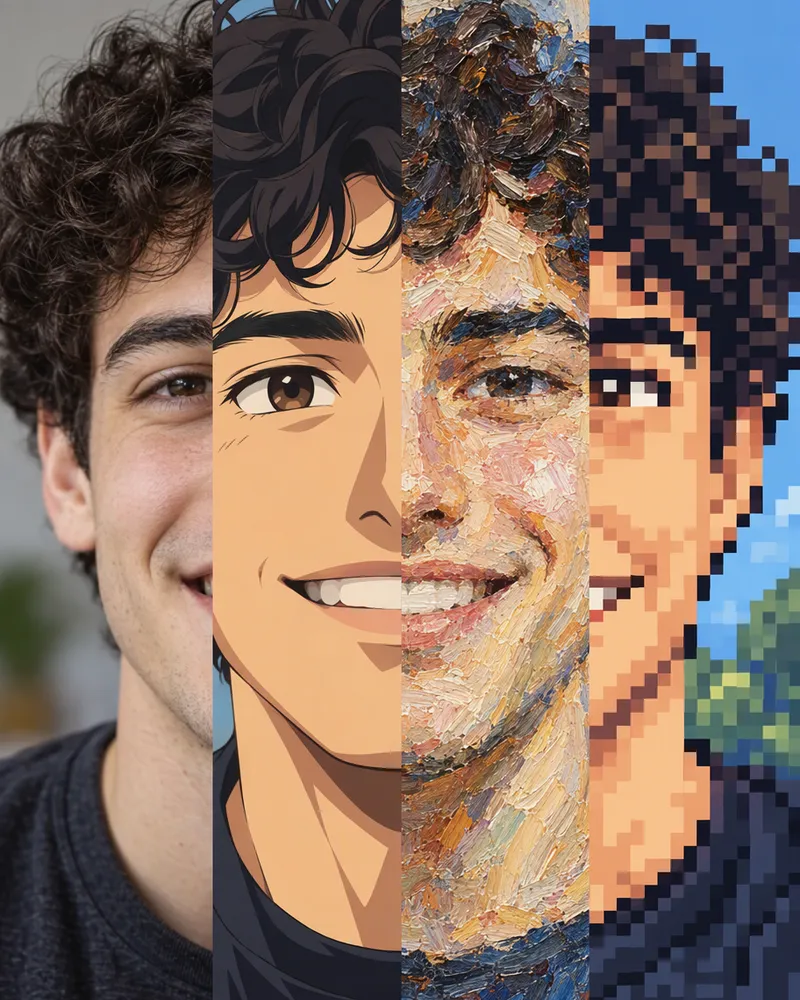
Turn your photo into anime, cartoon or classic art.

Questions people ask
Is this AI headshot generator free?
You can start for free. New accounts get free tokens, and you do not need a card. One headshot costs 7 to 20 tokens, based on the model you pick. The Generate button shows the price before you press it. If an edit fails, you get the tokens back. When you need more, plans start at $19, paid one time.
Do I need an app or an account?
You do not need an app. It works online in your browser, on a phone or a computer. You do need a free Enhance AI account, because the headshot is made in the Enhance AI image editor.
How do I turn a selfie into a headshot?
Open the image editor and upload your selfie. Paste a headshot prompt from this page into AI Edit. On a phone, AI Edit is under the Edit tab. Pick a model and press Generate. Your headshot shows up in the editor when it is ready.
Can I make a headshot with Flux?
Yes. Open the playground with Flux 2 Klein 9B, add your selfie as a photo, paste a look from this page and press Generate. It costs 3 tokens. Flux 2 Klein 4B costs 2, Flux 2 Pro 15 and Flux 2 Max 20. Flux draws a new picture, so end your prompt by saying your face, skin tone, hair and expression must stay the same.
Will the headshot still look like me?
Usually close, but not always exact. The AI draws the whole photo again, so your eyes, teeth or hairline can change a little. A sharp selfie in good light helps the most. Every prompt here also asks the AI to keep your face the same. If the result does not look like you, try the same prompt on another model.
What can the AI get wrong?
Glasses and earrings can change or disappear, so name them in your prompt if they matter. Hands are hard for AI, so keep them out of your selfie. AI sometimes adds words to clothes or walls. That is why every prompt here ends with no text, no logos.
How should I take my selfie?
Face a window so soft daylight falls on your face. Hold the phone at eye level. The back camera is sharper, so use the timer or ask a friend. Show your whole face, with no sunglasses, hat or beauty filter. Upload the original photo, up to 10 MB, because chat apps make photos smaller. Is your photo small or blurry? The free AI image enhancer can make it sharper first. It needs no account and works 3 times a day.
Can I use an AI headshot on LinkedIn?
LinkedIn’s rules say: do not use an image of someone else, or any other image that is not your likeness, for your profile photo. A headshot made from your own selfie fits only if it still looks like you. Put it next to your selfie before you upload it. If your face changed, make another one.
Can I use it for a passport or ID card?
No. Passports, visas and ID cards need a real photo that is not edited. Use your AI headshot for profiles, websites and bios.
Is there a watermark? Can I make it bigger?
There is no watermark. The editor saves the picture the model returns, with nothing stamped on it. Need it bigger for print? Press Upscale in the same editor. It costs 2 or 3 tokens.
What happens to my selfie?
Your selfie is sent to the AI provider that runs the model, so the model can see it. Your headshots stay in your editor history, and you can delete any of them. To have your data erased, delete your account or contact support. Our privacy policy says we then erase your personal data promptly, unless the law says we must keep it. Our Terms say that, by default, Enhance AI does not use your personal content to train AI models without your consent.
Can I use my headshot for work?
Yes. You own the headshots you make and can use them for personal or business work, like your profile, your company website, ads and client work. You are also responsible for the photos you upload and for what you make from them. Read section 6 of the Terms for the exact words.
Can I make matching headshots for my team?
Yes, if each person agrees. Our Terms do not allow uploading other people’s personal data without their consent. Ask everyone to upload their own selfie and use the same prompt, so the photos match.
Start with just a selfie
Upload it, paste a look and press Generate.
Upload a selfie- Free tokens to start
- No app needed
- No watermark
More from Enhance AI