Seedance 2.5 AI Video Generator
ByteDance's newest video model. Make videos up to 30 seconds long, in up to 4K, with sound. Type an idea or start from a photo.
Paid from your wallet. Price shown before you start.
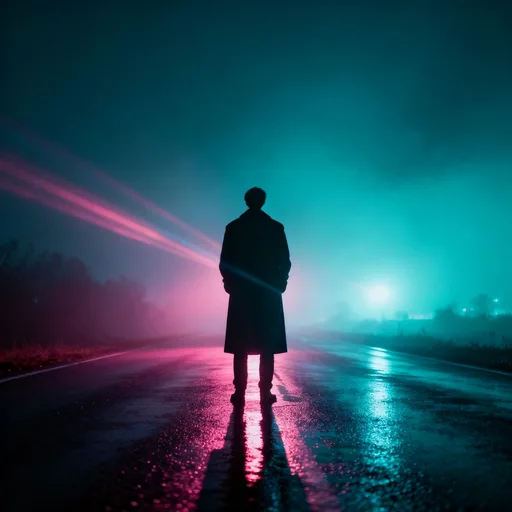
Seedance 2.5
ByteDance · Text or photo to video
How to use Seedance 2.5
Three steps. It works on your phone too.
Step 1
Pick Seedance 2.5
Open the video studio and choose Seedance 2.5 or the cheaper Turbo.
Step 2
Type your idea
Say who is in it, what happens and how the camera moves. Or add a photo.
Step 3
Pick length and quality
The price shows on the Generate button before you start.
What Seedance 2.5 can do
Every setting below is in the studio today.
Up to 30 seconds
One long take, made in one go.
480p up to 4K
Try cheap at 480p, then make the keeper in 4K.
Up to 30 reference photos
Show it the face, product or style you want.
Sound made with the video
On by default. Turn it off if you like.
Six video shapes
Wide for YouTube, tall for Reels, square for posts.
Start from a photo
Add a photo and it becomes the first frame.
Seedance 2.5 vs Turbo vs 2.0
Each price is for one 5 second video at 720p.
| Model | Longest video | Quality | Reference photos | Price |
|---|---|---|---|---|
| Seedance 2.5 | 30 seconds | Up to 4K | Up to 30 | $3.60 |
| Seedance 2.5 Turbo | 30 seconds | 720p or 1080p | Up to 30 | $2.00 |
| Seedance 2.0 | 15 seconds | Up to 1080p | Up to 9 | $2.40 |
Seedance 2.5
- Longest video
- 30 seconds
- Quality
- Up to 4K
- Reference photos
- Up to 30
- Price
- $3.60
Seedance 2.5 Turbo
- Longest video
- 30 seconds
- Quality
- 720p or 1080p
- Reference photos
- Up to 30
- Price
- $2.00
Seedance 2.0
- Longest video
- 15 seconds
- Quality
- Up to 1080p
- Reference photos
- Up to 9
- Price
- $2.40
Longer or sharper videos cost more.Compare all video models
How much does Seedance 2.5 cost?
You pay for each video from your wallet.
Seedance 2.5, 5 seconds at 720p
$3.60a video
Turbo is $2.00. 4K and longer videos cost more.
Free tokens when you sign up
Use them on the image tools. Videos are paid from your wallet. No card needed to sign up.
Sign up freeAdd money to your wallet
$5to start
Pay only for the videos you make. For image tools, plans start at $19, paid one time.
See plansPrice shown before you startMoney back if a video failsNo watermark
More video tools
- Text to video
Turn a few words into a video
- Image to video
Make a photo move
- Extend a video
Add more seconds to a clip
- Edit a video
Change a video with a few words
- Reference video
Keep the same person in every shot
- Upscale video
Make a soft clip sharp
- Motion transfer
Copy moves from a video onto a photo
- Dubbing
Make your video speak another language








Questions about Seedance 2.5
What is Seedance 2.5?
Seedance 2.5 is the newest AI video model from ByteDance. It came out on 31 July 2026 as part of the Seed family. It makes videos up to 30 seconds long, with sound, in 480p up to 4K. You can start from a few words or from a photo. It is live on Enhance AI now.
Can I use Seedance 2.5 online?
Yes. Open the Enhance AI video studio in your browser and pick Seedance 2.5. No app needed, no waitlist and no separate ByteDance account. It works on your phone too.
Is Seedance 2.5 free?
No. Videos are paid from your wallet, and a new account starts with an empty wallet. The free tokens you get when you sign up are for the image tools, not for video. A 5 second Seedance 2.5 video at 720p costs $3.60. You can add money from $5.
How much does Seedance 2.5 cost?
For a 5 second video: $1.80 at 480p, $3.60 at 720p, $7.50 at 1080p and $15.00 at 4K. A full 30 second video at 720p is $16.67. Seedance 2.5 Turbo costs $2.00 for 5 seconds at 720p. The Generate button shows the exact price before you start, and you get your money back if a video fails.
How long can a Seedance 2.5 video be?
Anything from 4 to 30 seconds, made in one go. Need more? Seedance 2.5 Extend carries on from the last frame and adds up to 30 more seconds.
What quality and video sizes does it support?
Pick 480p, 720p, 1080p or 4K before you start. Lower quality costs less, so you can try an idea cheaply first. When you start from text you can pick wide 16:9, tall 9:16 for Reels and Shorts, square 1:1, 4:3, 3:4 or extra wide 21:9.
What are reference photos?
They show the model what you want: a face, a product, a style or a place. When you start from text, Seedance 2.5 takes up to 30 reference photos, up to 10 reference videos and up to 10 sound clips. The videos together can be up to 30 seconds long, and so can the sound clips.
Does Seedance 2.5 make sound?
Yes. Sound is made together with the video, so it matches what happens on screen. It is on by default and you can turn it off. You can also add sound clips as a reference.
What is new compared to Seedance 2.0?
Seedance 2.0 on Enhance AI makes up to 15 seconds, up to 1080p, with up to 9 reference photos. Seedance 2.5 makes up to 30 seconds, up to 4K, with up to 30 reference photos. Its reference videos and sound clips can add up to 30 seconds, not 15. For 5 seconds at 720p, Seedance 2.0 costs $2.40 and Seedance 2.5 costs $3.60.
Can I change or extend a video after it is made?
Yes. With Seedance 2.5 Video Edit you type the change you want, and it remakes the clip with that change. It works on clips up to 30 seconds, from 480p to 4K. Seedance 2.5 Extend adds a new part to the end of a clip, up to 30 seconds more.
How long does a Seedance 2.5 video take?
It usually takes about 5 minutes, and some take up to 11. We measured this over hundreds of real runs on Enhance AI. Your video stays in your history for 15 days, so download the ones you want to keep.
Can I use Seedance 2.5 videos for my work?
Yes. You own the videos you make and can use them for personal or commercial work, like ads, client work and products you sell. Enhance AI adds no watermark. You are responsible for what you upload and make, and the content rules in our Terms apply.
Make your first Seedance 2.5 video
Type an idea, pick the length and quality, and see the price before you start.
Open Seedance 2.5- No app needed
- Up to 30 seconds
- Up to 4K

More from Enhance AI