
How to use Seedream 5.0 Pro free
Three steps, right in your browser.
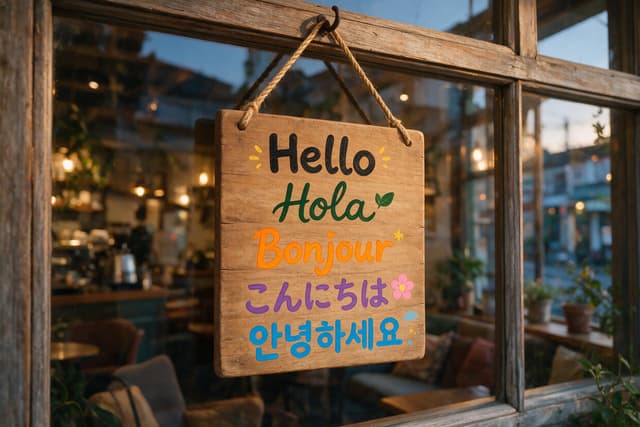
A hand painted wooden sign hanging in a cozy cafe window, showing the word hello in five languages
GenerateStep 1
Type your idea
Say what you want to see. Spell out any words it should write.
1:1 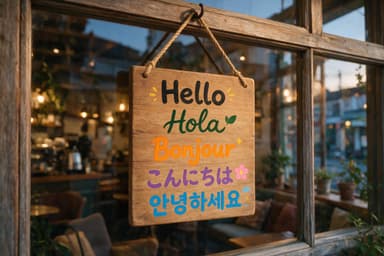
3:2 Step 2
Pick a shape
Square or 3:2, then press Generate. New here? Sign up free first, no card needed.
Step 3
Download it
Each 1K image uses 10 tokens. It has no watermark.
Seedream 5.0 Pro examples with prompts
Real images our team made with Seedream 5.0 Pro, not edited. The prompt is under each one. We made them at 2K. The playground makes 1K, square or 3:2.
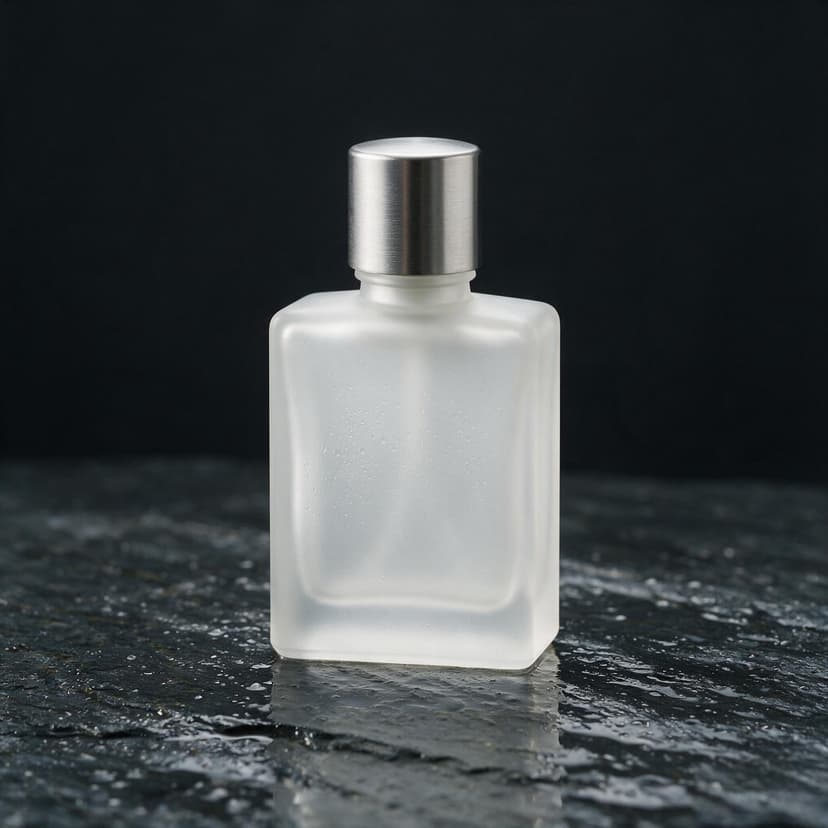
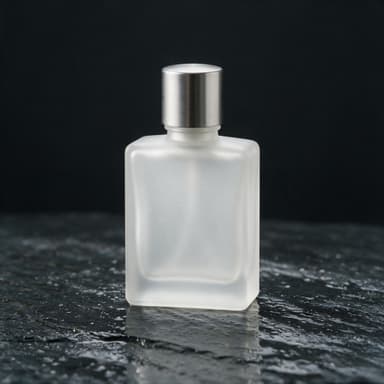
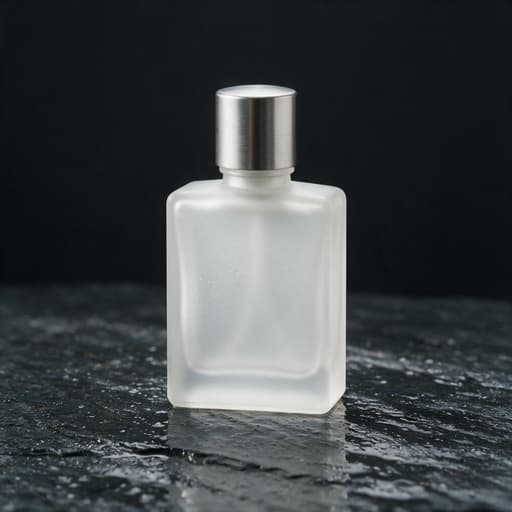
Product photo
“Commercial product photograph of a plain frosted glass perfume bottle with a brushed metal cap, completely unlabeled, standing on wet dark slate with shallow water reflections, single softbox overhead, fine mist droplets on the glass, deep charcoal background. No text, no lettering, no logos, no brand names, no watermarks anywhere in the image.”
Try this prompt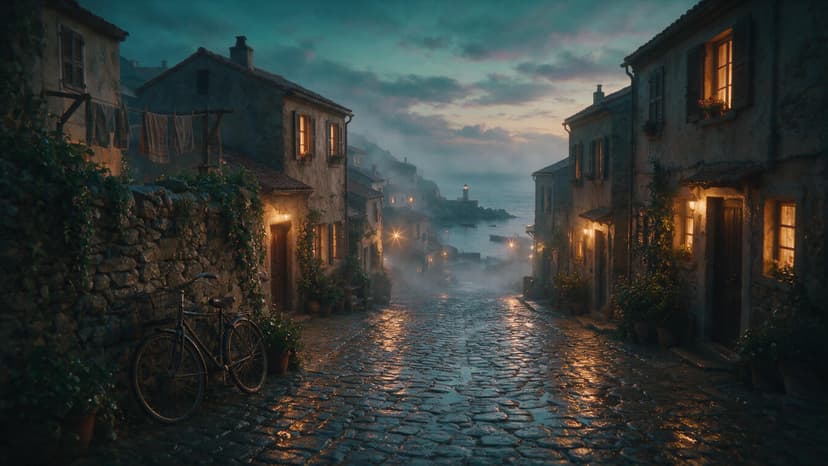
Cinematic street
“Cinematic wide shot of a coastal village street after monsoon rain at dusk, wet cobblestones reflecting warm window light, mist rolling in from the sea, a lone bicycle leaning on a stone wall, teal and amber color grade, anamorphic framing, film grain. No text, no lettering, no logos, no brand names, no watermarks anywhere in the image.”
Try this prompt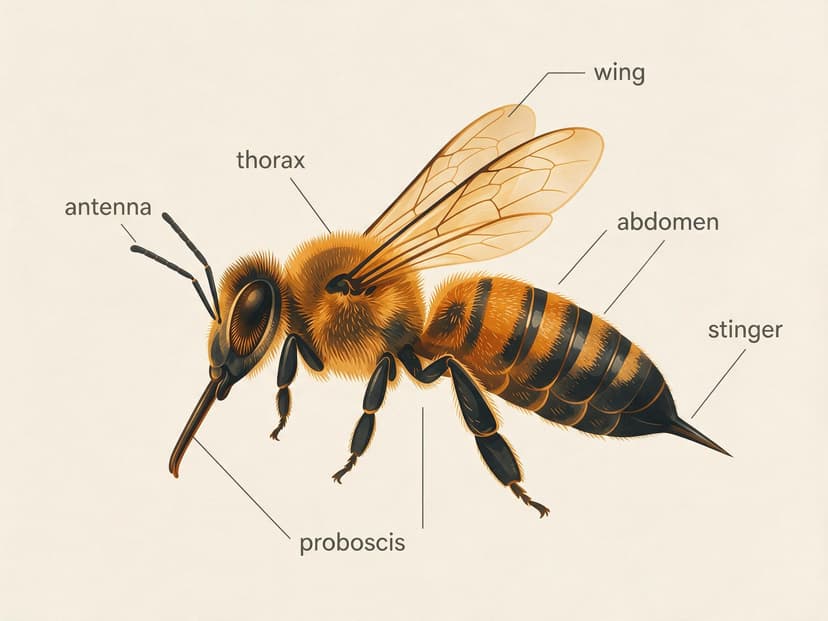
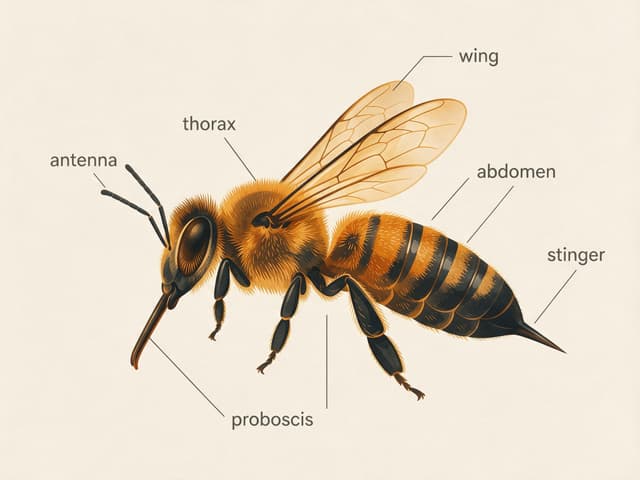
Labeled diagram
“Clean educational infographic cross section of a honeybee on an off white background, flat modern vector style with a warm amber and charcoal palette, thin leader lines pointing to clearly lettered labels: wing, antenna, thorax, abdomen, stinger, compound eye, proboscis. Precise legible typography, no other text.”
Try this prompt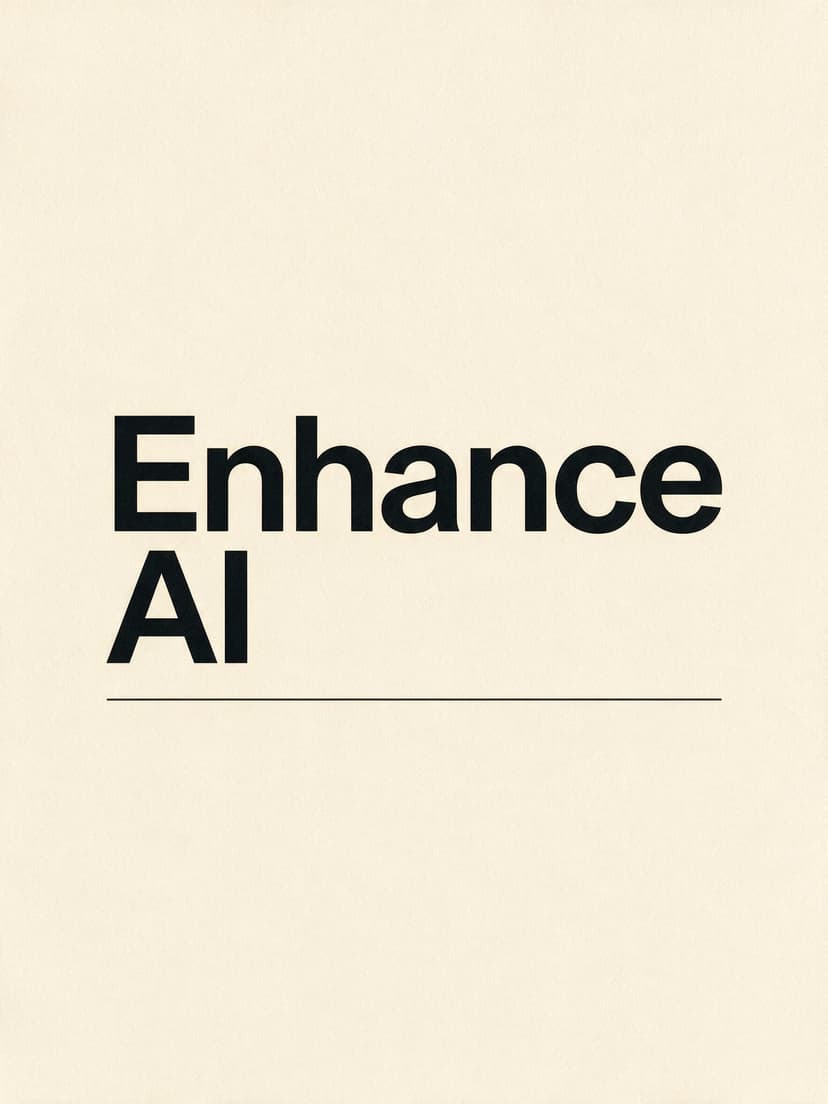
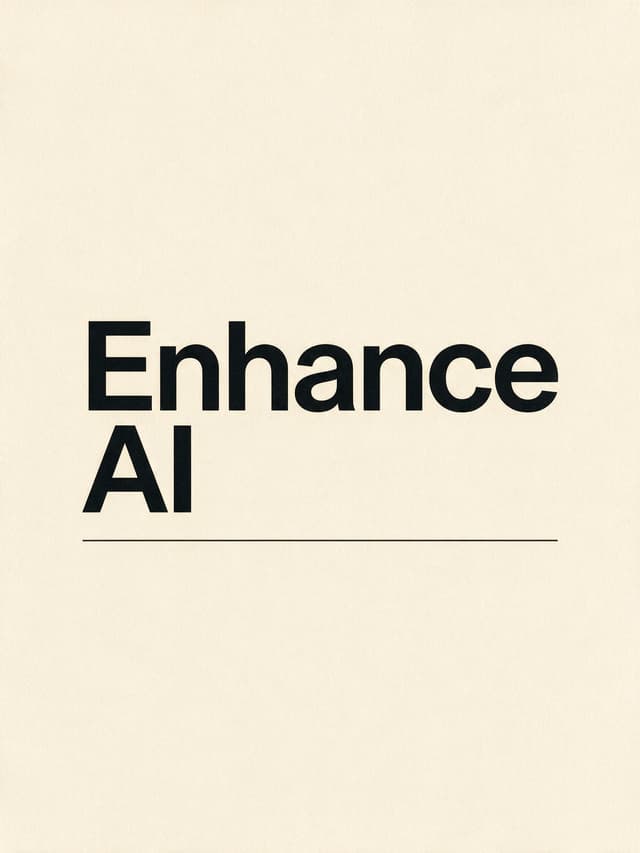
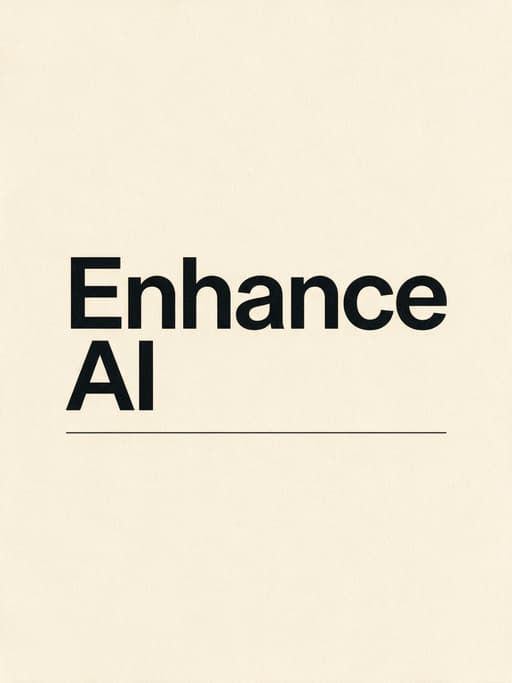
Typography poster
“Minimalist Swiss style typographic poster. The words Enhance AI set in massive tight bold sans serif type, stacked on two lines, ink black on a warm cream paper background, one thin horizontal rule beneath the type, generous margins, subtle paper grain, museum print quality. No other text anywhere.”
Try this prompt
Portrait in window light
“Photorealistic portrait of an elderly ceramicist in her sunlit workshop, clay dust on her hands and apron, soft window light from the left, fine skin texture with visible pores and laugh lines, silver hair tied back, shallow depth of field on an 85mm lens, warm neutral palette. No text, no lettering, no logos, no brand names, no watermarks anywhere in the image.”
Try this prompt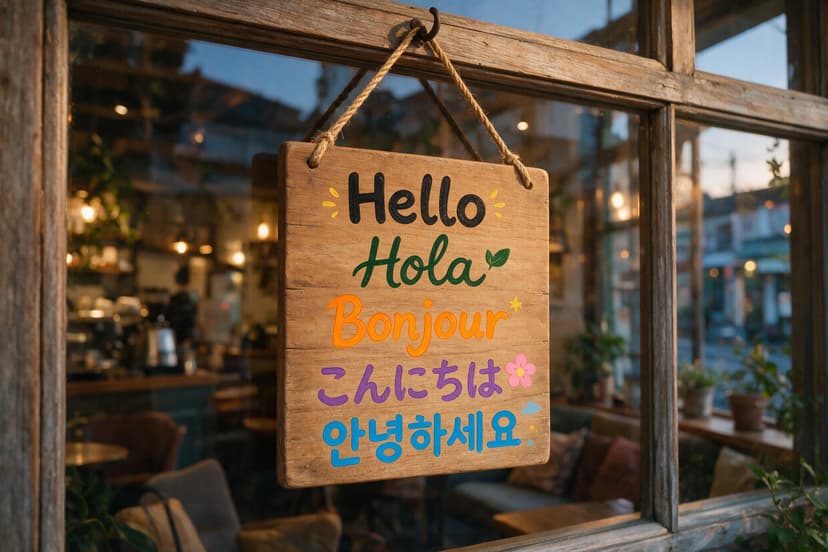
Sign in five languages
“A hand painted wooden sign hanging in a cozy cafe window, showing the word hello in five languages, each on its own line in a different lettering style: Hello, Hola, Bonjour, Kon'nichiwa written in Japanese hiragana, and Annyeonghaseyo written in Korean hangul. Warm evening light, no other text anywhere.”
Try this prompt
How to write a good prompt
This is the real prompt that made the poster. Each part does one job.
The prompt
Minimalist Swiss style typographic poster. The words Enhance AI set in massive tight bold sans serif type, stacked on two lines, ink black on a warm cream paper background, one thin horizontal rule beneath the type, generous margins, subtle paper grain, museum print quality. No other text anywhere.
- What it isStart with the kind of picture.
- The exact wordsSpell them the way they should look.
- How the letters lookSay how big and bold, and how many lines.
- The lookSay the ink, the paper and what sits where.
- No extra wordsSay no other text, so it adds none.
Made with Seedream 5.0 ProSeedream 5.0 Pro facts
- Made by
- ByteDance
- Came out
- 8 July 2026
- Best for
- Pictures with words in them, like posters, signs, menus and labeled diagrams
- Price here
- 10 tokens a 1K image, 23 at 2K. Your free signup tokens work on it.
- Image size
- 1K or 2K. At 1K a 3:2 image is 1254 by 836 pixels and a square one is 1024 by 1024.
- Shapes
- Square (1:1) or 3:2
- Photo editing
- Not here. On Enhance AI it makes new images from words only.
- Watermark
- None
How it compares with other models
What you pay and get on Enhance AI. Your free tokens work on every model here.
| Model | Made by | Lowest tokens per image | Shapes |
|---|---|---|---|
| Seedream 5.0 Pro | ByteDance | 10 | 1:1 and 3:2 |
| Seedream 5.0 Flash | ByteDance | 8 | 10 shapes |
| GPT Image 2 | OpenAI | 20 | 10 shapes |
| GPT Image 2.5 Flare | OpenAI | 10 | 10 shapes |
| Nano Banana Pro | 40 | 8 shapes | |
| Flux 2 Pro | Black Forest Labs | 15 | 8 shapes |
Seedream 5.0 Pro
- Made by
- ByteDance
- Lowest tokens per image
- 10
- Shapes
- 1:1 and 3:2
- Made by
- ByteDance
- Lowest tokens per image
- 8
- Shapes
- 10 shapes
- Made by
- OpenAI
- Lowest tokens per image
- 20
- Shapes
- 10 shapes
- Made by
- OpenAI
- Lowest tokens per image
- 10
- Shapes
- 10 shapes
- Made by
- Lowest tokens per image
- 40
- Shapes
- 8 shapes
- Made by
- Black Forest Labs
- Lowest tokens per image
- 15
- Shapes
- 8 shapes
Every output from our head to head test is in Seedream 5.0 Pro vs GPT Image 2. More models: Seedream 5.0, Seedream 4.5, text to image AI and all models.
How much does it cost?
One Seedream 5.0 Pro image
10tokens
Each run makes one image, with no watermark.




Free tokens on sign up
New accounts get free tokens, and they work on Seedream 5.0 Pro. No card needed.
Try it freeNeed something else?


Questions people ask
What is Seedream 5.0 Pro?
Seedream 5.0 Pro is an AI image model from ByteDance. It came out on 8 July 2026. You type what you want, and it draws it. It is made for images with words in them, like posters, signs, menus and labeled diagrams. ByteDance says it is also good at real looking portraits and at text in more than ten languages. On Enhance AI it runs in the playground as a text to image model.
Is Seedream 5.0 Pro free?
You can try it free. Sign up for Enhance AI with no card, and you get free tokens. They work on Seedream 5.0 Pro, and each 1K image uses 10 tokens. The free tokens do not refill each day. When they run out, plans start at $19, paid one time.
How much does Seedream 5.0 Pro cost?
10 tokens for each 1K image, or 23 at 2K, and each run makes one image. Every finished image uses its tokens, even one you do not like. The $19 plan gives you 2,000 tokens for 30 days, and they work on every other image model too. There is no subscription, and nothing renews on its own. Yearly plans are 20% off.
How do I use Seedream 5.0 Pro online?
Type your idea in the box at the top of this page and press Generate. The Enhance AI playground opens with Seedream 5.0 Pro picked and your words filled in. If you are new, you sign up first and come right back. Pick square or 3:2, press Generate, then download your image. No app needed.
What size are the images?
The playground makes 1K images, or 2K if you pick it. A 1K 3:2 image is 1254 by 836 pixels, and a square one is 1024 by 1024. The examples on this page were made at 2K. Need a bigger file? Use the AI image upscaler.
Does it always spell the words right?
Not always, so read your image before you use it. In our tests it spelled every word right, even a 40 word paragraph and a sign in five languages. But our bee diagram asked for seven labels and got six. In a chart test the labels were right, but the bars did not match the numbers. It also cannot count well: asked for five cards in each hand, it drew six or seven in two of them.
Which languages can Seedream 5.0 Pro write?
ByteDance says it can write more than ten common languages, including French, German, Russian, Japanese, Korean, Spanish and Arabic. In our own test it wrote English, Arabic, Russian and Japanese right on one poster. The cafe sign on this page says hello in five languages.
Can I edit my own photo with it?
Not on Enhance AI. Here it only makes new images from words, so a photo you upload is not used. To change a photo you already have, use the Enhance AI image editor. It has its own edit models, like Seedream V5 and GPT Image 2 Edit.
Seedream 5.0 Pro or GPT Image 2: which is better?
We gave both the same six hard prompts. Seedream 5.0 Pro matched GPT Image 2 on spelling, and did better on layout and on real looking materials. GPT Image 2 did better on charts. Neither could count cards. On Enhance AI, Seedream 5.0 Pro also costs half: 10 tokens an image against 20. Use GPT Image 2 when chart numbers must be right, and Seedream 5.0 Pro for posters, signs and layouts.
What is the difference between Seedream 5.0 Pro and Seedream 5.0 Flash?
Both come from ByteDance, and your free tokens work on both. On Enhance AI, Seedream 5.0 Pro uses 10 tokens a 1K image and has two shapes, square and 3:2. Our model list calls Seedream 5.0 Flash ByteDance's fast, lower cost model. It uses 8 tokens an image and has ten shapes, including tall 9:16 and wide 16:9. The tests on this page were run on Pro only.
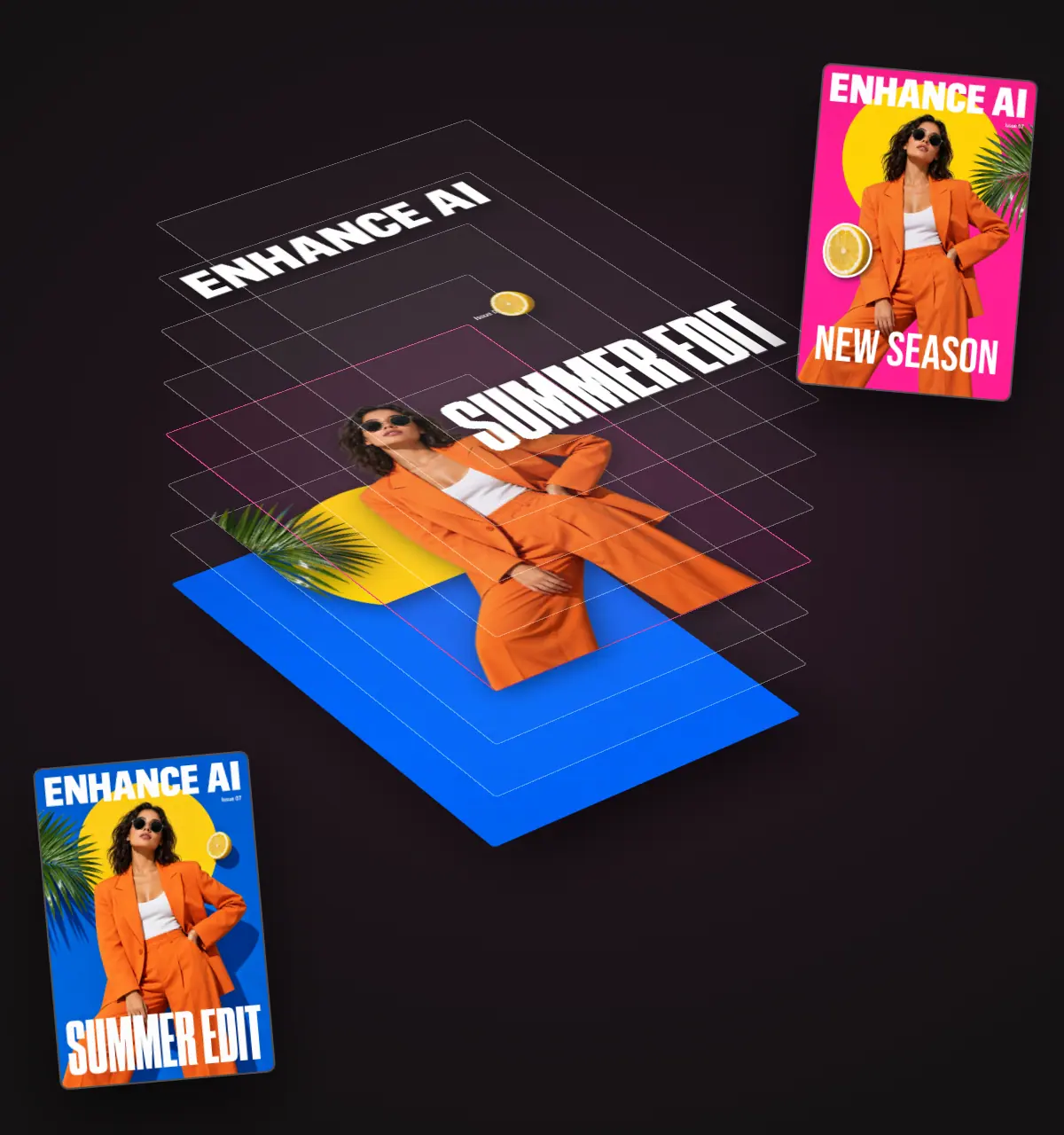
Can Seedream 5.0 Pro split an image into layers?
Yes. ByteDance says Seedream 5.0 Pro can separate a finished poster into more than ten layers. On Enhance AI, pick Seedream 5.0 Pro in the layer editor and a split costs 185 tokens. The Seedream 5.0 Flash layer model is there too, at 115 tokens a split. The image to layers page shows how it works.
Can I use the images I make? Is there a watermark?
Yes. You own the images you make and can use them for personal or commercial work, like ads, client work and products you sell. You are responsible for your prompts and for how you use the images. Section 6 of the Terms has the exact words. Enhance AI adds no watermark.
Try Seedream 5.0 Pro free
Type your idea and see what it draws. Sign up with no card and get free tokens.
Open Seedream 5.0 Pro- No card needed
- No app needed
- No watermark

More from Enhance AI