Text to Video AI
Type what you want to see and get a short video clip. All the top video models are here in one place. It works online, with no app needed.
- Pay per clip
- See the price first
- No watermark
Prompt
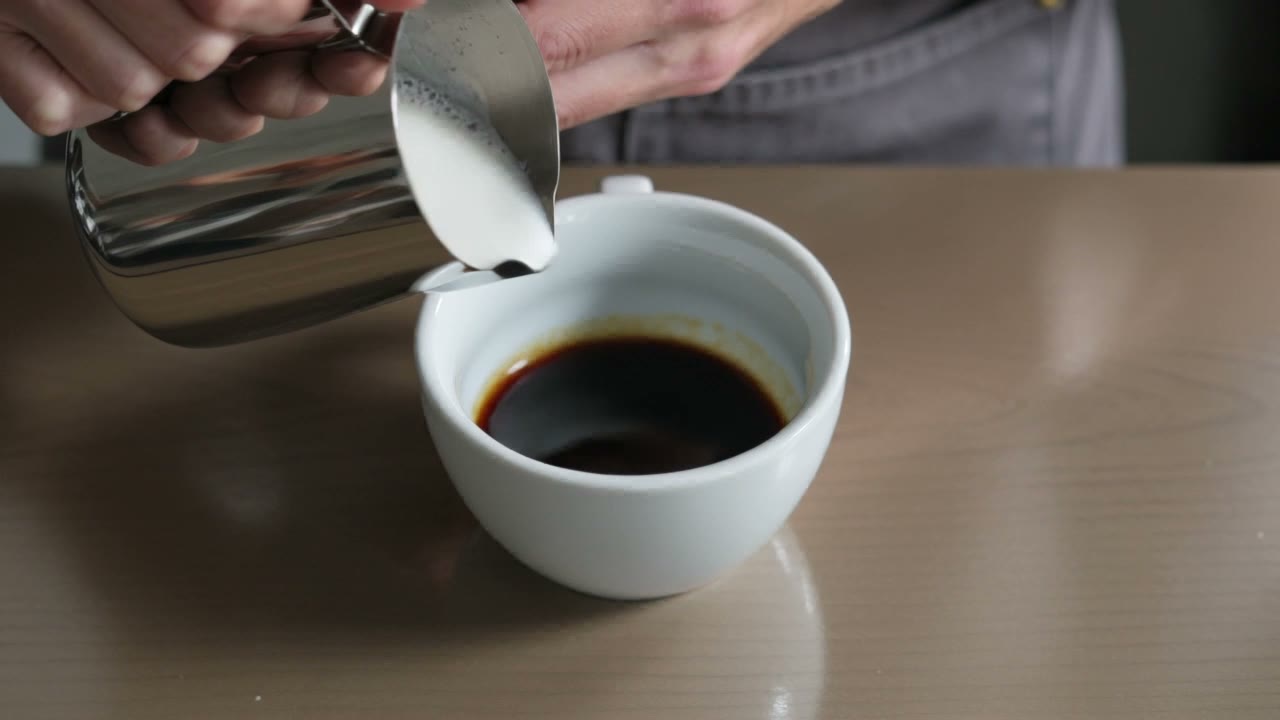
Try this promptA barista pours steamed milk into a plain white cup of espresso and a leaf pattern slowly forms in the foam, close up from above, soft morning window light, shallow depth of field.
Kling V3 · 5 seconds · 720p
How to make a video from text
Three steps. It works on your phone too.
Step 1
Type your idea
Say what happens, where, and how the camera moves.
Step 2
Pick a model
Choose a model, a length and a shape, like 9:16 for Reels. The price shows on the button.
Step 3
Get your video
Top up your wallet from $5, press Generate and download your clip.
Real prompts, real videos
Made with MiniMax H3 Max from the words on each card. Every prompt also ended with the same line: make it look real, with no text, logos or real people.
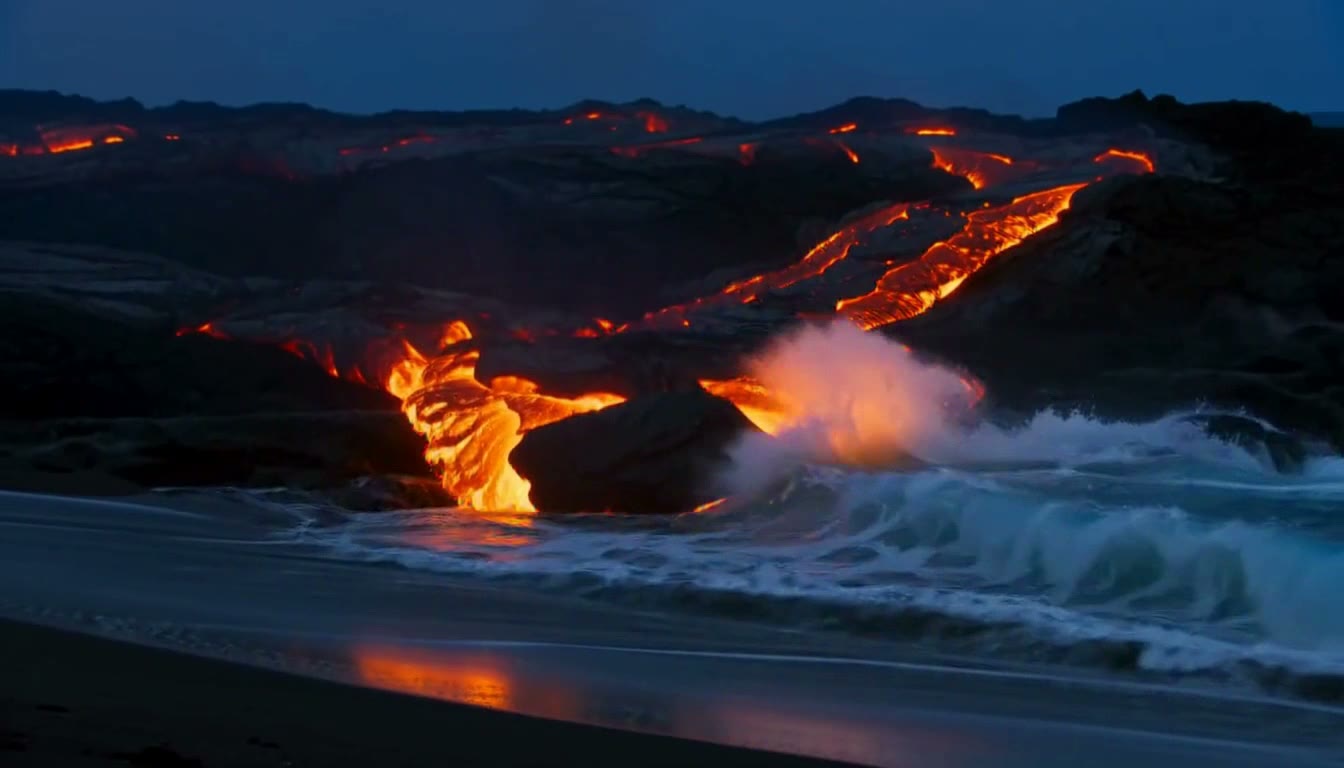
MiniMax H3 Max · 6 seconds · 768p
“Lava flowing slowly into the sea at night, steam plumes glowing orange, waves crashing. Slow dolly push in, blue hour, cool tones with warm highlights.”
Try this prompt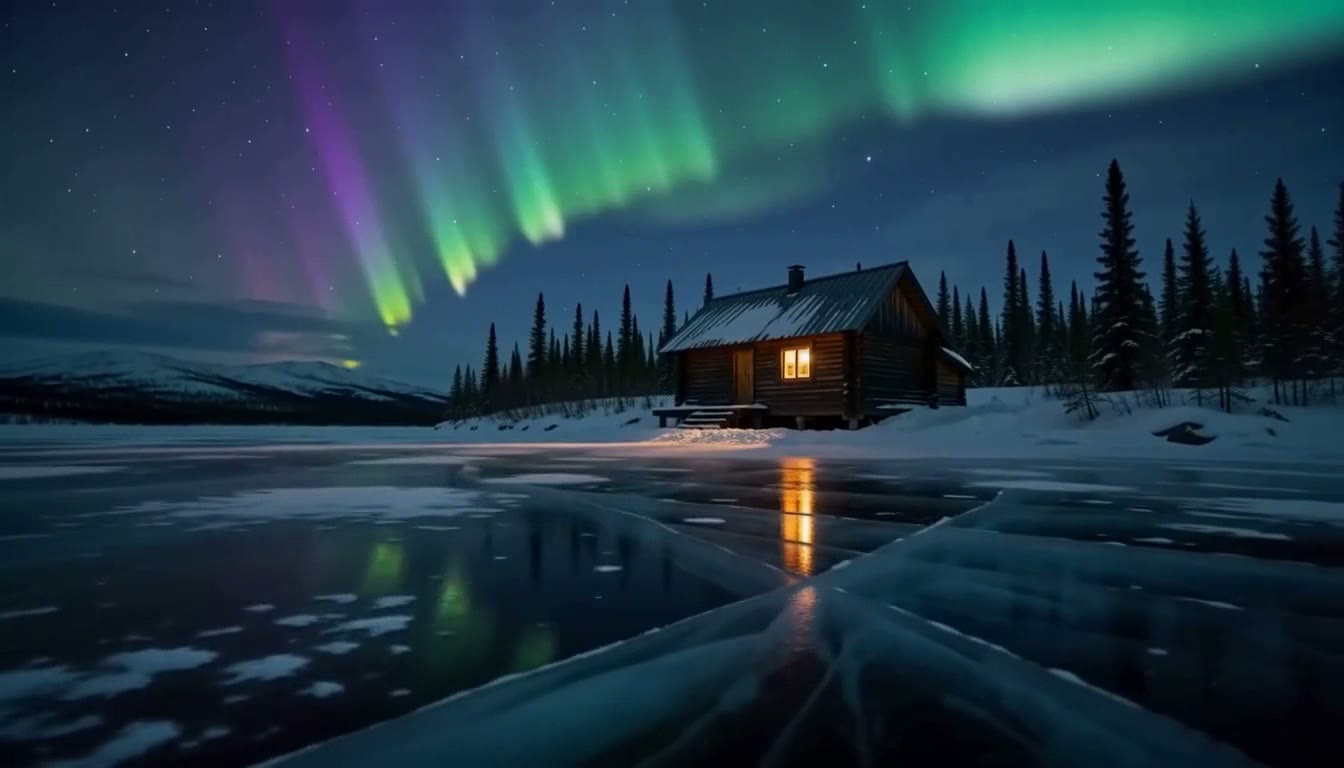
MiniMax H3 Max · 6 seconds · 768p
“Northern lights rippling over a frozen lake, a solitary cabin with a single warm window. Low angle tracking shot, soft window light, gentle contrast.”
Try this prompt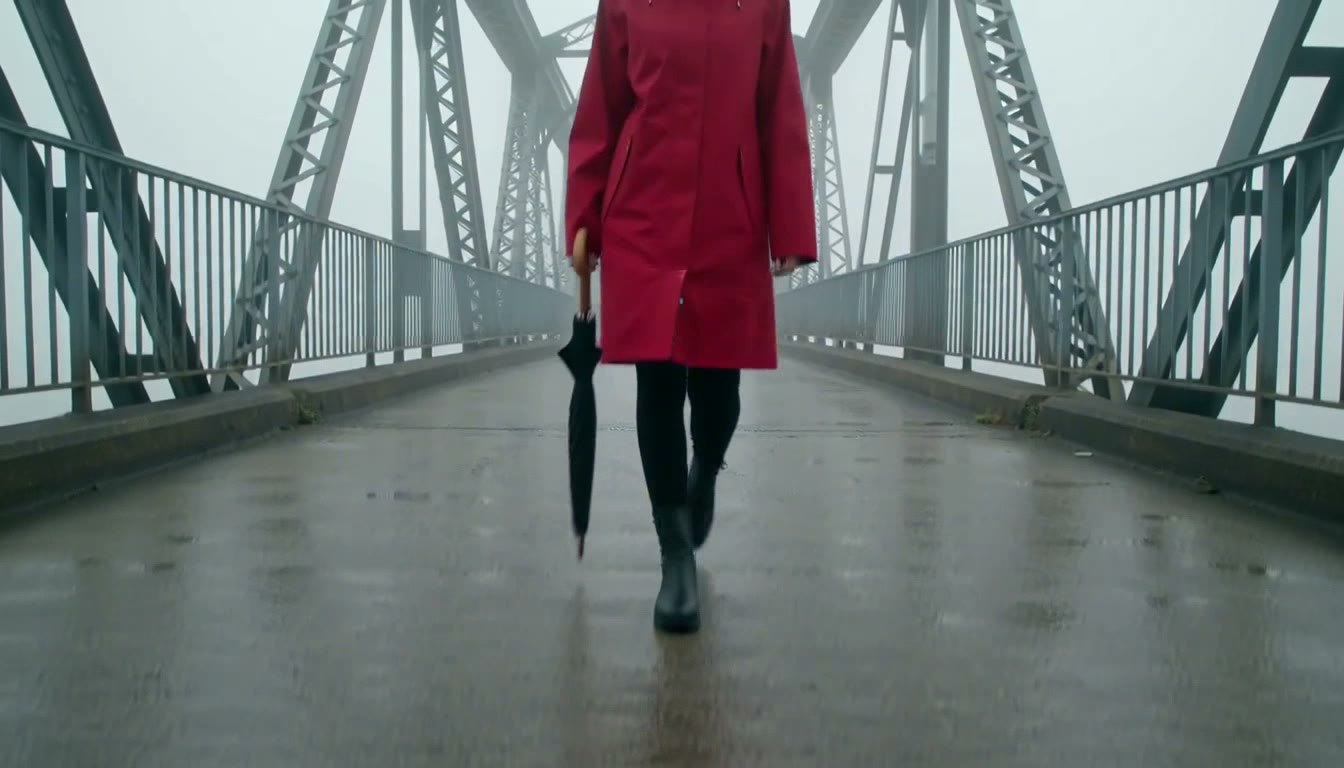
MiniMax H3 Max · 6 seconds · 768p
“A woman in a red raincoat walking across a bridge in fog, carrying a closed umbrella. Crane shot rising from ground level, overcast soft light, muted natural palette.”
Try this prompt


How to write a good prompt
Say who or what, what happens, where, how the camera moves and the light. This is the fox prompt from the steps, in parts.
The prompt
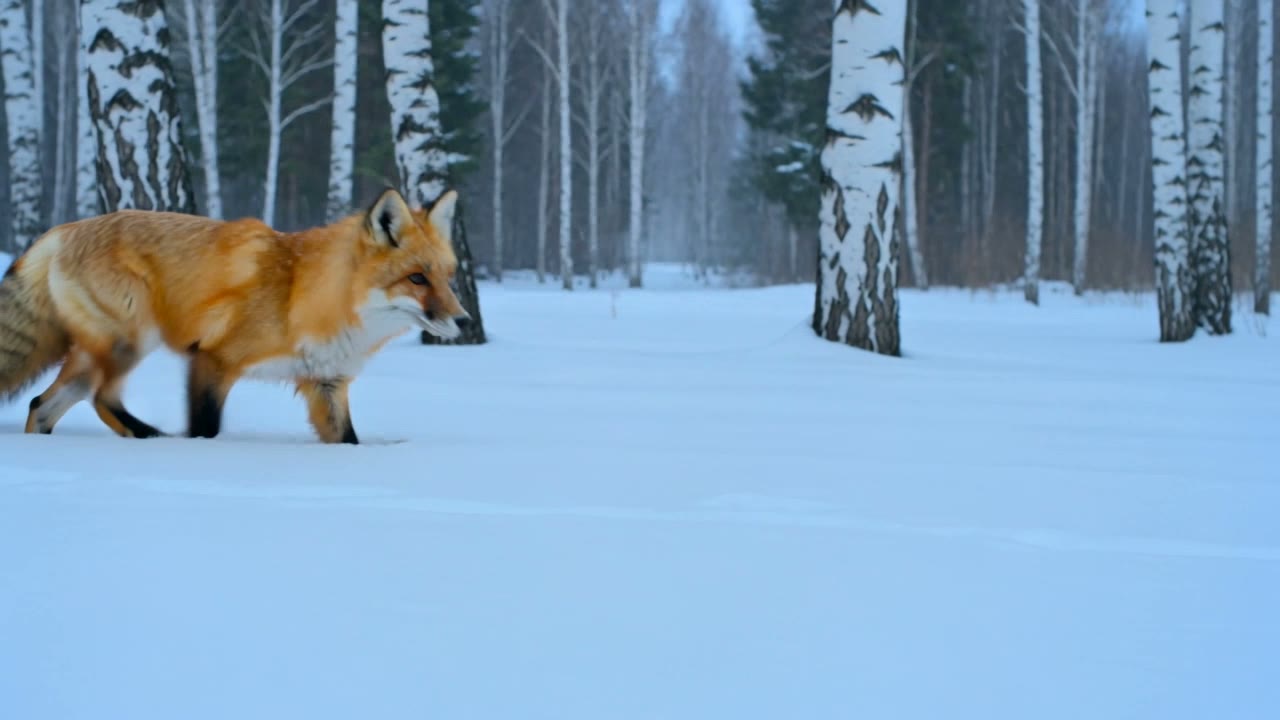
A red fox trots through fresh snow in a quiet birch forest while snowflakes fall, the camera tracks alongside it at ground level, soft blue winter light.
- Who or whatStart with the main thing you want to see.
- What happensOne clear action for each clip.
- WhereThe place, and what is going on around it.
- CameraSay how the camera moves.
- LightThe light sets the mood.
Pick a text to video model
All the top video models are in one place. These are good ones to start with. Tap a name to see all its settings.
| Model | Length | Quality | Sound | Price example |
|---|---|---|---|---|
| Kling V3 | 3 to 15 s | 720p | Optional | $0.84 for 5 s |
| MiniMax H3 Max | 5 to 15 s | 480p, 768p | No | $0.80 for 5 s at 768p |
| Seedance 2.5 | 4 to 30 s | 480p to 4K | Yes | $3.60 for 5 s at 720p |
| WAN 3.0 | 2 to 30 s | 480p to 1080p | Yes | $0.63 for 5 s at 720p |
| Veo 3.1 | 4, 6 or 8 s | 720p to 4K | Yes | $5.33 for 8 s at 1080p |
| Veo 3.1 Lite | 4, 6 or 8 s | 720p, 1080p | No | $0.40 for 4 s at 720p |
| Pixverse V6 | 1 to 15 s | 360p to 1080p | Optional | $0.45 for 5 s at 720p |
| LTX Video 2 19B | 5 to 20 s | 480p to 1080p | No | $0.16 for 5 s at 720p |
| Kling V4 | 3 to 30 s | 720p, 1080p | Yes | $1.80 for 5 s at 720p |
- Length
- 3 to 15 s
- Quality
- 720p
- Sound
- Optional
- Price example
- $0.84 for 5 s
- Length
- 5 to 15 s
- Quality
- 480p, 768p
- Sound
- No
- Price example
- $0.80 for 5 s at 768p
- Length
- 4 to 30 s
- Quality
- 480p to 4K
- Sound
- Yes
- Price example
- $3.60 for 5 s at 720p
- Length
- 2 to 30 s
- Quality
- 480p to 1080p
- Sound
- Yes
- Price example
- $0.63 for 5 s at 720p
- Length
- 4, 6 or 8 s
- Quality
- 720p to 4K
- Sound
- Yes
- Price example
- $5.33 for 8 s at 1080p
- Length
- 4, 6 or 8 s
- Quality
- 720p, 1080p
- Sound
- No
- Price example
- $0.40 for 4 s at 720p
- Length
- 1 to 15 s
- Quality
- 360p to 1080p
- Sound
- Optional
- Price example
- $0.45 for 5 s at 720p
- Length
- 5 to 20 s
- Quality
- 480p to 1080p
- Sound
- No
- Price example
- $0.16 for 5 s at 720p
- Length
- 3 to 30 s
- Quality
- 720p, 1080p
- Sound
- Yes
- Price example
- $1.80 for 5 s at 720p
- Kling V3$0.84 for 5 s
3 to 15 s · 720p · Sound optional
- MiniMax H3 Max$0.80 for 5 s at 768p
5 to 15 s · 480p, 768p · No sound
- Seedance 2.5$3.60 for 5 s at 720p
4 to 30 s · 480p to 4K · With sound
- WAN 3.0$0.63 for 5 s at 720p
2 to 30 s · 480p to 1080p · With sound
- Veo 3.1$5.33 for 8 s at 1080p
4, 6 or 8 s · 720p to 4K · With sound
- Veo 3.1 Lite$0.40 for 4 s at 720p
4, 6 or 8 s · 720p, 1080p · No sound
- Pixverse V6$0.45 for 5 s at 720p
1 to 15 s · 360p to 1080p · Sound optional
- LTX Video 2 19B$0.16 for 5 s at 720p
5 to 20 s · 480p to 1080p · No sound
- Kling V4$1.80 for 5 s at 720p
3 to 30 s · 720p, 1080p · With sound
How much does a video cost?
You pay for each clip from your wallet. You see the price before you press Generate.
One clip like the ones at the top
$0.84a clip
5 seconds on Kling V3. LTX Video 2 19B costs $0.16 for 5 seconds at 720p.
Sign up free
No card needed. New accounts get free tokens for images and other tools. Video is paid from your wallet.
Create a free accountFailed clips are refundedNo watermarkVideos kept for 15 days
More ways to make a video
They are all in the same video studio.
- Image to video
Start from a photo instead of words.
- Reference video
Keep the same person in every clip.
- Edit a video
Change a video you already have.
- Upscale video
Make a video sharper, up to 4K.





Questions people ask
What is text to video AI?
You type a few lines about what you want to see, and the AI makes a short video of it. On Enhance AI you do this in the video studio. All the top video models are there, so you can try the same prompt on more than one. Use it for Reels, for B roll in your own edits, or for a scene you have in your head.B roll video generatorEvery video tool
Is text to video free on Enhance AI?
No. Signing up is free and needs no card, and new accounts get free tokens. But tokens pay for images and other tools, not for video. You pay for each video from your wallet, which you top up from $5 with no subscription. Short clips on cheaper models cost well under a dollar, like $0.16 for 5 seconds at 720p on LTX Video 2 19B.
How much does one video cost?
It depends on the model, the length, the quality and, on some models, sound. For 5 seconds it is $0.84 on Kling V3, $0.80 at 768p on MiniMax H3 Max, $0.63 at 720p on WAN 3.0, $3.60 at 720p on Seedance 2.5 and $1.80 at 720p on Kling V4. Veo 3.1 costs $5.33 for 8 seconds at 1080p with sound. Start short and small: 30 seconds in 4K on Seedance 2.5 costs $67.50. The Generate button always shows the exact price first.
Which text to video model should I use?
Kling V3 made the clips at the top of this page, at $0.84 for 5 seconds. For quick tests, try MiniMax H3 Max. Its wait is usually under a minute. For long clips with sound, WAN 3.0, Seedance 2.5 or Kling V4. All three go up to 30 seconds, and Seedance 2.5 also goes up to 4K. For Google's model with sound, Veo 3.1, or Veo 3.1 Lite for less. For the lowest price at 720p, LTX Video 2 19B. The same prompt can look quite different on each, so try two before you make a long clip.
How long can a video be?
Up to 30 seconds in one go on Seedance 2.5, WAN 3.0 and Kling V4. LTX Video 2 19B goes up to 20 seconds, Kling V3, MiniMax H3 Max and Pixverse V6 up to 15, and Veo 3.1 up to 8. For a longer video, the Extend tab adds more seconds to a finished clip, or you can join clips in a video editor.60 second video generator
How long does it take to make a video?
It depends on the model. These are the usual waits from finished jobs, the same ones the studio shows under the Generate button. MiniMax H3 Max: usually under a minute. Pixverse V6: usually about 1 min, up to 2. WAN 3.0: usually about 3 min, up to 6. Seedance 2.5: usually about 5 min, up to 11.
Can the video have sound?
Yes, on models that make sound. Seedance 2.5, WAN 3.0 and Veo 3.1 add sound by default. Kling V4 adds sound to every clip. Kling V3 and Pixverse V6 can add it for a higher price. MiniMax H3 Max, Veo 3.1 Lite and LTX Video 2 19B have no sound option.
Can I make vertical videos for Reels and Shorts?
Yes. Pick 9:16 in the studio. Every model in the table above makes both 16:9 and 9:16, and some offer more shapes, like 21:9 on MiniMax H3 Max, Pixverse V6 and Kling V4.15 second video generator
Can I start from a photo instead of text?
Yes. Upload a photo on the same Generate tab and it becomes the first frame of your video. To keep the same person or product across clips, the Reference tab builds a clip from several pictures. To make the character in your photo copy the moves from another video, use motion control.Image to videoVideo from reference picturesMotion control AI
Is there a watermark? How long are my videos kept?
Enhance AI does not add a watermark to your videos. Finished videos stay in your studio history for 15 days and then they are deleted, so download the ones you want to keep.
Can I use the videos for my business?
Yes. You own the videos you make and can use them for personal or commercial work, like ads, client work and products you sell. You are also responsible for the prompts you type and the videos you make, so leave out real people and brand logos. Section 6 of the Terms has the full rules.Read the Terms
What if a video fails or comes out wrong?
If the studio marks a video as failed, the money goes back to your wallet. A video that finishes is charged even if you do not like it, so test a new prompt on a short clip at low quality first. One thing AI video still gets wrong is writing: words on signs often come out as nonsense, so add titles and captions later in a video editor.
Type a prompt. Watch it move.
Open the video studio, write what you want to see and check the price before you make it.
Make a video- No app needed
- No subscription
- No watermark
More from Enhance AI