60 Second AI Video Generator
Make a one minute AI video from your words or a photo. Make 30 seconds at a time, then join two clips or extend one.
Pick a model that makes 30 seconds
Set Duration to 30 in the studio. Then make a second 30 second clip and join the two.
- See the price first
- No watermark
- Tall, square or wide
Your 60 second video
1:00- Join two clipsTwo 30 second WAN 3.0 clips at 480p$3.76
- Extend one clipA 30 second Seedance 2.5 clip plus 30 seconds of Extend, at 720p$35.53
Can AI make a 60 second video in one go?
On Enhance AI the longest single clip is 30 seconds, on models like WAN 3.0 and Seedance 2.5. So you make a minute in two parts: two 30 second clips joined together, or one clip extended by 30 seconds. Two WAN 3.0 clips at 480p cost $3.76 for the whole minute.
- Longest single clip: 30 seconds
- A minute on WAN 3.0: $3.76 at 480p
- No watermark
- Money back if a video fails
Two ways to make a full minute
Both start with a 30 second clip. Pick how you add the second half.
Join two clips
Clip 1 · 30 sClip 2 · 30 s- Make a 30 second clip on WAN 3.0.
- Make a second one. Start both from the same photo so they match.
- Join them in any video editor. Export on the studio Timeline joins them too, but without sound.
- Each clip can be a new scene, and both can render at the same time.
$3.76for the minute
$1.88 a clip at 480p. At 720p the minute is $7.50.
Each clip: usually about 3 min, up to 6.
Extend one clip
Your clip · 30 sExtend · 30 s- Make a 30 second clip on Seedance 2.5.
- Press Extend on it and set 30 seconds.
- The new part carries on from the last frame, as one shot.
- You get one 60 second file. No editor needed.
$35.53for the minute
$16.67 for the clip and $18.86 for the extend, at 720p. Extend costs more because its price counts your clip too.
The extend: usually about 10 min, up to 21, once the clip is done.
See what Extend does
A real clip. The first 6.6 seconds are where it started, and the rest is new. Seedance 2.5 Extend works the same way and adds up to 30 seconds.
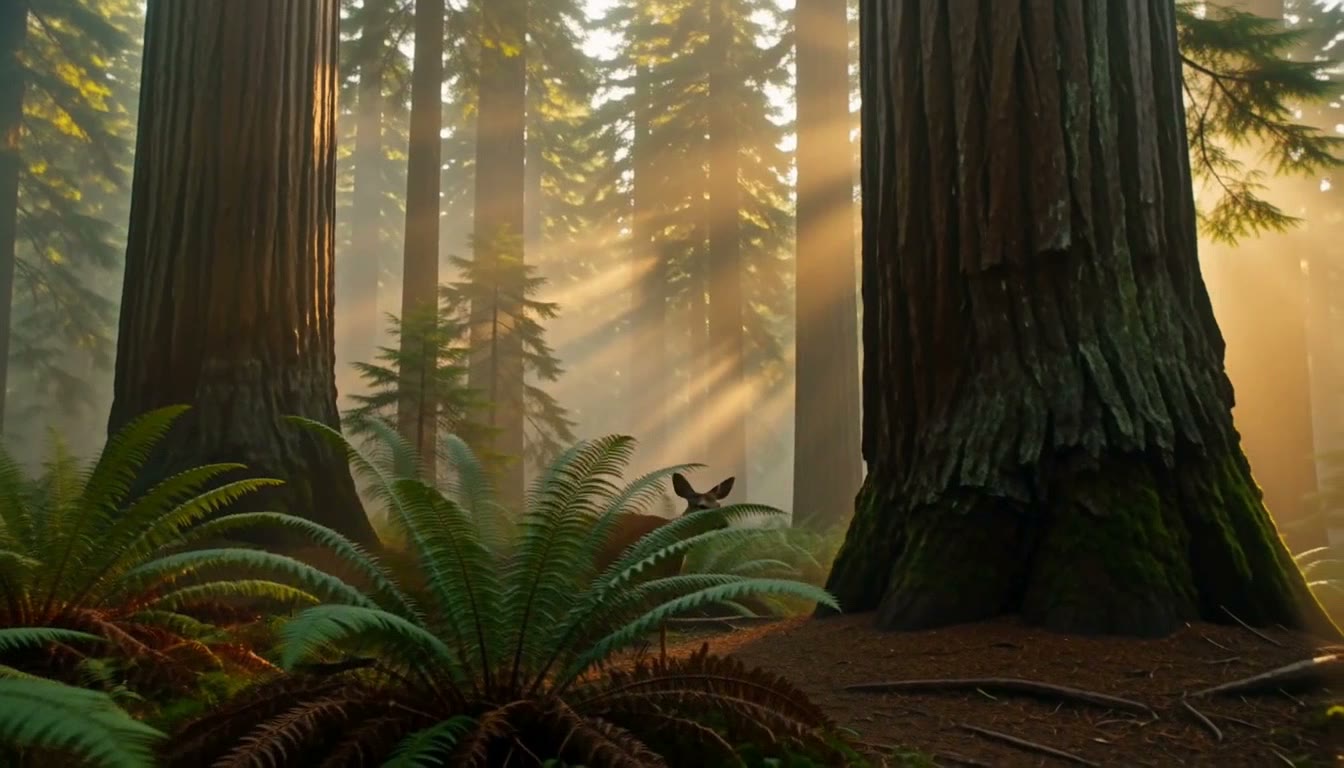 Before
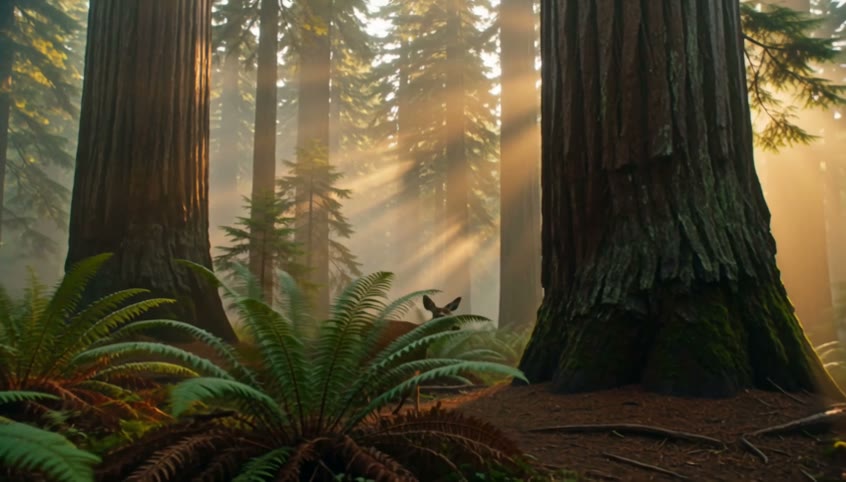 After WAN 3.0 Extend0:10
WAN 3.0 Extend · 10 s in all · 480p
“Continue this shot. The deer walks slowly along the trail, stops to look back, then steps into the ferns as the sun rays shift through the trees.”
Open Extend in the studioModels that make 30 seconds in one go
Each price is for one 30 second clip. A minute is two clips.
WAN 3.0$1.88
30 s from 480p · a minute $3.76 · sound on
WAN 3.0 Prime$2.55
30 s from 480p · a minute $5.10 · sound on
WAN 3.0 Pro$6.75
30 s from 1080p · a minute $13.50 · sound on
Seedance 2.5$9.00
30 s from 480p · a minute $18.00 · sound on
Seedance 2.5 Turbo$10.00
30 s from 720p · a minute $20.00 · sound on
| Model | 30 seconds costs | A minute costs | Quality | Sound |
|---|---|---|---|---|
| WAN 3.0 | $1.88 to $7.50 | $3.76 at 480p | 480p to 1080p | Yes |
| WAN 3.0 Prime | $2.55 to $10.50 | $5.10 at 480p | 480p to 1080p | Yes |
| WAN 3.0 Pro | $6.75 to $8.63 | $13.50 at 1080p | 1080p to 4K | Yes |
| Seedance 2.5 | $9.00 to $67.50 | $18.00 at 480p | 480p to 4K | Yes |
| Seedance 2.5 Turbo | $10.00 to $11.00 | $20.00 at 720p | 720p to 1080p | Yes |
- 30 seconds costs
- $1.88 to $7.50
- A minute costs
- $3.76 at 480p
- Quality
- 480p to 1080p
- Sound
- Yes
- 30 seconds costs
- $2.55 to $10.50
- A minute costs
- $5.10 at 480p
- Quality
- 480p to 1080p
- Sound
- Yes
- 30 seconds costs
- $6.75 to $8.63
- A minute costs
- $13.50 at 1080p
- Quality
- 1080p to 4K
- Sound
- Yes
- 30 seconds costs
- $9.00 to $67.50
- A minute costs
- $18.00 at 480p
- Quality
- 480p to 4K
- Sound
- Yes
Seedance 2.5 Turbo
- 30 seconds costs
- $10.00 to $11.00
- A minute costs
- $20.00 at 720p
- Quality
- 720p to 1080p
- Sound
- Yes
How much does a 60 second video cost?
You pay per clip from your wallet. You see the price before you press Generate.
Two 30 second WAN 3.0 clips
$3.76at 480p
Both clips have sound. Join them in any video editor to keep it. One Seedance 2.5 clip with one extend is $35.53 at 720p.
Sign up free
No card needed. New accounts get free tokens for images and other tools. Video is paid from your wallet.
Create a free accountTop up your wallet
$5to start
Enough for a full minute on WAN 3.0 at 480p. No subscription. Plans from $19, paid one time, add tokens for images.
See plansPrice shown before you startMoney back if a video failsVideos kept for 15 days
More video tools
- Text to video
Turn a few words into a video
- Image to video
Make a photo move
- Reels
Turn photos and music into a Reel
- Upscale video
Make a soft clip sharp, up to 4K





15 second video generatorPinterest video generatorShort video generatorShorts generatorReels generatorAI video generator
Questions people ask
Can I make a 30 second AI video?
Yes, in one go. Pick WAN 3.0 or Seedance 2.5 and set Duration to 30. One 30 second WAN 3.0 clip costs $1.88 at 480p or $3.75 at 720p. The table above has the price of 30 seconds on each model.Seedance 2.5
Is there a free 60 second AI video generator?
Not on Enhance AI. Video is paid from your wallet, and new accounts start with an empty wallet. Signing up is free and needs no card. You get free tokens, but they pay for images, music and speech, not video. Two 30 second WAN 3.0 clips with sound cost $3.76 at 480p. Join them in any video editor. For less, use a low cost model: three 20 second LTX Video 2 19B clips at 480p cost $1.44 for a minute. You can top up from $5. There is no watermark and no subscription.See prices
How do I make a 60 second video with AI?
Plan the minute in two halves. Pick a model that makes 30 seconds, like WAN 3.0 or Seedance 2.5, set Duration to 30 and press Generate. Then either make a second 30 second clip and join the two, or press Extend on the first clip and add 30 more seconds. Use the same shape for both halves, and start from the same photo if you want the same person or place in both.
Should I join two clips or extend one?
Join two clips when you want two scenes, or to pay less. Both clips can render at the same time. Extend when you want one smooth shot. The new part carries on from the last frame, and you get one file. On Seedance 2.5 at 720p, two 30 second clips cost $33.34 and one clip with one extend costs $35.53, because the extend price counts your clip as well as the new part. For a much lower price, join clips on a low cost model: three 20 second LTX Video 2 19B clips at 480p cost $1.44 for a minute.
How much does a 60 second AI video cost?
It depends on the model and the quality. Two 30 second clips cost $3.76 on WAN 3.0 at 480p, $5.10 on WAN 3.0 Prime at 480p, $13.50 on WAN 3.0 Pro at 1080p, $18.00 on Seedance 2.5 at 480p and $20.00 on Seedance 2.5 Turbo at 720p. One Seedance 2.5 clip with one extend costs $35.53 at 720p. The Generate button shows the price before you start. If a video fails, the money goes back to your wallet.
How long does it take to make a 60 second video?
From finished jobs in the studio: WAN 3.0 Prime, usually about 2 min, up to 3. WAN 3.0, usually about 3 min, up to 6. Seedance 2.5, usually about 5 min, up to 11. Those times cover clips of every length, so a 30 second clip can take longer. You can make up to 10 clips at the same time, so both halves can render together. Seedance 2.5 Extend is usually about 10 min, up to 21, and it starts after the first clip is done.
What size should a 60 second video be for Reels, TikTok and Shorts?
Use 9:16, the tall shape all three use. Set Aspect Ratio to 9:16 in the studio before you press Generate. Every model in the table offers it, along with square 1:1 and wide 16:9. Give both halves the same shape and quality so they join cleanly.Reels generatorShorts generatorTikTok video generator
Does the video have sound?
WAN 3.0, WAN 3.0 Prime, WAN 3.0 Pro, Seedance 2.5 and Seedance 2.5 Turbo make sound with the picture. It is on by default. If you join two clips on the studio Timeline, Export makes the joined file without sound, so join them in a video editor to keep it. You can also add sound to a finished clip with Add audio in the studio, for $0.002 a second.
Can I turn my own photo into a 60 second video?
Yes. Every model in the table also works from a photo, and your photo becomes the first frame. Use the same photo for both 30 second clips so the minute keeps the same person, product or place.Image to video
Is there a watermark? How long are my videos kept?
Enhance AI does not add a watermark or a logo. You download a plain MP4. Finished videos stay in your studio history for 15 days and then they are deleted, so download the ones you want to keep.
Can I use the videos in ads or client work?
Yes. You own the videos you make and can use them for personal or commercial work, like ads, client work and products you sell. You are also responsible for what you type and upload and for the videos you make.Read the Terms
Make your first 60 second video
Make 30 seconds, then join or extend. See the price before you start.
Make a video- No app needed
- No subscription
- No watermark