How to use Seedream 5.5 free
Three steps in your browser, on a phone or a computer.
Step 1
Type your idea
Say what is in the picture, where it is and how the light falls.
Step 2
Pick a size
1K and 1.5K cost 11 tokens, 2K costs 17. Then pick one of 10 shapes. New here? Sign up free first, no card needed.
Step 3
Download it
Save your image. It has no watermark. Want to change something? Open it in the photo editor.
Seedream 5.5 examples with prompts
Real images our team made with Seedream 5.5 on 11 November 2026, all at 1.5K. They are shown as they came out, only resized for the web. The prompt is under each one.
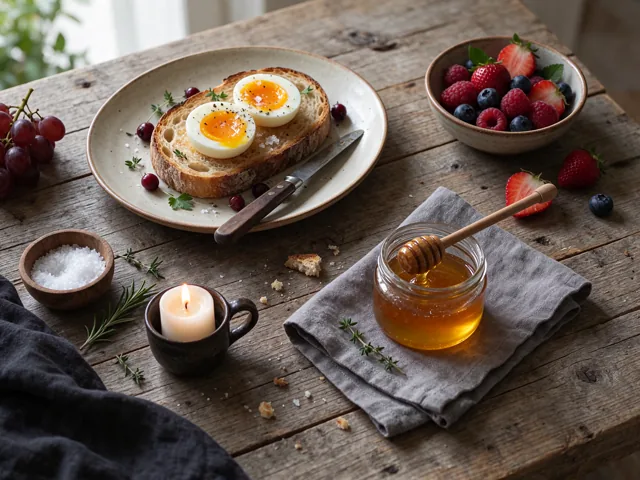
Breakfast from above · 4:3 at 1.5K
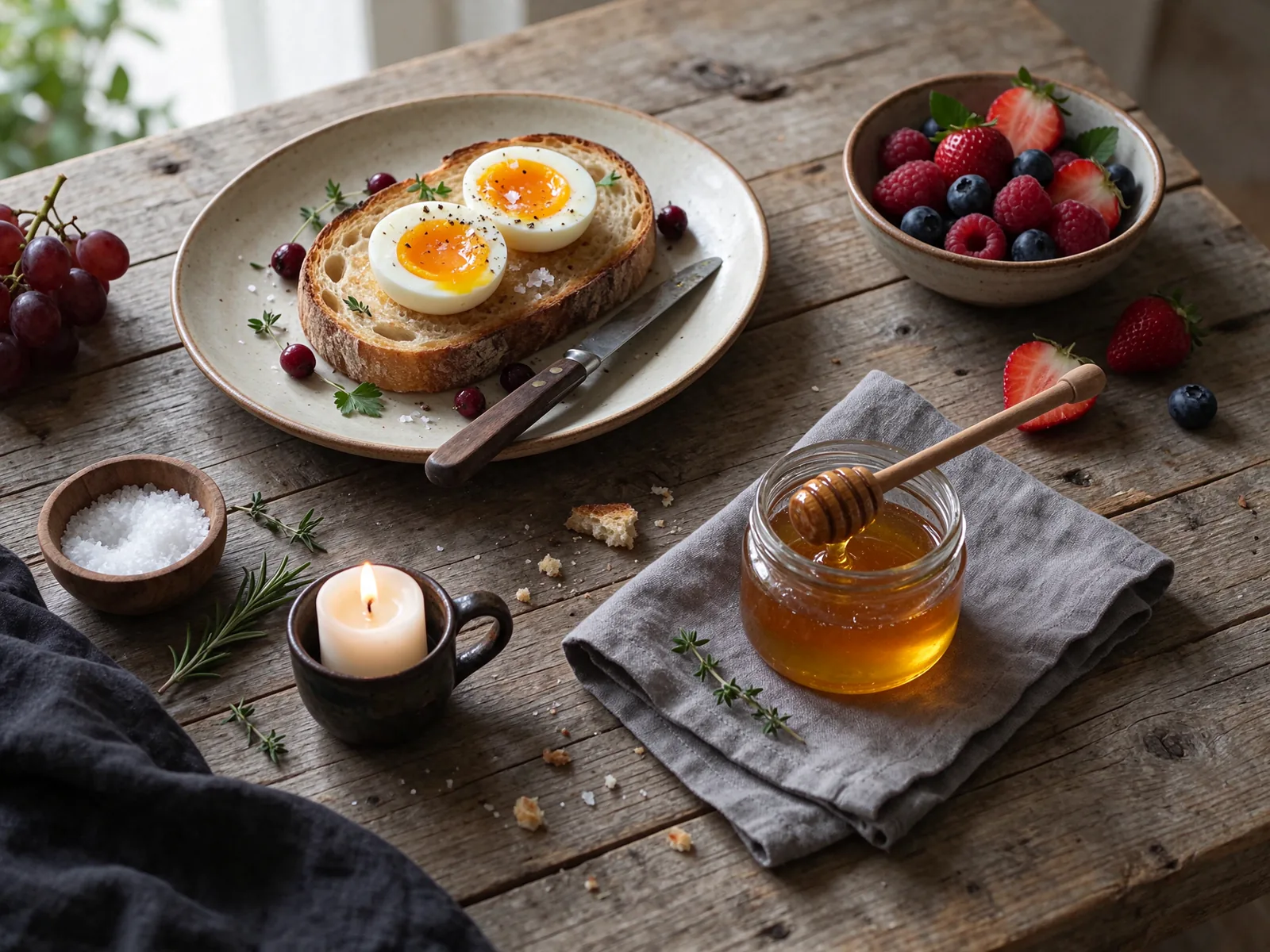
“Overhead food photograph of a rustic breakfast table: thick sourdough toast with soft boiled eggs and flaky salt, a bowl of fresh berries, a small jar of honey with a wooden dipper, linen napkin, crumbs on a weathered oak table, soft morning window light from the left, natural colors, editorial magazine style.”
Try this prompt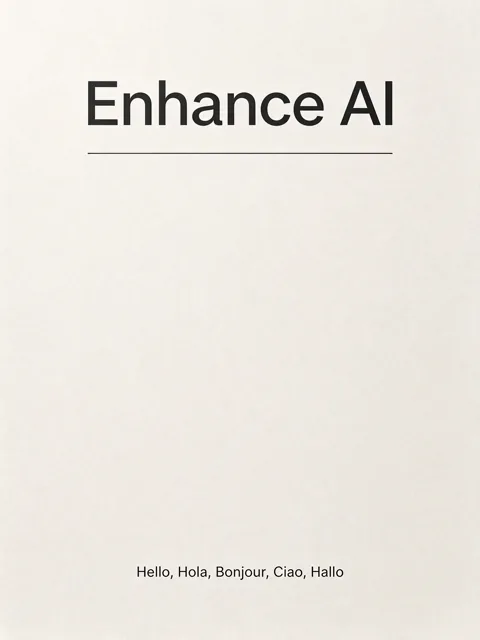
Poster with exact words · 3:4 at 1.5K
“Minimalist museum style print poster on warm off white paper. At the top, the words Enhance AI in large bold black sans serif type. Below it, one thin black rule. At the bottom, a small line of text that reads: Hello, Hola, Bonjour, Ciao, Hallo. Generous margins, subtle paper grain, soft studio light. No other text anywhere.”
Try this prompt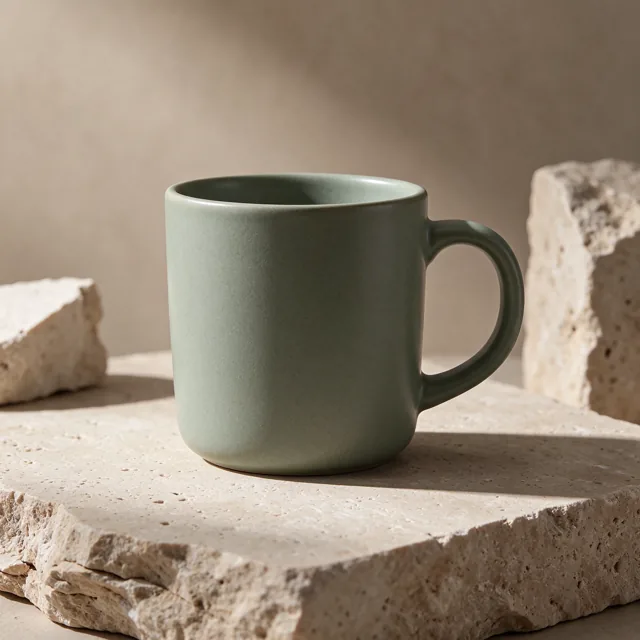
Product photo · 1:1 at 1.5K
“Commercial product photograph of a plain matte sage green ceramic coffee mug with a thin wisp of steam, completely unbranded and unlabeled, on a light travertine block, soft shadow, warm neutral beige background, gentle studio lighting, crisp detail in the glaze.”
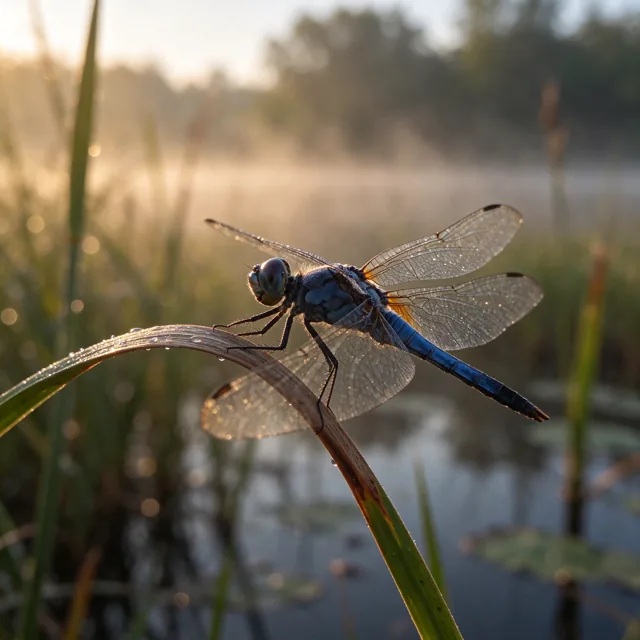
Try this promptDragonfly up close · 1:1 at 1.5K
“Macro photograph of a blue dragonfly resting on a bent reed at sunrise, tiny dew drops on its wings catching the light, every vein in the wings visible, soft golden bokeh background over a misty pond, razor sharp focus on the eyes, nature documentary quality.”
Try this prompt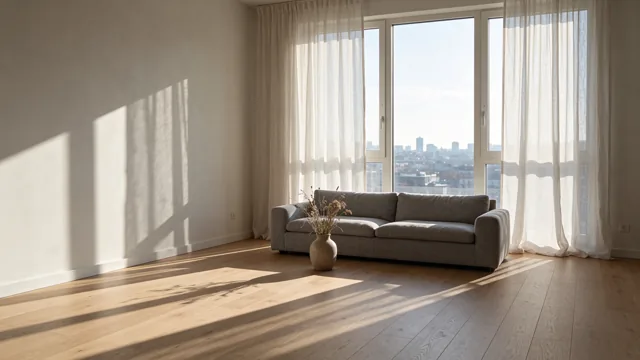
Living room in daylight · 16:9 at 1.5K
“Wide photograph of a calm Scandinavian living room at midday, pale oak floor, a low grey linen sofa, a ceramic vase with dried grasses, a large window with sheer linen curtains letting in soft sunlight that casts long window shadows across the floor, a city skyline far outside, architectural digest style, true to life colors.”
Try this prompt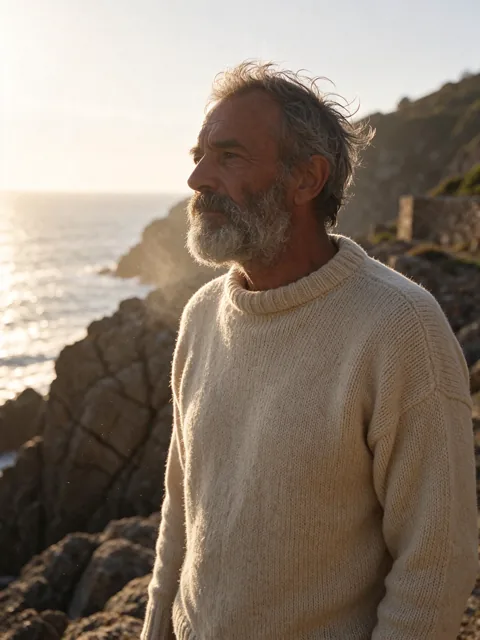
Portrait at golden hour · 3:4 at 1.5K
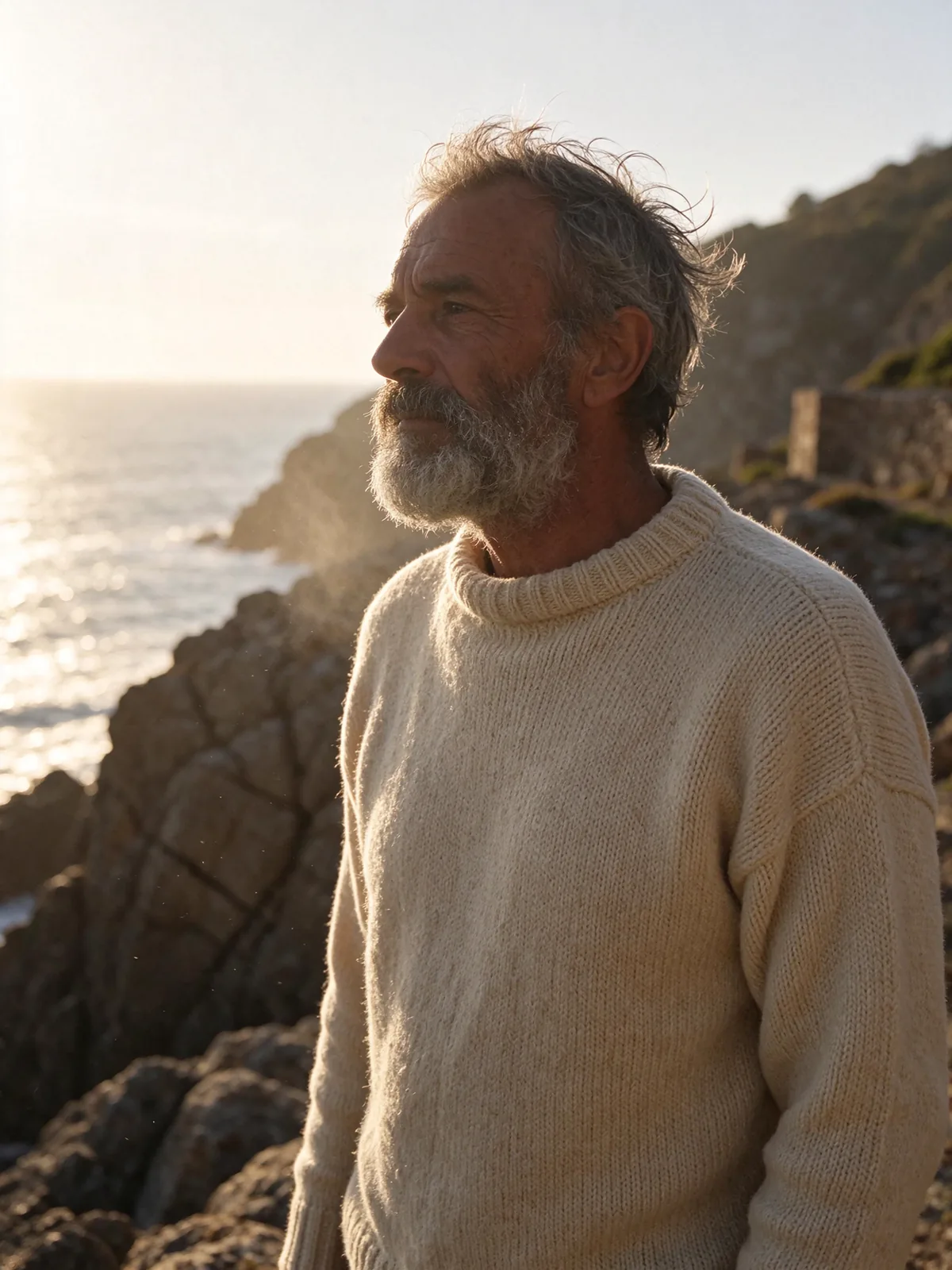
“Photorealistic portrait of a weathered lighthouse keeper in his sixties wearing a cream knitted sweater, standing on a windy sea cliff at golden hour, salt in his grey beard, fine skin texture with visible pores and deep smile lines, wind in his hair, soft rim light from the low sun, shallow depth of field on an 85mm lens.”
Try this prompt
Every prompt here except the poster also ended with one more line asking for no text, logos or watermarks. Each try link sends the whole prompt.
How to write a good Seedream 5.5 prompt
This is the full prompt behind the portrait, cut into its six parts. Each part does one job.
Made with Seedream 5.5The prompt
Photorealistic portrait of a weathered lighthouse keeper in his sixties wearing a cream knitted sweater, standing on a windy sea cliff at golden hour, salt in his grey beard, fine skin texture with visible pores and deep smile lines, wind in his hair, soft rim light from the low sun, shallow depth of field on an 85mm lens. No text, no lettering, no logos, no brand names, no watermarks anywhere in the image.
- The kind of pictureSay photo, painting or poster first.
- Who it isAn age, a job and clothes give the face a story.
- Where and whenA place and a time of day set the light.
- Small real detailsName the little things a camera would catch.
- Light and lensSay where the light comes from and how soft the background is.
- What to leave outSay what you do not want, so nothing extra shows up.
Edit photos with Seedream 5.5
Three real edits. Drag the line to compare before and after.
 BeforeAfter
 BeforeAfter
 BeforeAfter
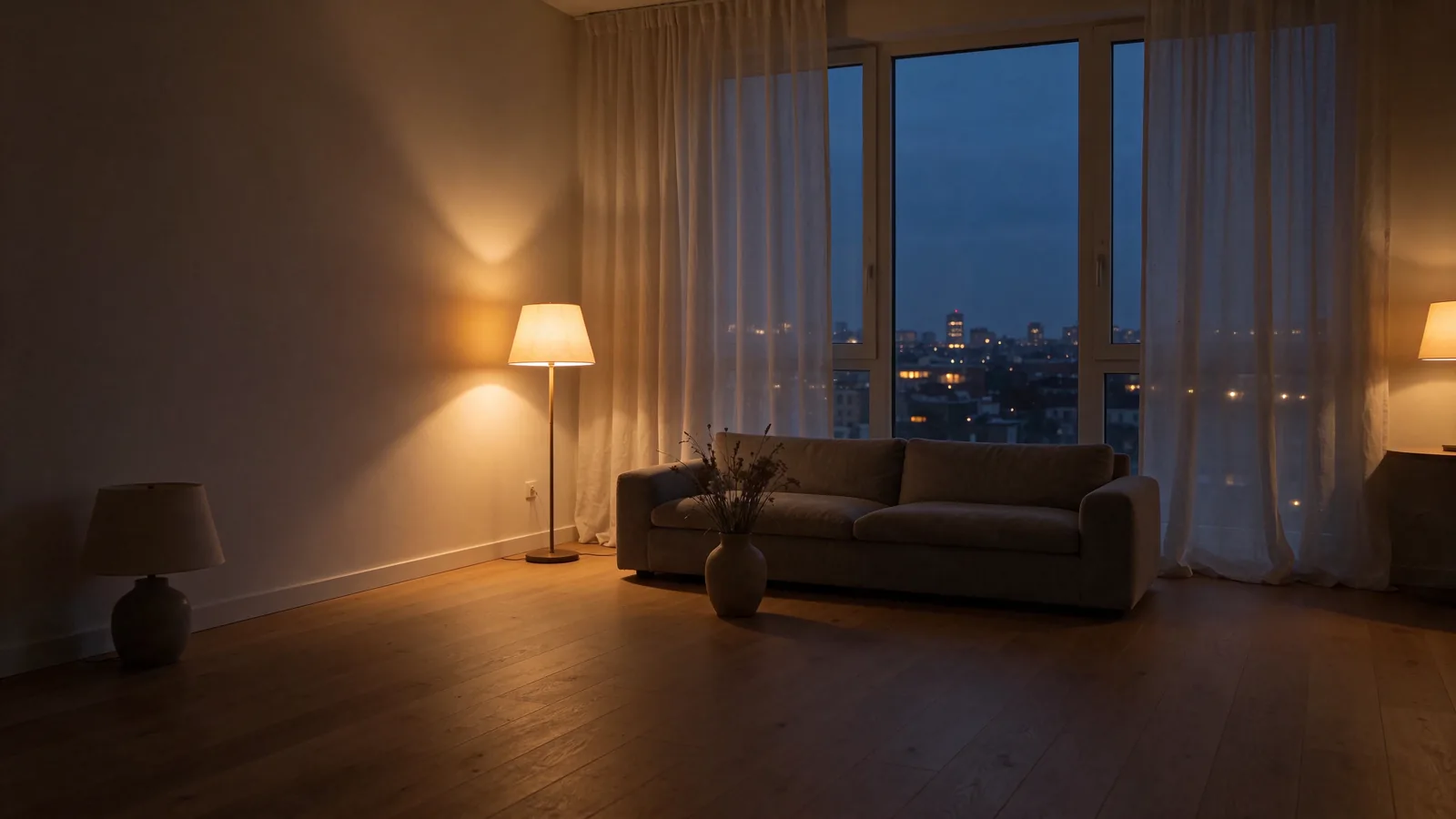
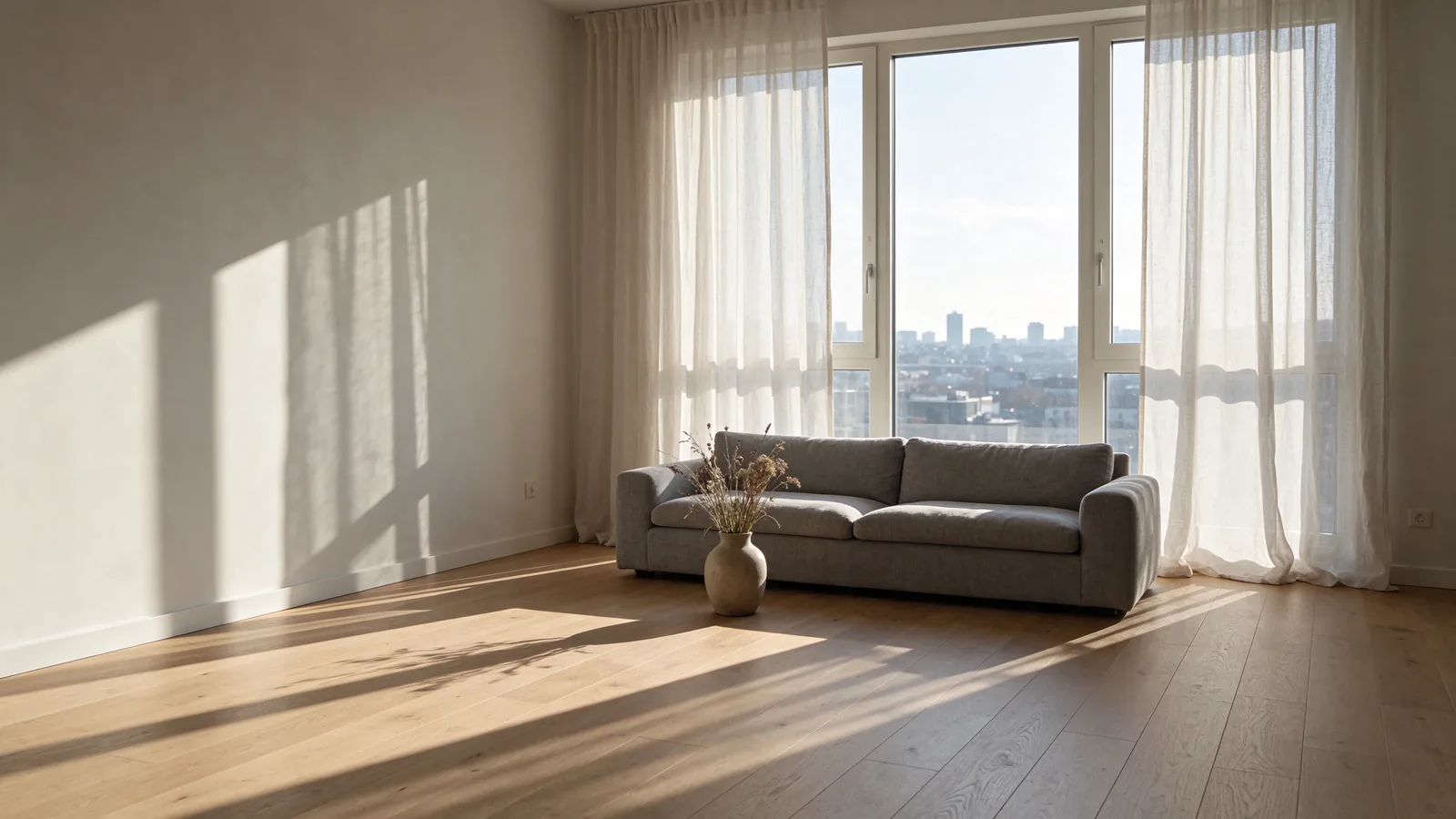
The photo it started from
The prompt
“Make this the same living room at night: warm table lamps on, soft amber light, the city skyline outside lit up with windows and a deep blue evening sky. Keep the furniture, layout, camera angle and every object exactly the same.”
One photo, 11 tokens in the photo editor. The playground can make this edit too, for 11 at 1K or 1.5K.
Open the photo editorThe photo it started from
The prompt
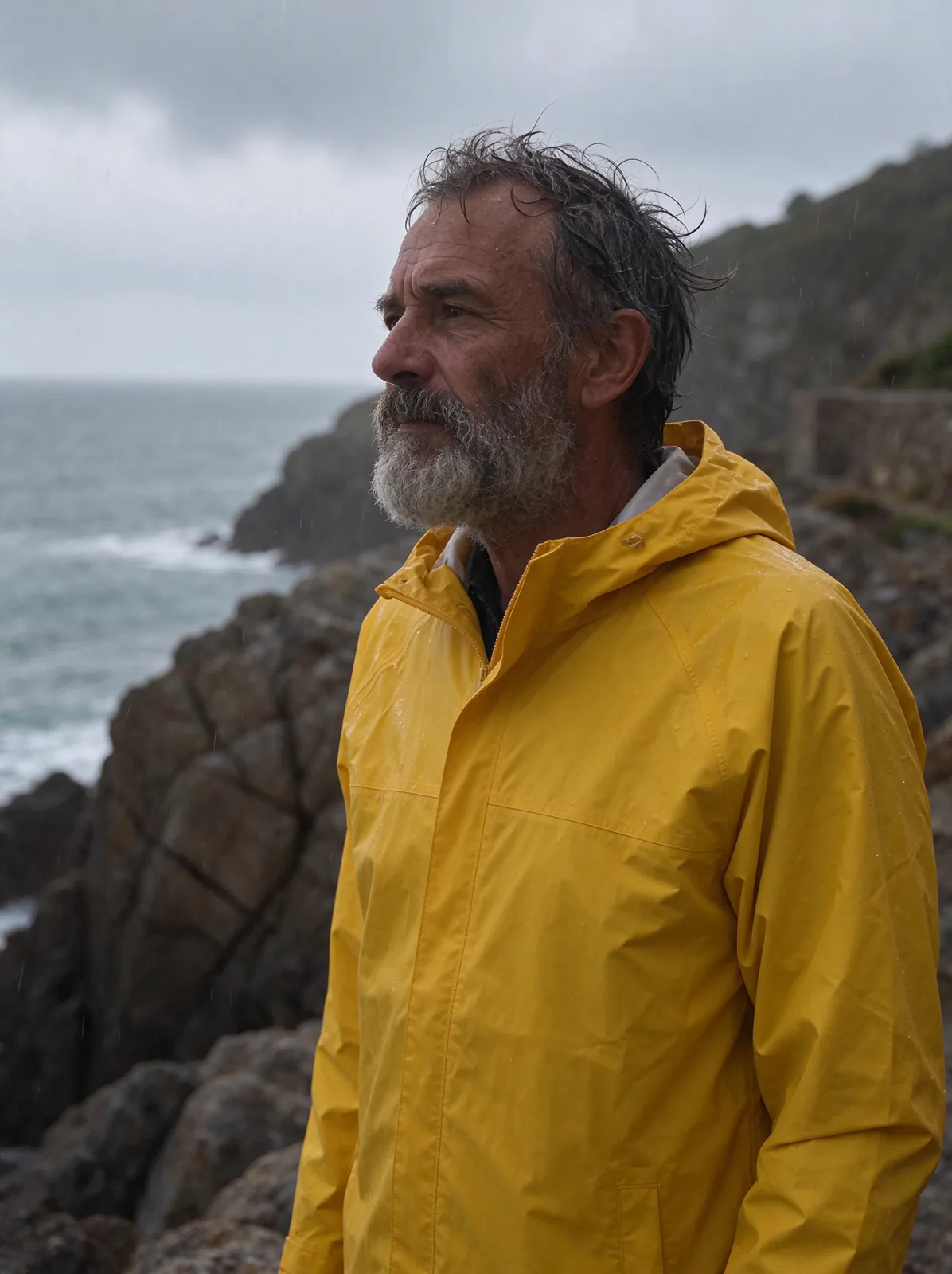
“Change his sweater to a bright yellow rain jacket and make it a light rain with wet hair and small raindrops on his face, overcast sky. Keep his face, expression, pose, framing and the cliff exactly the same.”
One photo, 11 tokens in the photo editor. The playground can make this edit too, for 11 at 1K or 1.5K.
Open the photo editorThe photos it started from
- Image 1
- Image 2
The prompt
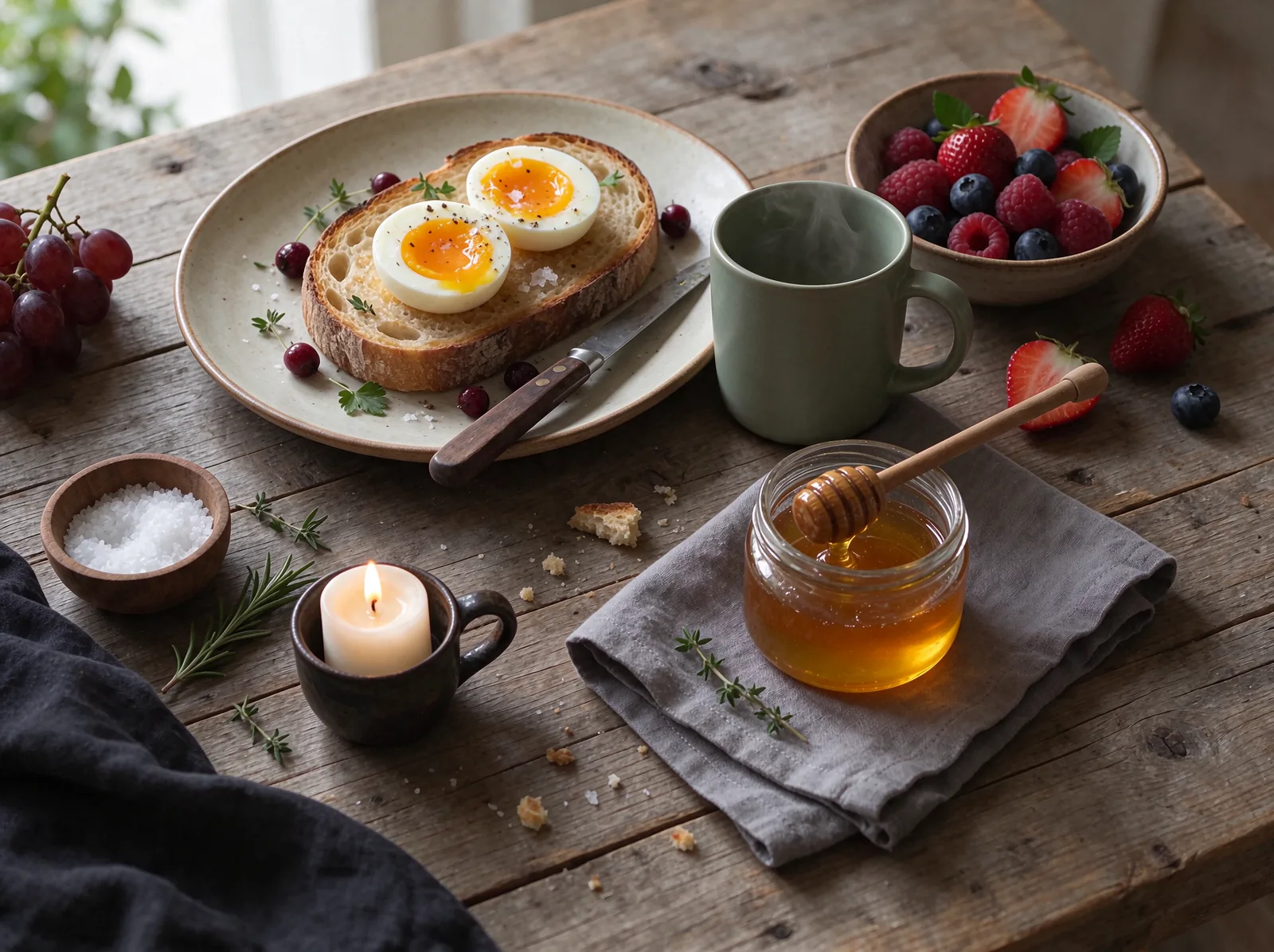
“Place the sage green mug from image 1 on the breakfast table from image 2, next to the toast, with a little steam rising and a natural soft shadow in the same morning window light. Keep the table, food and overhead camera angle from image 2 exactly the same.”
Two photos, 14 tokens. Mixing photos needs the photo editor; the playground takes one photo.
Open the photo editorPlayground or photo editor?
Seedream 5.5 works in both. Here is what each one does and what it costs.
- Playground
Make a new image
- 1K
- 11 tokens
- 1.5K
- 11 tokens
- 2K
- 17 tokens
10 shapes. Add one photo to change it instead, at the same price.
Open the playground - Photo editor
Change your photo
- Your photo
- 11 tokens
- Each extra photo, up to 9
- 3 more
- Change Region, Magic Eraser
- 14 tokens
- Crop and Expand
- 11 or 14 tokens
Most editing tools start on Seedream 5.5, and results come out at 1.5K. Crop and Expand costs more only when you drag the edges out.
Open the photo editor
Seedream 5.5 facts
- Made by
- ByteDance
- On Enhance AI since
- 10 November 2026
- What it does
- Makes new images from words, and edits your photos
- Price here
- 11 tokens an image at 1K or 1.5K, 17 at 2K. In the photo editor, 11 for one photo and 3 more for each extra one.
- Sizes
- 1K, 1.5K or 2K in the playground. Photo editor results are 1.5K.
- Shapes
- 10 in the playground: 1:1, 3:2, 2:3, 3:4, 4:3, 4:5, 5:4, 9:16, 16:9 and 21:9
- Photos per edit
- One in the playground. Up to 10 in the photo editor: your photo plus 9 references.
- Transparent background
- Not offered in the playground or photo editor
- Failed runs
- Your tokens come back
- Watermark
- None
Seedream 5.5 vs other Seedream models
All made by ByteDance. What you pay and get for each on Enhance AI. Your free tokens work on all of them.
| Model | Tokens an image | Sizes to pick | Shapes | Photos per edit |
|---|---|---|---|---|
| Seedream 5.5 | 11, or 17 at 2K | 1K, 1.5K, 2K | 10 | 1 in the playground, up to 10 in the photo editor |
| Seedream 5.0 Pro | 10, or 23 at 2K | 1K, 2K | 2 | None, words only |
| Seedream 5.0 | 20, or 9 in AI Edit | None to pick | 9 | Up to 10 |
| Seedream 4.5 | 14 in Chat with edit, 13 in Image reference | None to pick | None to pick | Needed, up to 10 |
Seedream 5.5
- Tokens an image
- 11, or 17 at 2K
- Sizes to pick
- 1K, 1.5K, 2K
- Shapes
- 10
- Photos per edit
- 1 in the playground, up to 10 in the photo editor
- Tokens an image
- 10, or 23 at 2K
- Sizes to pick
- 1K, 2K
- Shapes
- 2
- Photos per edit
- None, words only
- Tokens an image
- 20, or 9 in AI Edit
- Sizes to pick
- None to pick
- Shapes
- 9
- Photos per edit
- Up to 10
- Tokens an image
- 14 in Chat with edit, 13 in Image reference
- Sizes to pick
- None to pick
- Shapes
- None to pick
- Photos per edit
- Needed, up to 10
This table compares prices and options only. Every example on this page was made with Seedream 5.5; we did not run the same prompts on the older models. More models: text to image AI, AI image editing and all models.
How much does Seedream 5.5 cost?
Start free, then pay per image. No subscription.
One Seedream 5.5 image
11tokens
At 1K or 1.5K, and 17 at 2K. In the photo editor, each extra photo adds 3. If a run fails, your tokens come back.
Free tokens on sign up
New accounts get free tokens, and they work on Seedream 5.5. No card needed.
Try it freeNeed more?
$19one time
2,000 tokens for 30 days. That is 181 Seedream 5.5 images at 1.5K, or 117 at 2K. No subscription. Yearly plans are 20% off.
See plansNeed something else?
- Make it bigger
2K is the largest size here. The AI image upscaler goes further.
- Clear background
Cut out the main subject in one tap.
- Make it move
Turn your picture into a short video.
- Free AI images
No account? Make 3 free images a day.

Questions about Seedream 5.5
What is Seedream 5.5?
Seedream 5.5 is an AI image model made by ByteDance. It makes new pictures from your words, and it changes photos you already have. It came to Enhance AI on 10 November 2026. Here it runs in the playground and in the photo editor, where it is the starting model for AI Edit and most other editing tools.
Is Seedream 5.5 free?
You can try it free. Sign up for Enhance AI with no card and you get free tokens. They work on Seedream 5.5, and an image at 1K or 1.5K uses 11 tokens. The free tokens come once, not every day. When they run out, plans start at $19, paid one time.
How much does Seedream 5.5 cost?
In the playground, 11 tokens an image at 1K or 1.5K, and 17 at 2K. In the photo editor the price follows the images you send: 11 for one photo and 3 more for each extra one, so a full 10 image edit is 38. Change Region and Magic Eraser send your photo and its mask, so they cost 14. If a run fails, your tokens come back. The $19 plan gives 2,000 tokens for 30 days, which is 181 images at 1.5K. Yearly plans are 20% off.
What sizes and shapes can I make?
Three sizes: 1K, 1.5K and 2K. 1K and 1.5K cost the same. The playground has 10 shapes, from tall 9:16 to wide 21:9. The photo editor makes its results at 1.5K. Some sites list a 3K size for Seedream 5.5; on Enhance AI the largest is 2K. Need it bigger? Use the AI image upscaler.
Can I edit my own photo with Seedream 5.5?
Yes, in two places. In the playground, add one photo, say what to change and pick a size. It costs the same as a new image. In the photo editor, Seedream 5.5 is the starting model for AI Edit, Change Region, Magic Eraser, Crop and Expand, Change Light, Style Transfer and Color Palette. You can switch to another model there at any time.
Can it mix several photos into one?
Yes, in the photo editor. Open your main photo in AI Edit and add up to 9 reference photos, 10 images in all. Then say what to take from each one, like the green mug and the breakfast table. The mug example on this page was made from two photos, which costs 14 tokens in the photo editor.
Can Seedream 5.5 make a transparent background?
Not in our playground or photo editor. Some listings of the model mention a transparent background option, but these tools do not offer it. To get a clear background, make your image first, then cut it out with the background remover.
Seedream 5.5 or Seedream 5.0 Pro: which should I use?
On Enhance AI, Seedream 5.0 Pro makes images from words only, in two shapes, square and 3:2. It costs 10 tokens at 1K and 23 at 2K. Seedream 5.5 costs 11 at 1K, adds a 1.5K size at the same price, costs 17 at 2K, has 10 shapes and can edit your photos. Our Seedream 5.5 poster on this page spelled every word right, but we have not run the two models on the same prompts, so try yours on both.
Can I use the images I make? Is there a watermark?
Yes. You own the images you make and can use them for personal or commercial work, like ads, client work and products you sell. You are responsible for your prompts, your photos and how you use the images. Section 6 of the Terms has the exact words. Enhance AI adds no watermark.
Make your first Seedream 5.5 image
Start from words in the playground, or from your own photo in the photo editor. New accounts get free tokens.
Open Seedream 5.5- No card needed
- No app needed
- No watermark
More from Enhance AI