AI Design Generator for Posters and Art
Type what you want. Get a poster, a chart, an illustration or a painting.
20 tokens an image. Posters and charts with words on them.
- Free to try
- No app needed
- No watermark
How to make a design with AI
Three steps. It works on your phone.
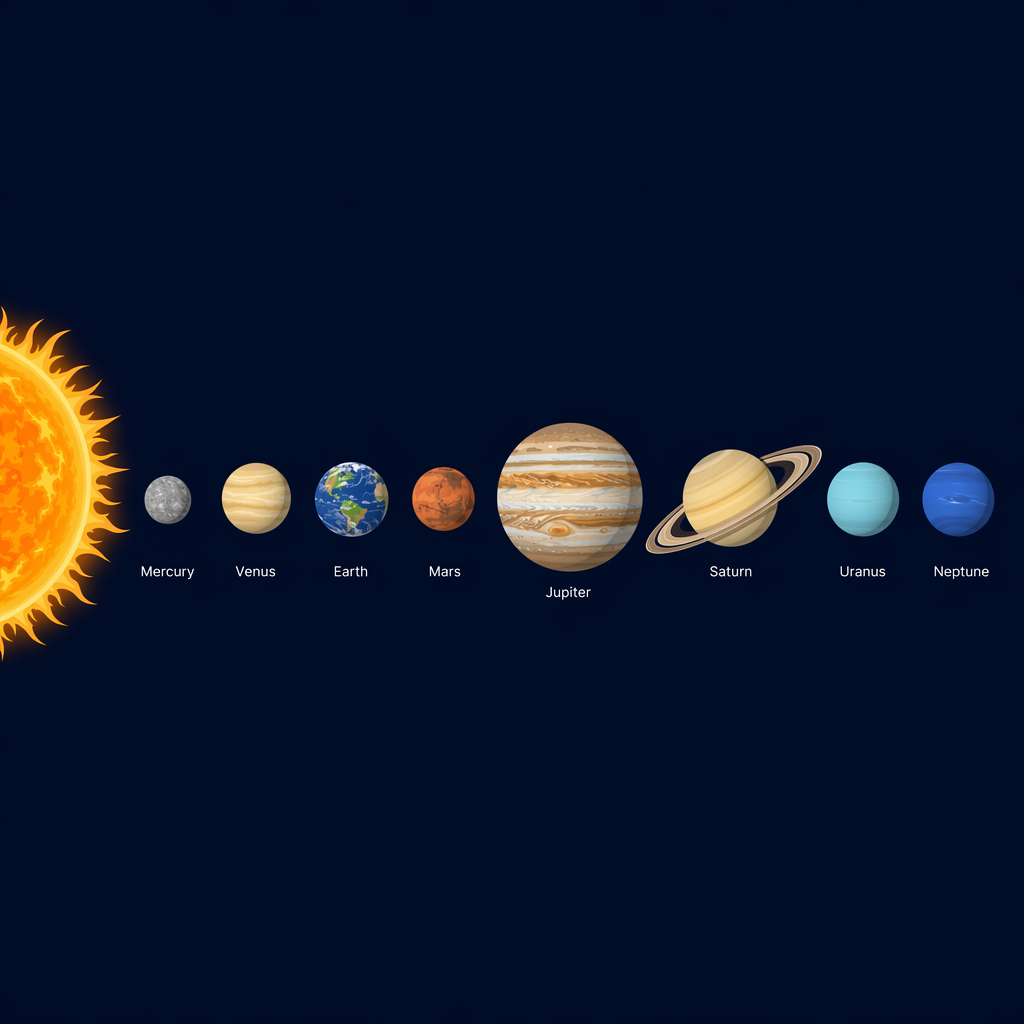
A clean educational diagram of the solar system on a dark navy background. The sun at the far left, then the eight planets in a single row in correct order from the sun: Mercury, Venus, Earth, Mars, Jupiter, Saturn, Uranus, Neptune. Each planet labeled beneath in small clean type, sizes roughly proportional, Saturn with rings, flat vector illustration style. No other text.
GenerateStep 1
Type your idea
Say what it is, the style and the colors. Add any words you want on it.
- GPT Image 220 tokens
- 2.5 Sunburst10 tokens
- Qwen 2.16 tokens
Step 2
Pick a model
Each one shows its price in tokens before you start.
 Download
Step 3
Download it
Save it to your phone or computer. No watermark.
Designs made with Enhance AI
Real images, each with the exact prompt that made it. Tap Try this prompt to make your own.
Posters, charts and words
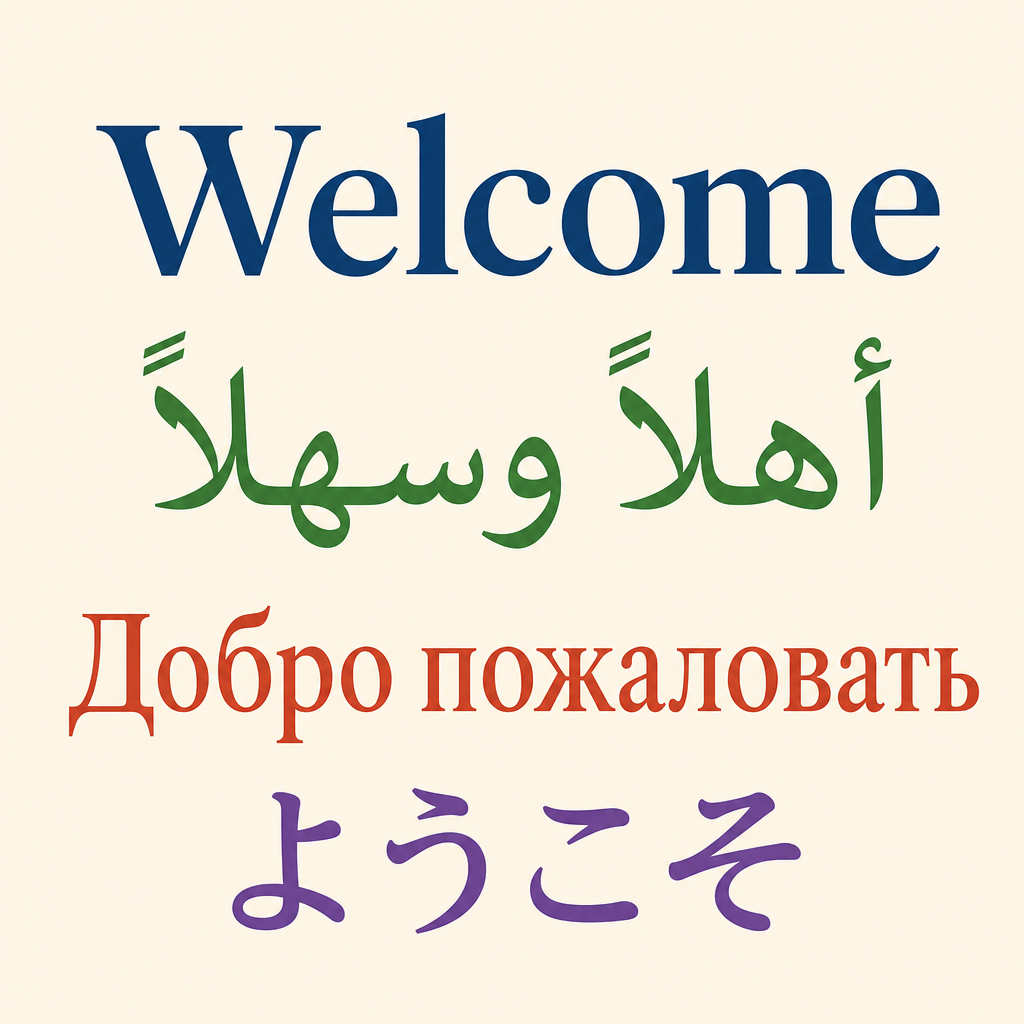
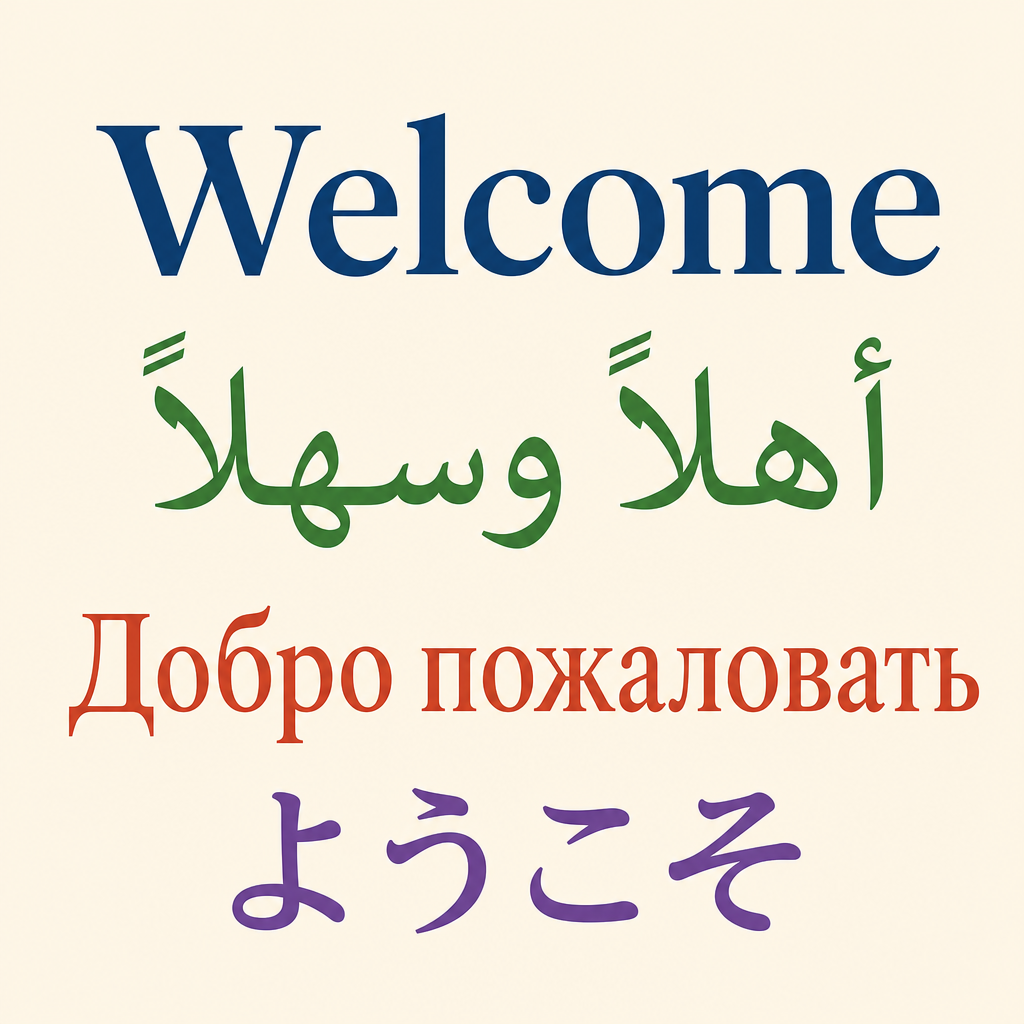
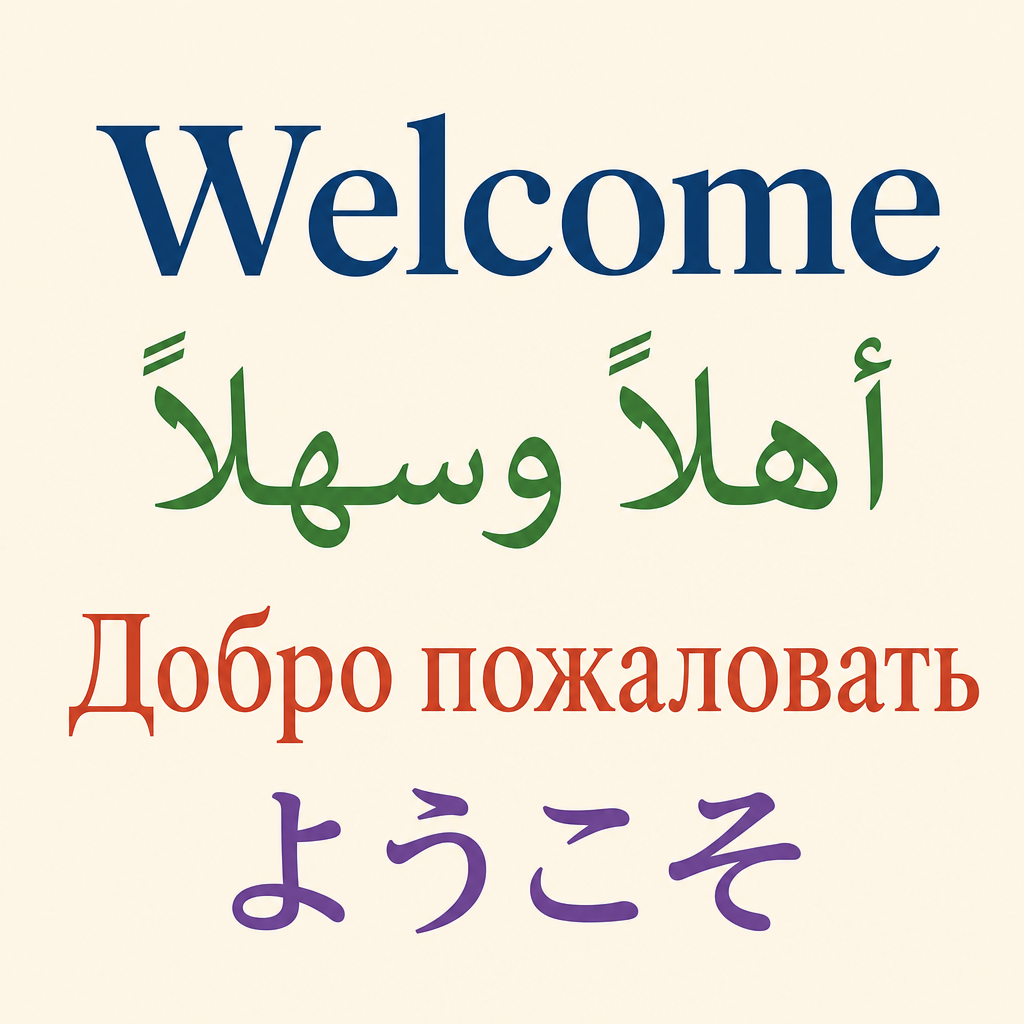
Poster. Made with GPT Image 2
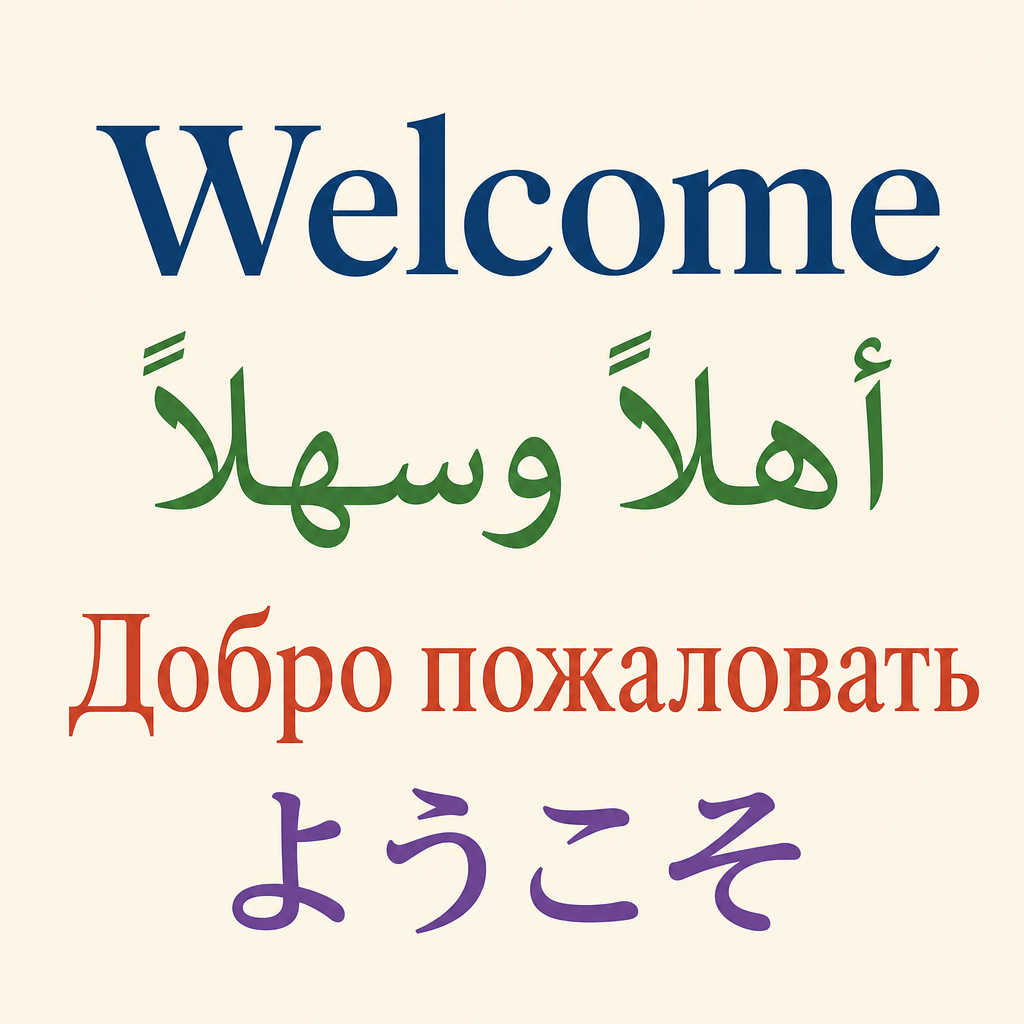
Welcome poster in four languages
Try this promptSee the exact prompt +
“A clean flat travel poster on a cream background with the greeting Welcome written large in four stacked lines, each line in a different script and color: first line English Welcome, second line Arabic أهلاً وسهلاً, third line Russian Добро пожаловать, fourth line Japanese ようこそ. Precise correct spelling in every script, no other text or decoration.”
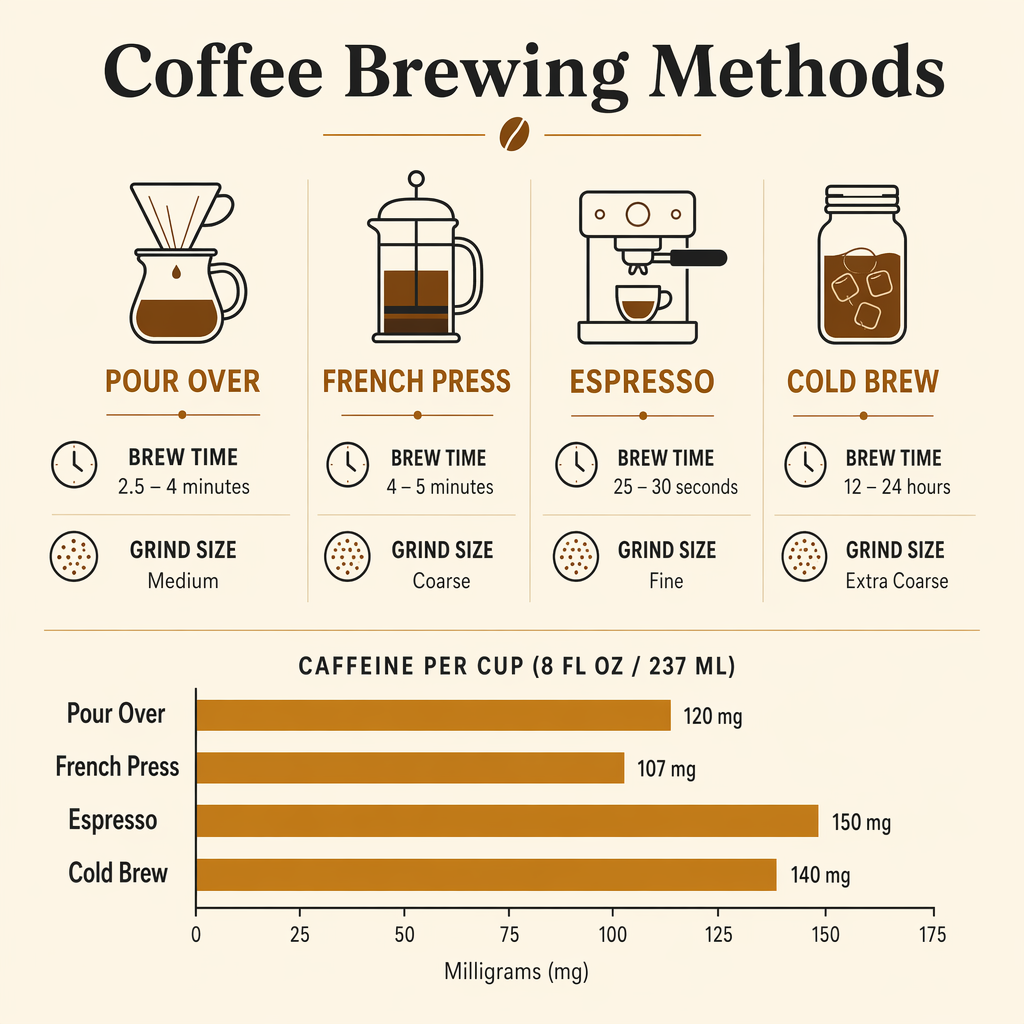
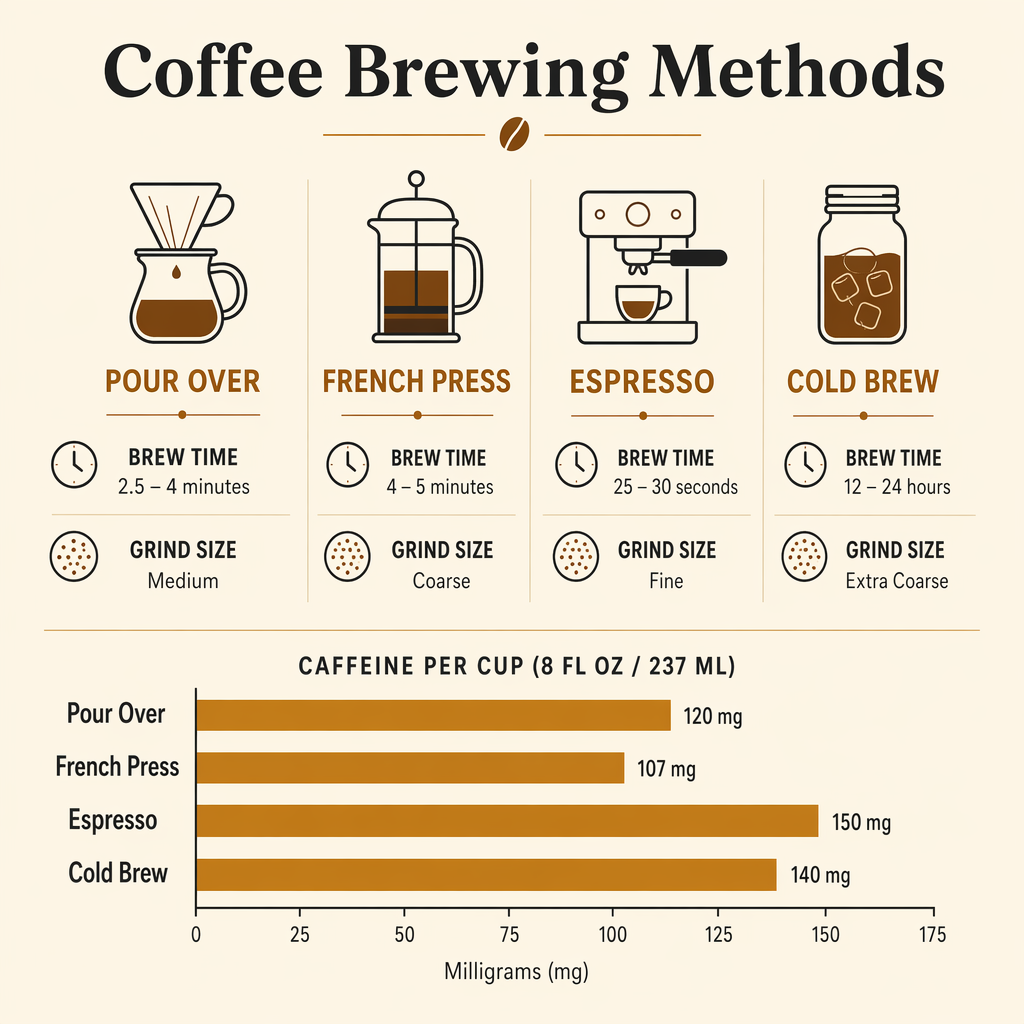
Infographic. Made with GPT Image 2
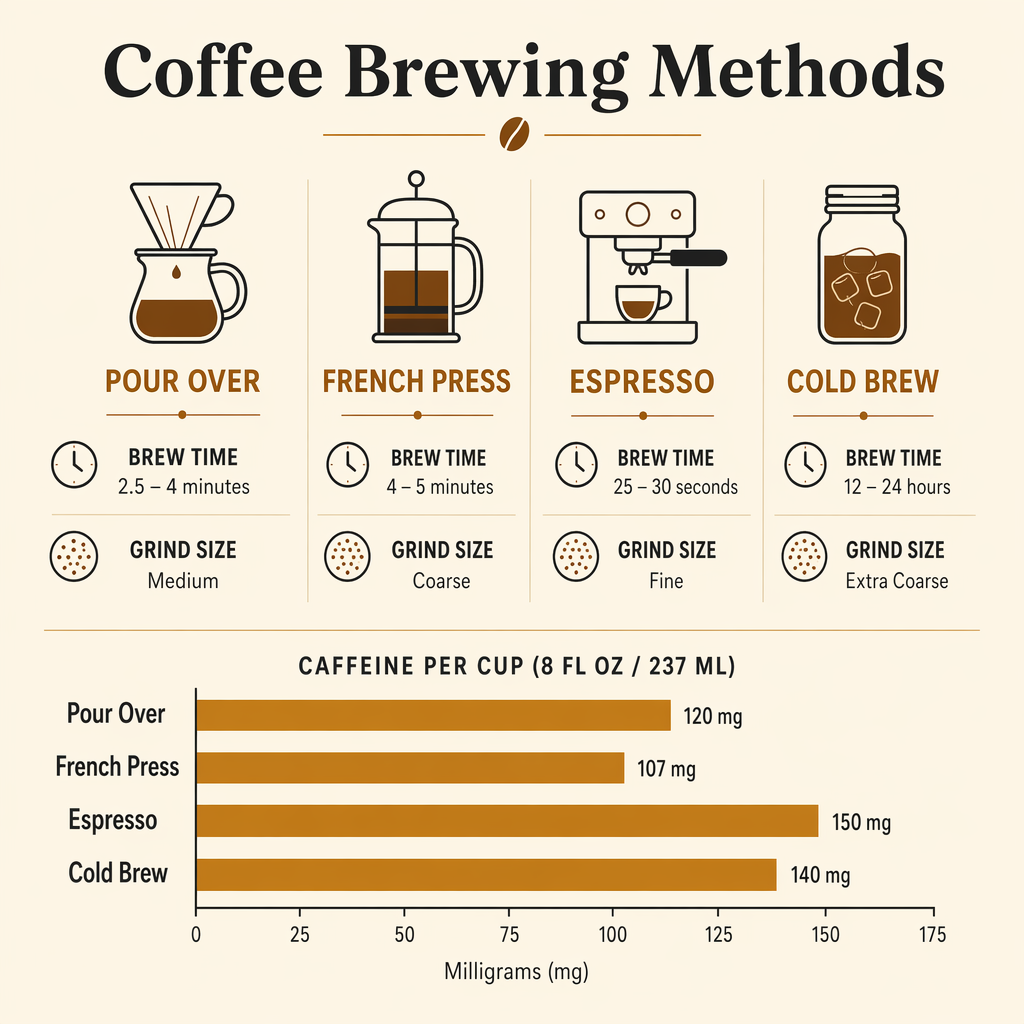
Coffee infographic
Try this promptSee the exact prompt +
“Infographic titled Coffee Brewing Methods comparing pour over, french press, espresso, and cold brew. Four columns, each with a simple line icon, the method name as a heading, and two labeled rows reading brew time and grind size with realistic values. Beneath the columns a horizontal bar chart comparing caffeine per cup across the four methods with axis labels. Flat modern editorial style, warm cream background, charcoal and amber palette. Every word must be real, correctly spelled English.”
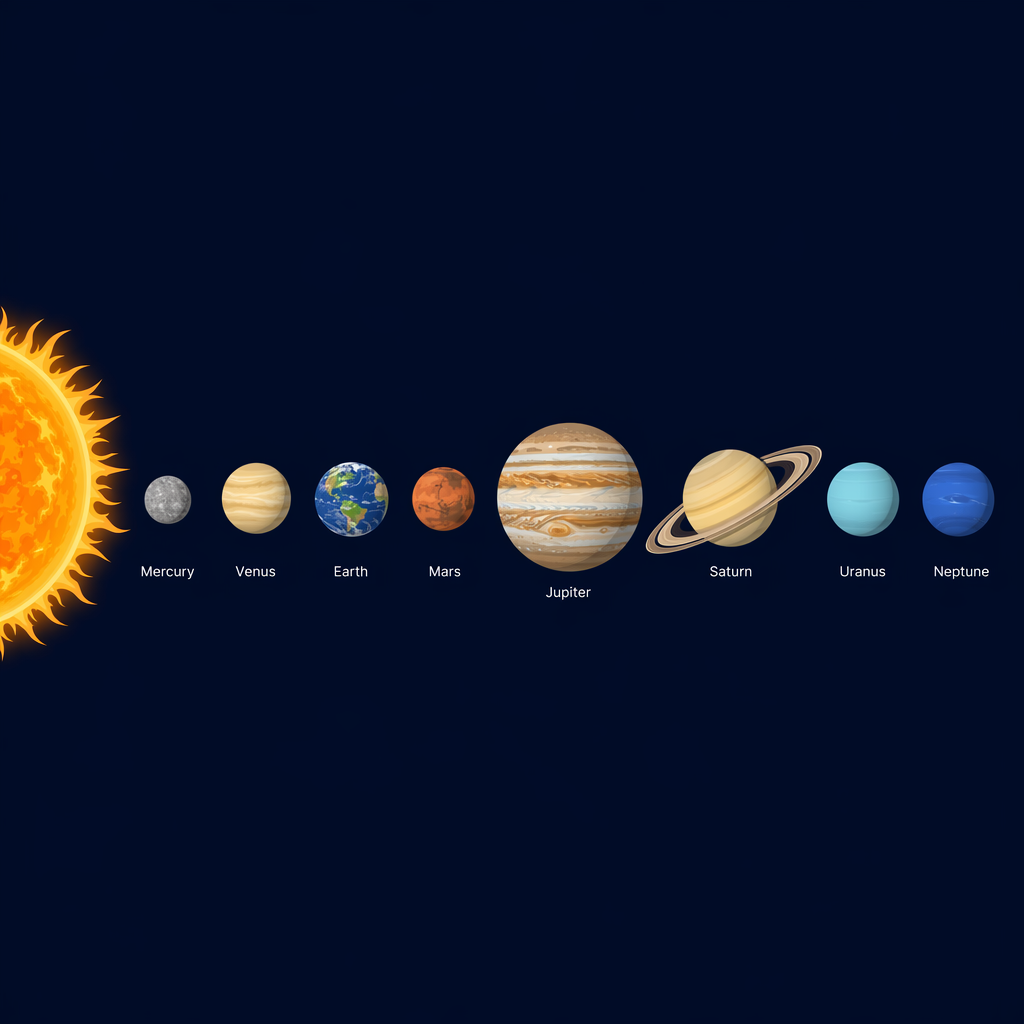
Diagram. Made with GPT Image 2
Solar system chart
Try this promptSee the exact prompt +
“A clean educational diagram of the solar system on a dark navy background. The sun at the far left, then the eight planets in a single row in correct order from the sun: Mercury, Venus, Earth, Mars, Jupiter, Saturn, Uranus, Neptune. Each planet labeled beneath in small clean type, sizes roughly proportional, Saturn with rings, flat vector illustration style. No other text.”
Art and illustration
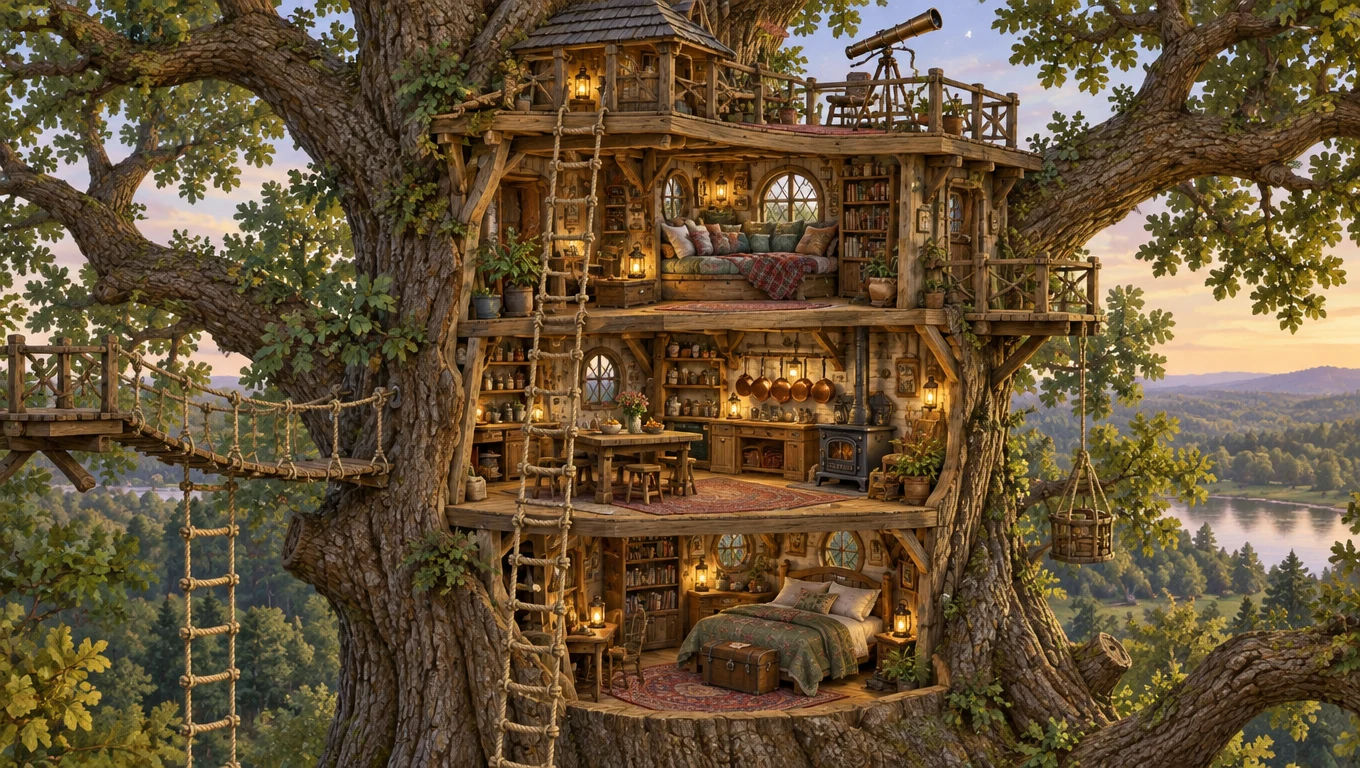
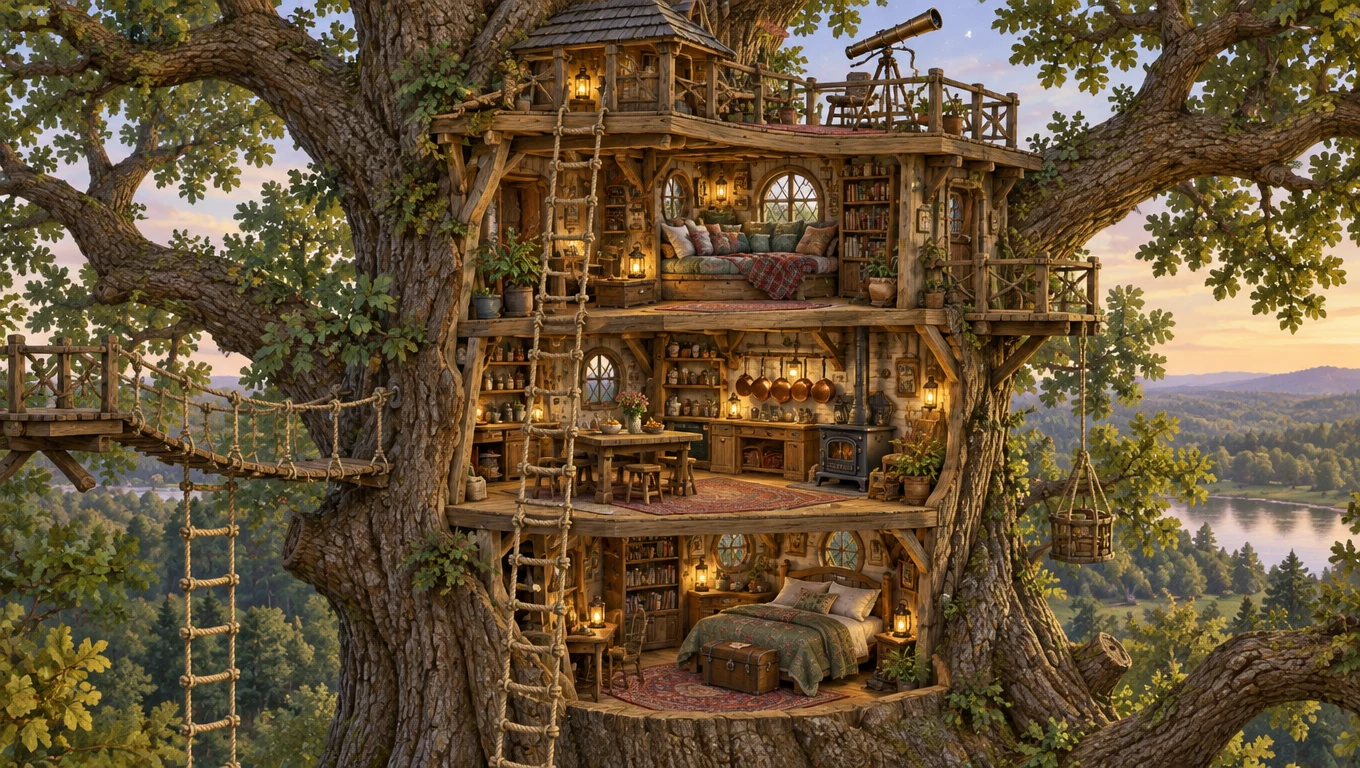
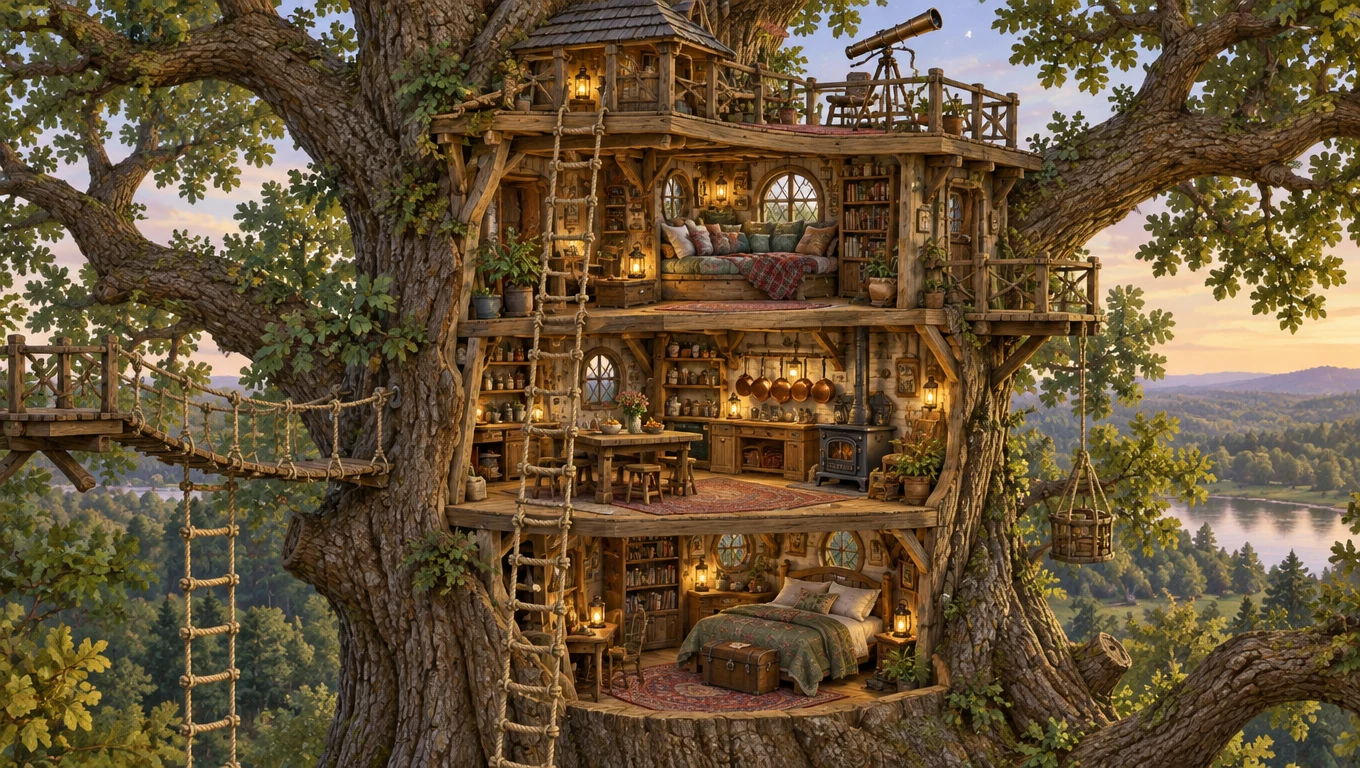
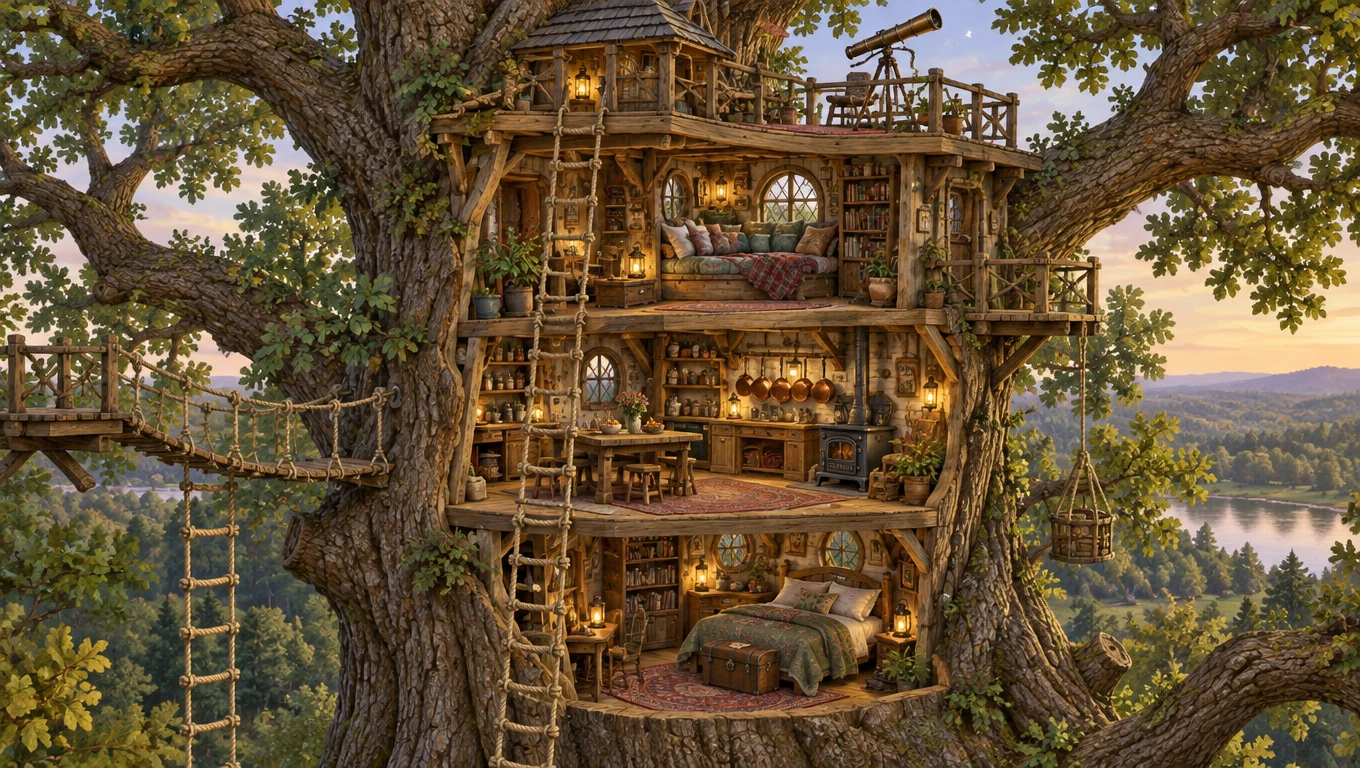
Illustration. Made with GPT Image 2.5 Sunburst
Treehouse cutaway
“A cutaway illustration of a three level treehouse in a giant oak, rope ladders, a reading nook with cushions, a small kitchen with hanging copper pots and a telescope on the roof, detailed storybook style, no labels or text.”
Try this prompt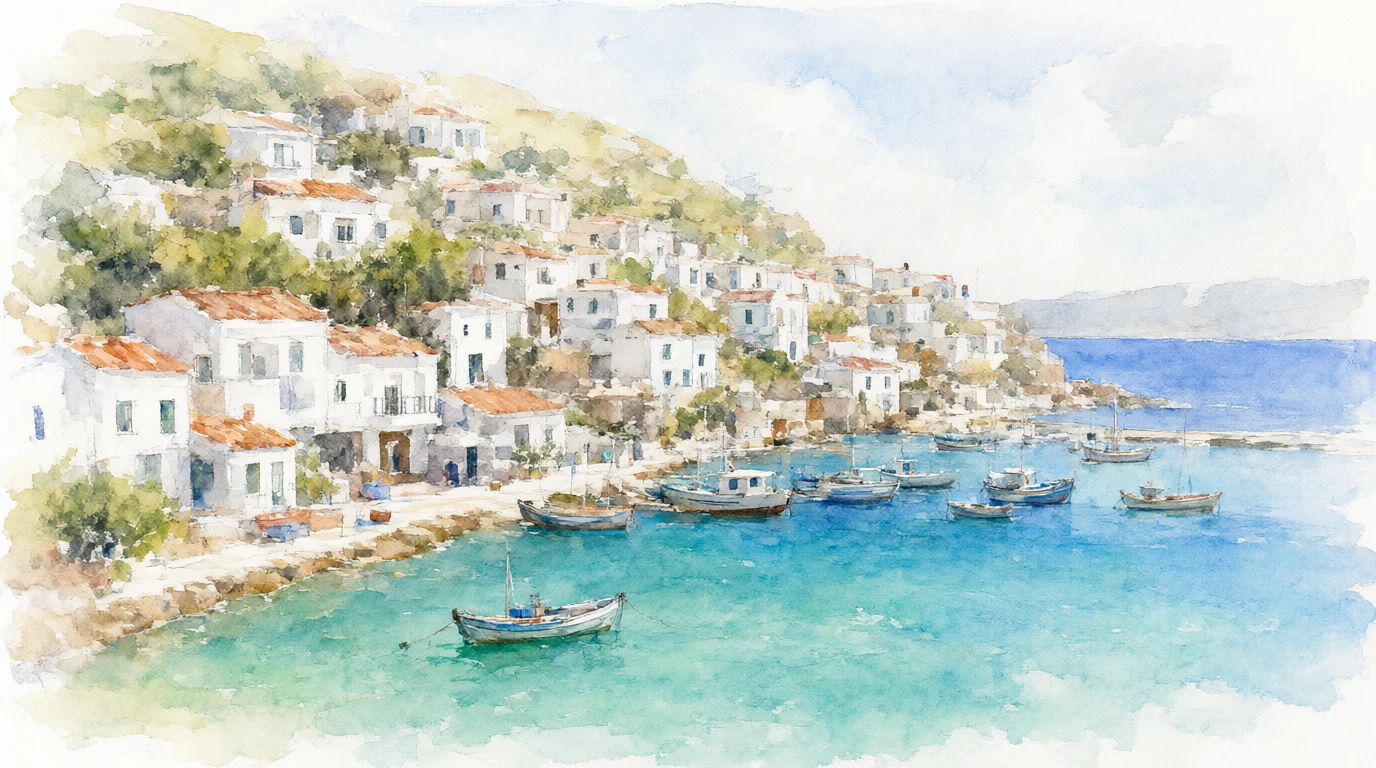
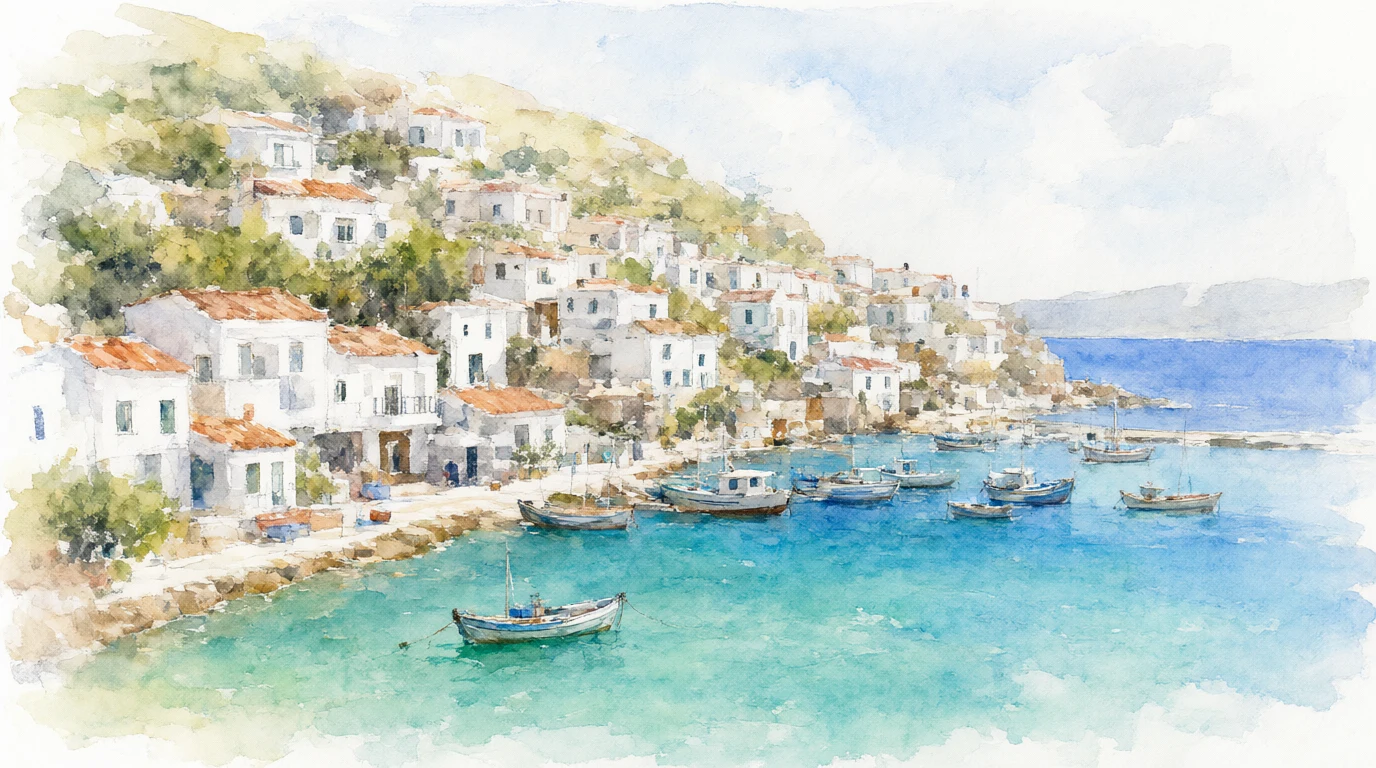
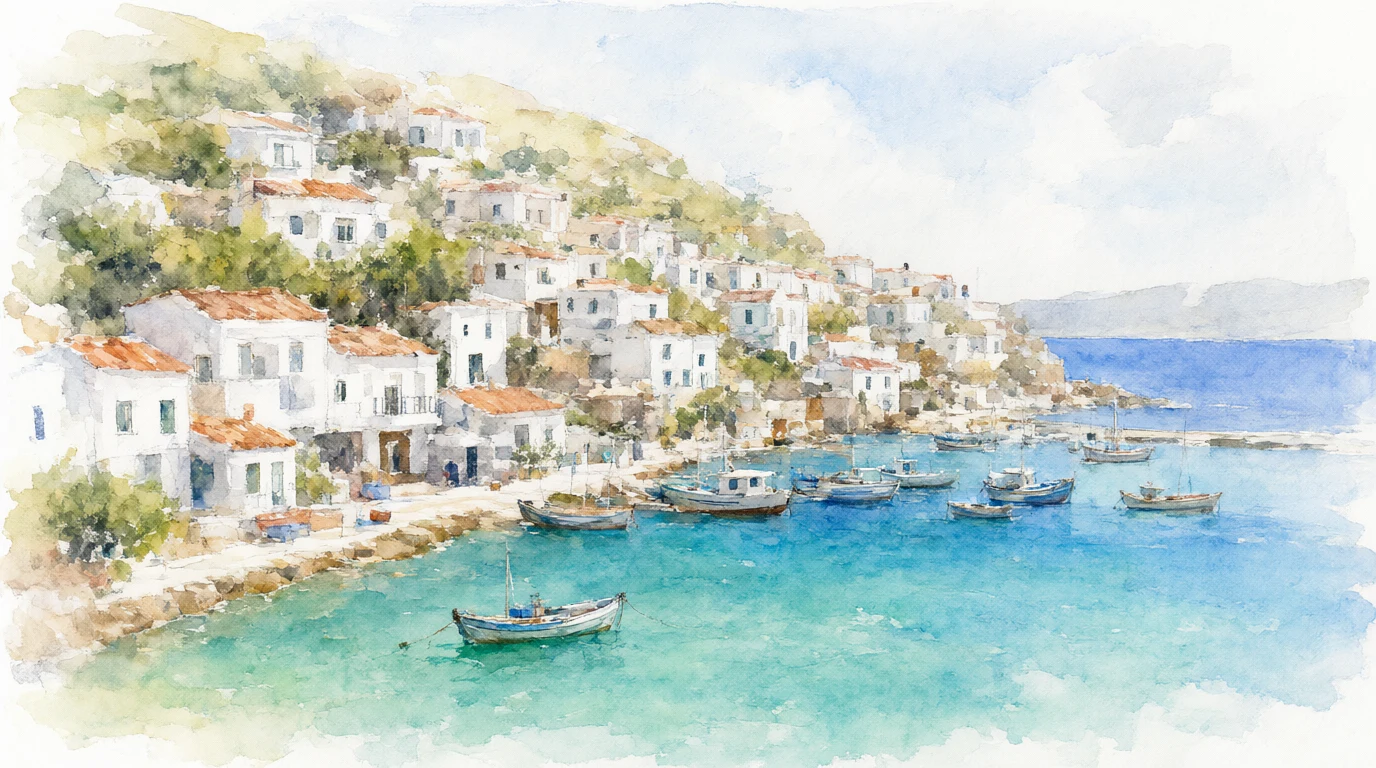
Painting. Made with Qwen Image 2.1
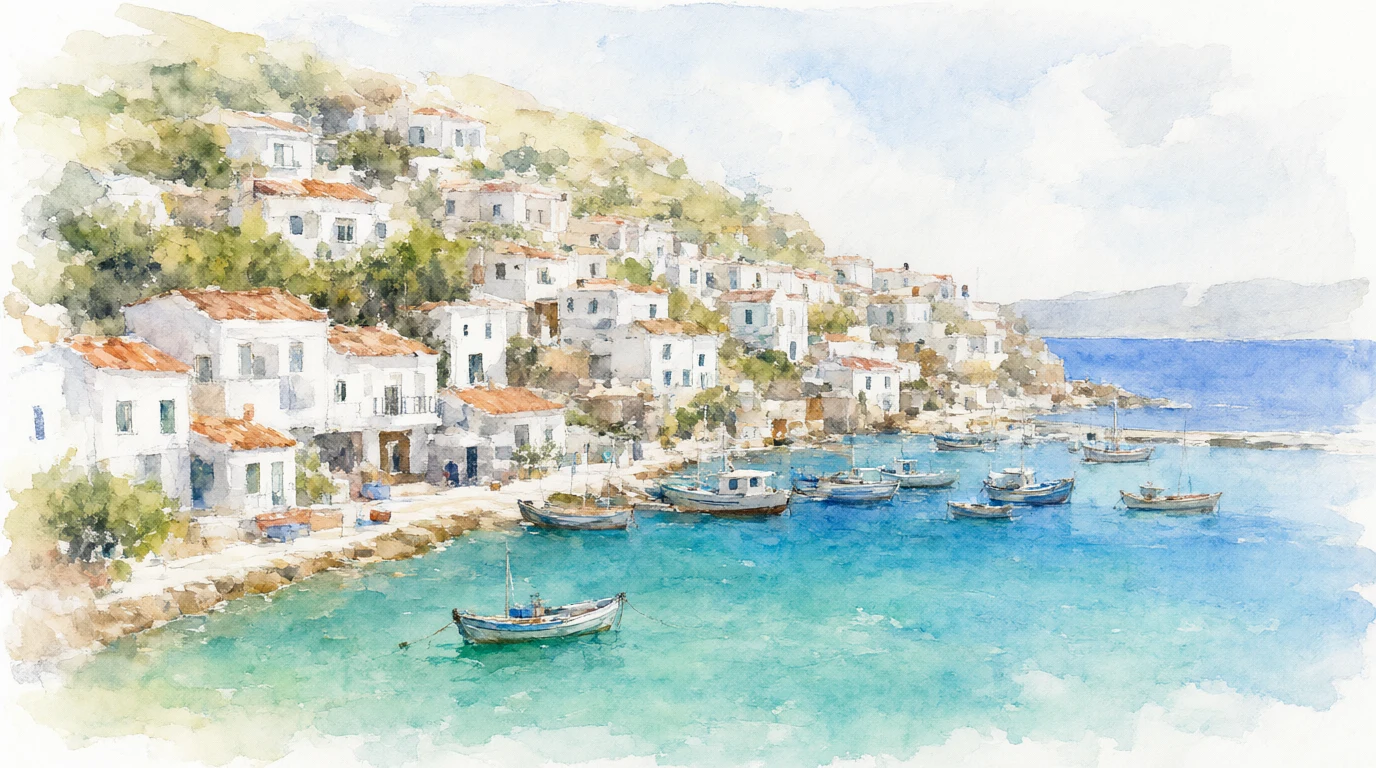
Watercolor village
“A watercolor painting of a coastal village with white houses stacked on a hillside above a turquoise bay, small fishing boats in the harbour, loose brush strokes and soft washes of color.”
Try this prompt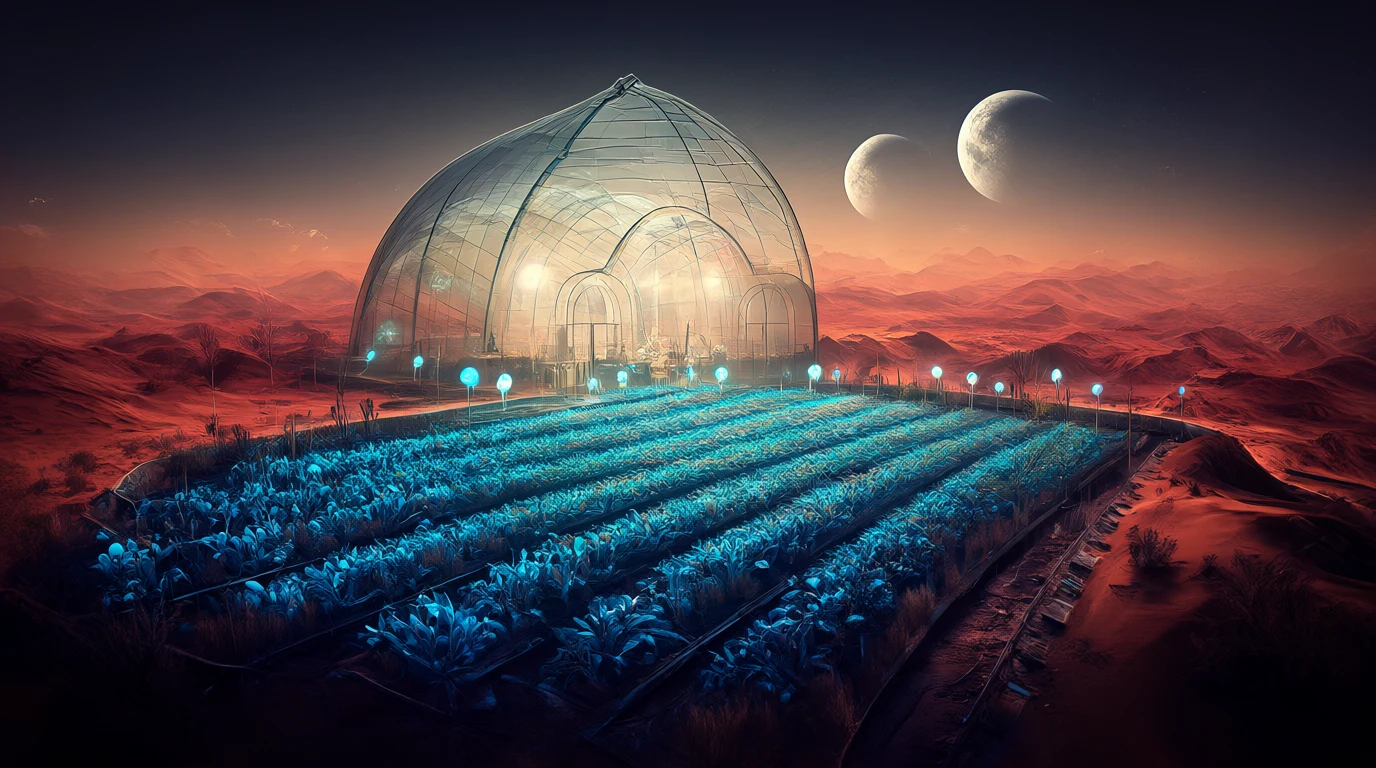
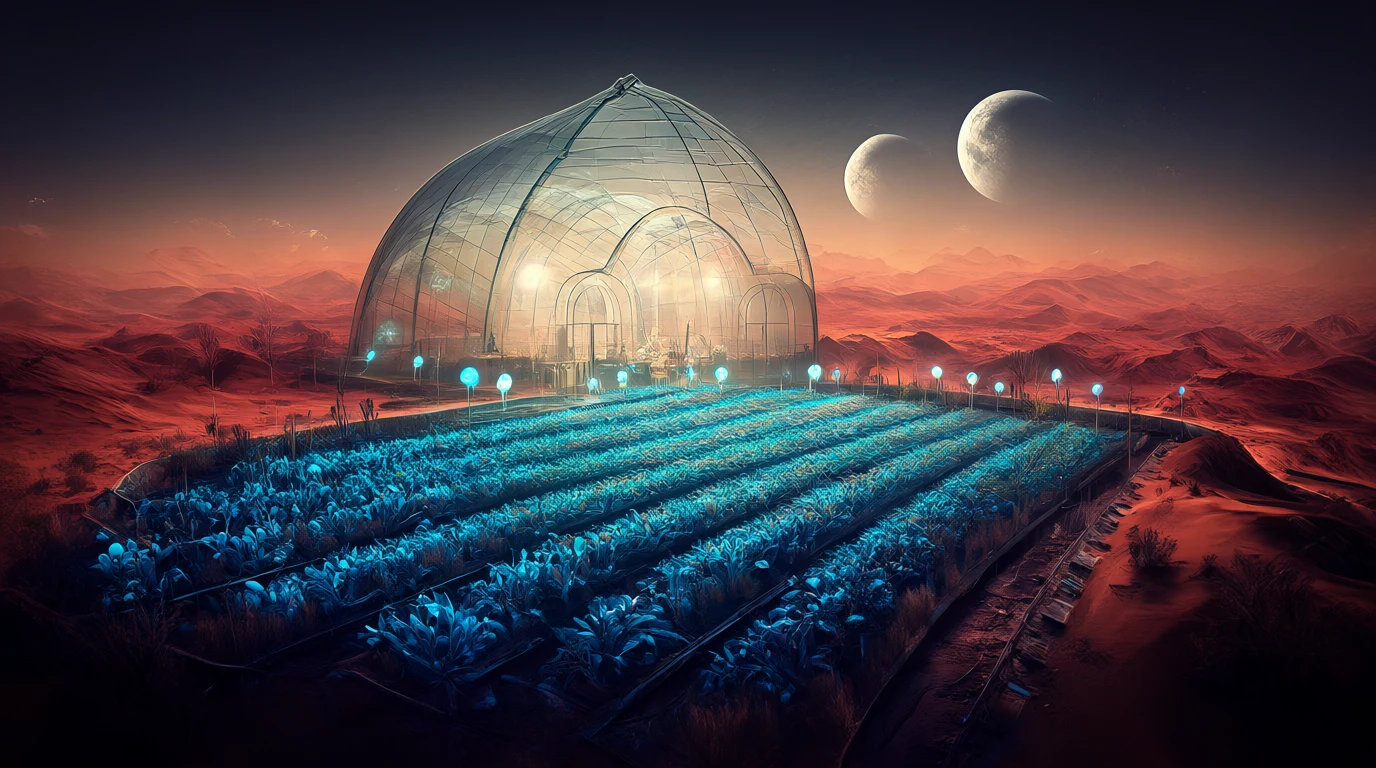
Concept art. Made with Qwen Image 2.1
Greenhouse on a desert planet
“A glass greenhouse on a desert planet, rows of glowing blue plants under a domed roof, two moons rising over red dunes outside, cinematic concept art.”
Try this prompt
How to write a good design prompt
This is the real prompt for the Welcome poster, split into its five parts.
The prompt
A clean flat travel poster on a cream background with the greeting Welcome written large in four stacked lines, each line in a different script and color: first line English Welcome, second line Arabic أهلاً وسهلاً, third line Russian Добро пожаловать, fourth line Japanese ようこそ. Precise correct spelling in every script, no other text or decoration.
- What it isThe kind of design, its style and the background.
- LayoutHow big things are and where they go.
- ColorsName the colors you want.
- Exact wordsWrite every word that goes on it, spelled right.
- What to leave outSay what you do not want.
Which model should I use?
Tap a name to see that model.
| Model | Tokens an image | Good for |
|---|---|---|
| GPT Image 2 | 20 | Posters and charts with words on them |
| GPT Image 2.5 Sunburst | 10 | Detailed illustrations |
| Qwen Image 2.1 | 6 | Paintings, concept art and photos |
| Flux Red | 1 | Lots of cheap first ideas |
- Tokens an image
- 20
- Good for
- Posters and charts with words on them
- Tokens an image
- 10
- Good for
- Detailed illustrations
- Tokens an image
- 6
- Good for
- Paintings, concept art and photos
- Tokens an image
- 1
- Good for
- Lots of cheap first ideas
Every major AI model is in one place. See the AI image generator
How much does a design cost?
You pay in tokens, only for what you make.
One design
From 1token
It depends on the model. Flux Red is 1. Qwen Image 2.1 is 6. GPT Image 2.5 Sunburst is 10. GPT Image 2 is 20.
If a run fails, you get your tokens backNo watermark
Finish your design
Other tools on Enhance AI.
- Make a logo
Get a logo or icon as an SVG file.
- Make it bigger
A bigger, sharper copy for print.
- Fix one part
Say what to change in your design.
- Remove BG
Cut out the main subject.

Questions people ask
Is the AI design generator free?
It is free to try. Making an account is free, with no card. New accounts get free tokens, and they work on every image model. Each model has its own price: Flux Red is 1 token and GPT Image 2 is 20. When you need more, plans start at $19, paid one time. No account yet? Our free image generator makes 3 pictures a day with no account.
What can I design with it?
Posters, flyers, social media posts, infographics, charts, illustrations, paintings, concept art and wallpapers. Type what you want, the style and the colors. If you want words on it, write them in the prompt.
Can it make a logo?
Yes. For a logo or an icon, use the AI vector generator. It makes an SVG file that stays sharp at any size, and you can also download a PNG. It costs 25 tokens, or 70 for Vector Pro. Please do not copy another company's logo.
Can it write words on my poster?
Yes. Write the exact words in your prompt and pick GPT Image 2. In our tests, it spelled every word right, even in Arabic, Russian and Japanese. AI can still get a letter wrong, so check every word before you print or share.
Which model should I use?
For posters and charts with words, use GPT Image 2 (20 tokens). For detailed illustrations, use GPT Image 2.5 Sunburst (10 tokens). For paintings and concept art, use Qwen Image 2.1 (6 tokens). To try lots of ideas cheaply, use Flux Red (1 token). Every major AI model is in the studio, and you can switch any time. See all models.
What sizes can I make?
Pick a shape in the studio, like square, tall or wide. The shapes you see depend on the model. The models on this page make images at about 1K, which looks sharp on a phone and on social media. For a big print, make it bigger with the image upscaler.
Does every try cost tokens?
Yes. Every finished image costs tokens, even if you do not like it. If a run fails, the tokens go back to your balance.
Can I change one part of my design?
Yes. Open it in the image editor and say what to change, like a color or one word. Or change a few words in your prompt and make it again.
Can I use the designs for my business?
Yes. You own the designs you make and can use them for personal or commercial work, like ads, client work and products you sell. You are responsible for what you make, so do not copy another brand's logo, a famous character or a real person's face. Section 6 of our Terms has the details.
Is there a watermark?
No. Designs made with free tokens and with paid plans both come with no watermark.
Do I need to download an app?
No. It works online, in the browser on your phone or computer.
What happens to my prompts and designs?
They are saved in your Enhance AI account, so you can find them later. Our privacy policy explains how long data is kept and how to have it deleted.
Make your first design today
Type an idea, pick a model and download it. New accounts get free tokens.
Start designing- Free to try
- No app needed
- No watermark
More from Enhance AI